
If you've ever tried to record a video, you know the struggle. You think you've found a quiet spot, but the final recording is full of distracting sounds you didn't even notice. The good news is you can remove background noise from video online with AI tools that do the heavy lifting for you—no complex software or audio engineering degree required. These browser-based apps analyze your video's audio, intelligently separate your voice from the noise, and give you a clean, studio-quality track in just a few minutes.
Why Clear Audio Is Your Most Important Asset

In a sea of content, your audio quality isn't just a small detail—it's what makes or breaks the viewer's experience. People have grown accustomed to the crisp, clear sound of professional podcasts and well-produced videos, and their patience for bad audio is thinner than ever.
Think about it. A faint air conditioner hum, the rumble of a passing truck, or even the background chatter at a coffee shop can be all it takes for someone to lose interest and click away. These little imperfections do more than just shorten your watch time; they signal a lack of professionalism and can seriously undermine your credibility. If your audience has to strain to hear what you're saying, they're not absorbing your message.
The Rising Standard of Audio Quality
The expectation for clean audio has skyrocketed, thanks in large part to the creator economy. With the podcast audience hitting 464.7 million listeners in 2023 and projected to reach 504.9 million in 2024, the bar for spoken-word content is incredibly high. A huge chunk of that content is now video, which means nearly half a billion people are regularly tuning into media where audio is everything. This shift has made simple, powerful online tools essential for any creator who wants to be taken seriously. You can find more details in recent industry analysis on this explosive growth.
The difference between a video with distracting noise and one that sounds like it was recorded in a treated studio directly impacts viewer retention and completion rates. For both businesses and independent creators, clean audio is no longer a luxury—it's a necessity.
Common Types of Distracting Background Noise
AI-powered noise removal tools are designed to hunt down and eliminate the most common audio headaches that plague creators. Here are the most common audio issues that AI tools are specifically trained to identify and eliminate from your videos, restoring clarity to your voice.
| Noise Type | Where It Comes From | How It Degrades Your Audio |
|---|---|---|
| Ambient Hum | Air conditioners, refrigerators, computer fans | Creates a low-frequency drone that muddies your voice. |
| Street Traffic | Cars, sirens, and general city sounds | Causes inconsistent and jarring interruptions. |
| Wind Noise | Outdoor recordings, even with a slight breeze | Produces a loud, distorted rumbling that can overpower speech. |
| Echo & Reverb | Empty rooms with hard surfaces | Makes your voice sound distant and unprofessional. |
| Clicks & Pops | Keyboard typing, mouth noises, or mic issues | Introduces sharp, distracting sounds that pull focus. |
Once you understand what you're up against, it becomes much easier to see how these intelligent tools can completely transform a recording that might have otherwise been unusable.
Get Flawless Audio in Just Three Clicks
If you think you need complex editing software with intimidating timelines to get clean audio, think again. The new wave of online tools has made it incredibly simple to get professional-sounding audio. I'll walk you through how to remove background noise from video online with a straightforward, browser-based process that literally anyone can handle.
The entire workflow is built for speed. Let's say you just shot an outdoor vlog, but the wind noise is wreaking havoc on your audio. Or maybe you recorded a webinar, but the air conditioner's low hum is making your presentation hard to follow. These are the exact situations where a quick, AI-powered cleanup can be a total game-changer.
Let's break down how it all works, from start to finish.
Getting Your Video Uploaded
This is usually the easiest part of the whole deal: just get your file into the tool. Most online platforms have a big, obvious "Upload" button or a "Drag and Drop" area right on the homepage. You can’t miss it.
You can grab the file directly from your computer, and these tools are designed to handle the most common video formats you're already working with.
- MP4: This is the universal standard for web video, so it's a safe bet.
- MOV: If you're shooting on an iPhone or editing on a Mac, you're likely using this.
- AVI: A classic format that’s still kicking around for all sorts of projects.
- MKV: A really flexible format that can hold multiple audio tracks.
Just pick your video, and the upload starts. How long it takes depends on your internet speed and how big the file is, but there's almost always a progress bar to show you what's happening.
Let the AI Work Its Magic
Here’s where the cool stuff happens. As soon as your video is uploaded, the AI automatically jumps in and starts analyzing the audio. You don't have to mess with any confusing settings, apply filters, or manually flag the noise. The system is built to be a one-click fix.
This is what a typical AI audio cleaning tool looks like when you start—just a simple "drag and drop" area.
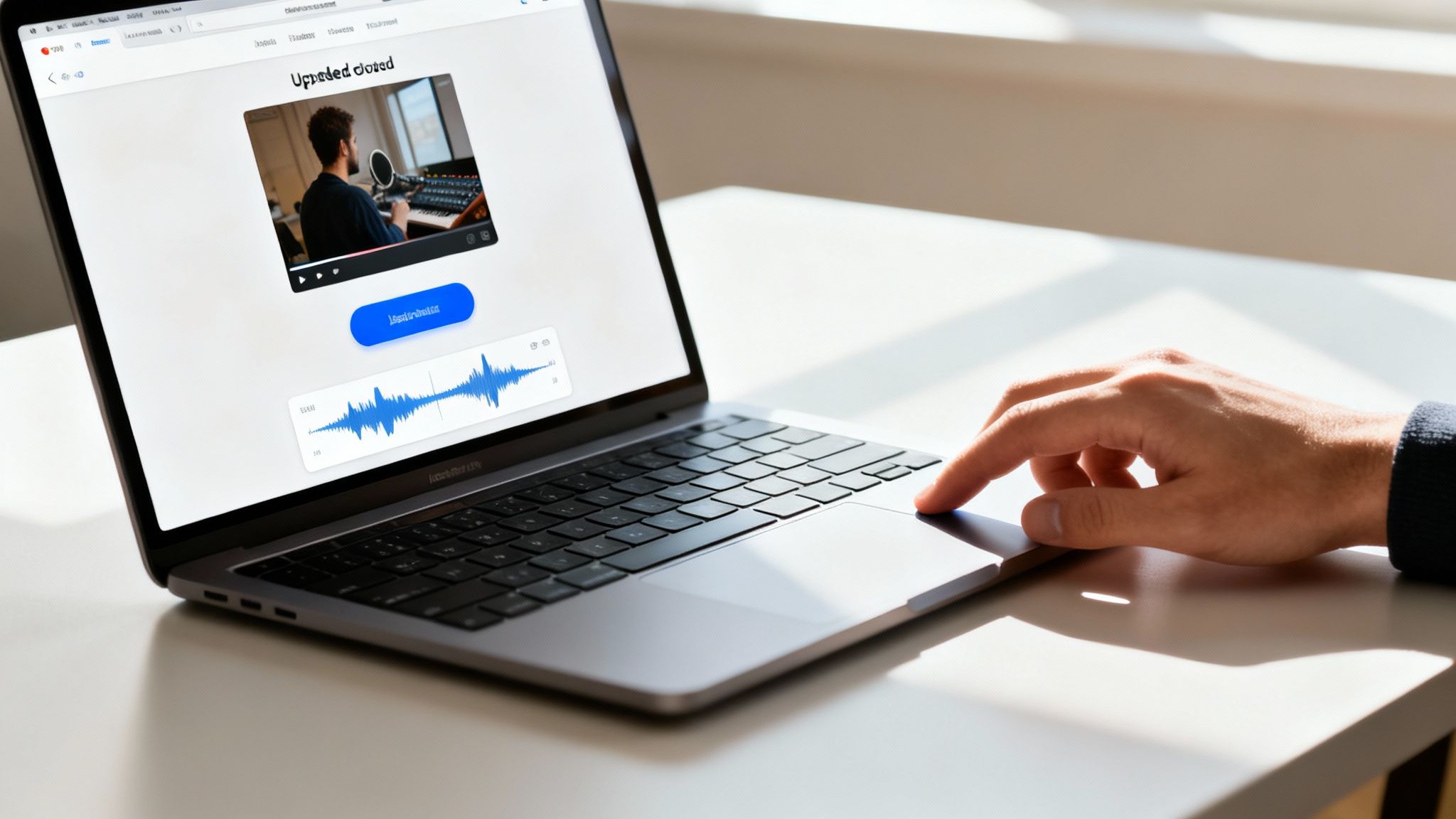
That clean, minimalist design is on purpose. It gets rid of all the technical roadblocks so you can just focus on the end result.
The AI scans your audio track, figures out the unique frequencies of the human voice, and separates them from everything else. It's been trained on mountains of data—both clean speech and all kinds of common noises—so it can intelligently tell the difference between what you're saying and annoying sounds like traffic, humming appliances, or room echo. The whole process is usually done in just a couple of minutes.
Here's What Matters: The goal of these AI tools isn't just to remove noise; it's to preserve the natural sound of your voice. Old-school noise gates often made speech sound clipped or robotic. This modern approach is more like a surgical tool, removing only the distracting stuff while leaving your voice clear and authentic.
Preview and Download Your Polished Video
Once the processing finishes, you'll get a preview. This is a critical step because you get to hear the improvement for yourself. Most tools give you a simple before-and-after comparison.
You can toggle between the original audio (with all its distracting noise) and the new, cleaned-up version. It’s incredibly satisfying to hear that dramatic difference and confirm that the background hum or wind has vanished while your voice is crisp and clear. If you find yourself wanting more control or different features, our guide on the best online audio editor tools gives a good rundown of other platforms out there.
https://simpleclean.app/blog/best-online-audio-editor
When you’re happy with how it sounds, the last step is to download your updated video. The platform gives you a clean MP4 file with the improved audio already synced up. Best of all, your video’s visual quality—the resolution, frame rate, and color—is completely untouched. You get the exact same video back, just with audio that sounds a hundred times better.
How AI Intelligently Cleans Your Audio

Ever wondered how an online tool can just erase a dog barking in the background without making your voice sound thin and robotic? It’s not magic—it's incredibly sophisticated AI, specifically deep learning models that function like a world-class audio engineer with superhuman hearing.
These aren’t your old-school noise gates or clunky frequency filters that just chop out entire chunks of your audio. Instead, these modern AI systems have been trained on thousands of hours of data, learning to tell the difference between the complex patterns of human speech and a whole catalog of annoying sounds.
This rigorous training gives the AI an almost intuitive grasp of what’s a voice and what’s just noise.
The AI Training Process
At its heart, this technology is all about pattern recognition on a massive scale. The AI learns the unique sonic "fingerprints" of all sorts of distractions, from the obvious to the subtle.
- Clean Speech Data: First, the AI studies countless hours of crystal-clear, studio-quality speech. This teaches it the natural rhythm, pitch, and texture of the human voice.
- Noise Profiles: At the same time, it’s fed a huge library of common background noises—think hissing wind, roaring traffic, humming refrigerators, and clacking keyboards.
- Voice Separation: By comparing the two, the AI builds an advanced model that can pinpoint and isolate the human voiceprint within a messy audio track, treating everything else as clutter to be discarded.
This intelligent separation is what makes today’s tools so powerful. Rather than just silencing a frequency range (which often clips parts of your voice, too), the AI carefully preserves the natural richness of the speaker. For a deeper technical look, this guide on using an AI video quality enhancer for de-noising is a fantastic resource.
The end result is an audio track that sounds genuinely clean and professional, not processed or artificial. We cover this in more detail in our guide to the fundamentals of AI audio noise reduction.
https://simpleclean.app/blog/ai-audio-noise-reduction
Performance and Reliability
This isn't just theory; the performance is backed by real data. Studies show that when these AI models are trained on diverse, high-quality datasets, they maintain exceptional vocal clarity.
In fact, speech intelligibility metrics often clock in above 93%, meaning almost all of your original dialogue remains perfectly clear after the AI has done its work. That's a massive improvement over traditional tools that were notorious for leaving behind weird digital artifacts.
The Key Takeaway: When you remove background noise from video online with a modern AI tool, you're not just running a simple filter. You're deploying an intelligent system that truly understands sound, allowing it to perform a precise audio cleanup while keeping the important stuff—your voice—front and center.
Practical Tips for Professional-Sounding Results
AI tools are fantastic for cleaning up audio after you've recorded, but the old rule still holds true: garbage in, garbage out. The best results always come from the best possible source material.
Think of it this way—it's much easier for the AI to polish a slightly dusty gem than it is to turn a rock into a diamond. A few simple adjustments to how you record will make the AI's job a breeze and give you a final product that sounds truly professional. When you need to remove background noise from video online, these habits will pay off big time.
Set Yourself Up for Success Before You Record
The cleanest audio comes from stopping noise before it even starts. Just taking a moment to check your environment before hitting "record" can solve 80% of your audio problems right there.
You don’t need a fancy studio, just a little bit of awareness. These simple actions make a huge difference.
- Find a "Soft" Room: Hard surfaces like bare walls, tile floors, and big windows are your enemy. They create echo and reverb that muddy up your voice. Recording in a room with a rug, curtains, or even a walk-in closet full of clothes will absorb those reflections and give your voice a much warmer, clearer sound.
- Silence the Obvious: Do a quick sweep for noise culprits. Turn off the air conditioner, kill the ceiling fan, and unplug that humming mini-fridge. Closing the windows to block street noise is a no-brainer. AI is great at removing these steady, low-frequency sounds, but giving it less to work with always leads to a better outcome.
- Get Close to Your Mic: Your microphone placement is critical. Aim to be about 6-8 inches away from your mic. The closer you are, the louder your voice is compared to everything else in the room. This improves what's called the signal-to-noise ratio, which is just a technical way of saying your voice stands out.
A classic mistake I see all the time is people using a super-sensitive condenser microphone (like a Blue Yeti) in a room with no sound treatment. Those mics are designed to pick up everything, which is a liability in a typical home office. For untreated spaces, a dynamic microphone is often a much better choice because it’s less sensitive to sounds that aren't right in front of it.
Prepping Your Files for the AI
Once you've finished recording, a little file prep can save you a headache later. Most online platforms are pretty flexible, but they have their preferences.
If you have the choice, exporting your video in a standard format like MP4 with AAC audio is always a safe bet. These are universally accepted and work smoothly with almost any tool.
Try to avoid uploading files that have been heavily compressed. Every time a file is squished down in size, a little bit of audio data gets thrown away. While the AI can still work its magic, giving it the highest quality source file you have ensures it has the most information to analyze, which ultimately gives you the most natural-sounding result.
Real-World Scenarios Where Clean Audio Wins
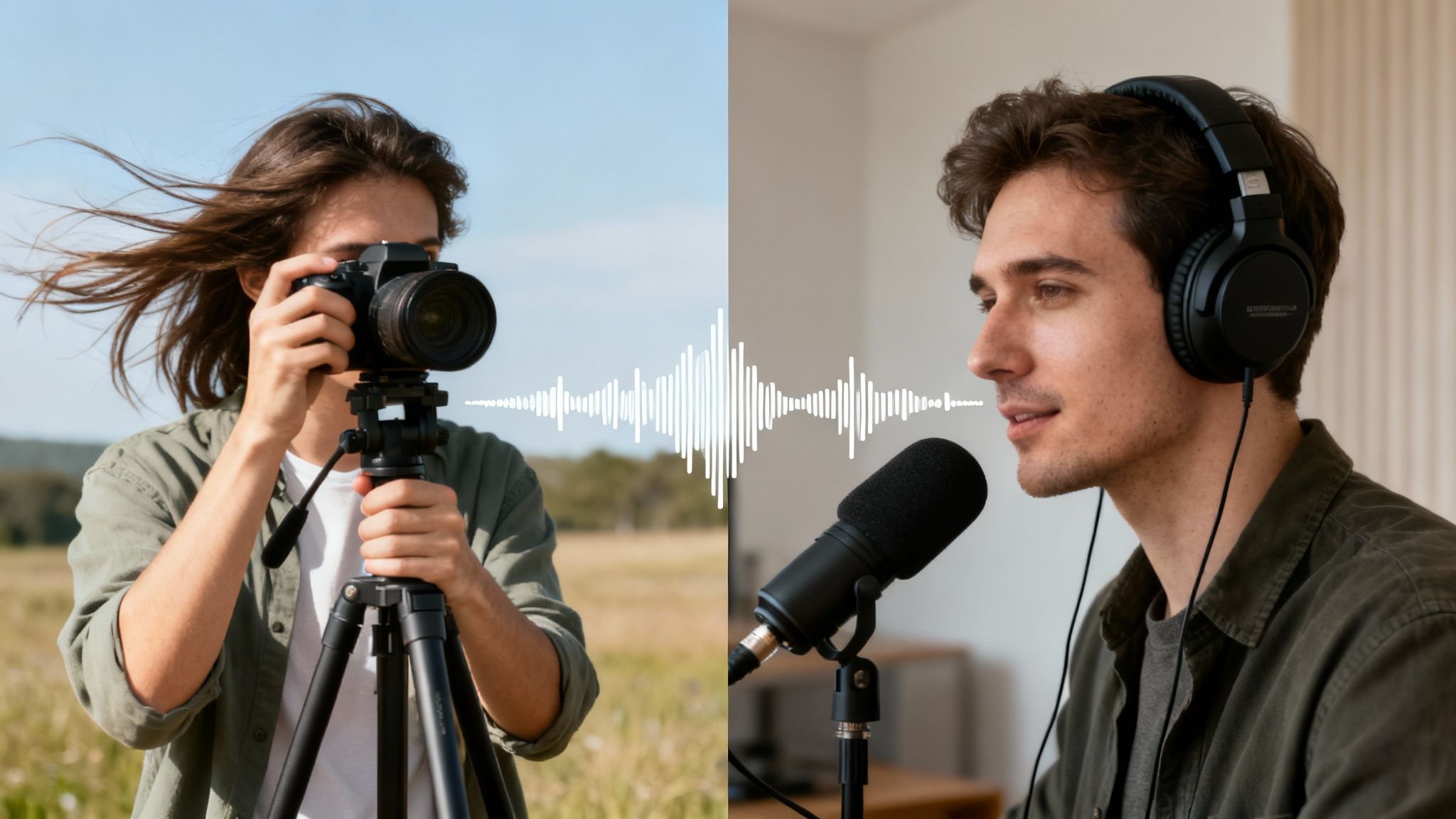
It’s easy to talk about this tech in the abstract, but where does it actually make a difference? The ability to remove background noise from video online isn't just a neat party trick; it's a real-world problem solver that can rescue your content, save you countless hours, and protect your professional image.
This became crystal clear when the world suddenly shifted to remote work. Overnight, millions of us were recording tutorials, hosting webinars, and taking calls from makeshift home offices—hardly soundproof studios. That shift permanently changed audience expectations; people now expect clear audio as a baseline for any digital content.
The market reflects this new reality. Projections show the background noise removal industry is set to soar to $20.4 billion by 2033. This boom is all about the universal need for clear, distraction-free sound, a trend you can read more about in these market trend reports.
For Podcasters and Interviewers
We've all been there. You wrap up an incredible remote interview, only to discover your guest's audio is a mess of echo and reverb from their untreated room. In the past, you were looking at hours of painful, manual editing—or worse, scrapping the recording altogether.
Now, you can just upload that video file. The AI gets to work isolating their voice from all that room reflection, leaving you with a clean, professional dialogue. It sounds like you were both sitting in the same studio, turning a potential disaster into a polished episode.
For YouTubers and Vloggers
Outdoor vlogging is the perfect test case. You’ve just shot some amazing footage on a windy day, but the audio is a complete write-off, just loud, distorted gusts of wind. Before, you’d have to abandon the clip. Not anymore.
Running the video through an online tool can dramatically dial back that wind interference, and in many cases, eliminate it completely. You get to keep the authentic feel of your on-location shoot without forcing your audience to suffer through terrible audio.
We have a whole guide dedicated to this common headache, so if you're struggling, check out these techniques to remove wind noise from video.
For Educators and Trainers
When it comes to educational content, clarity is everything. If you've recorded a lecture or a tutorial, even a seemingly minor background hum from an air conditioner or distant traffic can be a huge distraction. It forces students to strain to hear you, which makes it harder to learn.
Cleaning up the audio ensures every single word lands perfectly. It’s a simple step that has a direct impact on the learning experience, making your lessons more effective and showing your students you’re committed to quality.
Got Questions About Online Noise Removal? We've Got Answers
Jumping into any new tool, especially when it involves your precious video content, naturally brings up a few questions. You want to be sure you’re making the right call. Let's walk through some of the most common concerns I hear from creators when they first look to remove background noise from video online.
Getting these details ironed out will help you use these tools confidently, knowing exactly what to expect from the AI audio cleanup process.
Will This Mess With My Video Quality?
Nope, not one bit. This is probably the biggest myth out there—that running your video through an audio tool will somehow compress or degrade the visuals. It's a fair concern, but thankfully, it's unfounded.
Reputable online AI tools are built to do one thing: work on the audio track. Your video's resolution, frame rate, and color grading are completely ignored. The service surgically lifts out the sound, cleans it up, and then perfectly re-syncs it with your untouched video footage. The file you download will look exactly the same as the one you uploaded, just with a massive upgrade in sound quality.
Is It Actually Safe to Upload My Videos?
Yes, as long as you're using a service that takes security seriously. Look for platforms that use end-to-end encryption. This is your digital armor, protecting your file from the moment it leaves your computer to the moment the cleaned version comes back.
Beyond that, the best services have privacy policies that guarantee your files are automatically and permanently deleted from their servers after a set period, usually just a few hours or days. Your content is yours, and it shouldn't live on someone else's server indefinitely.
For more general questions about audio and music, you might find their Frequently Asked Questions helpful.
Will the AI Make Me Sound Like a Robot?
This is a totally valid fear, and it comes from experience with older, clunkier noise reduction software. Those old tools often used a blunt instrument called a "noise gate," which just chopped out any sound below a certain volume. The result was often choppy, unnatural-sounding speech.
Thankfully, modern AI is worlds smarter. These new models have been trained on thousands of hours of human speech, so they know how to distinguish the subtle frequencies of your voice from the rumble of an air conditioner. Instead of just cutting out noise, the AI identifies and removes only the unwanted frequencies, preserving the natural tone and richness of your voice. The goal is clarity, not artificial perfection.
Can This Handle My Hour-Long Webinar?
Absolutely. Most professional-grade online tools are designed precisely for creators working on longer content. Whether you're dealing with a lengthy podcast interview, an entire online course module, or a full conference recording, you're covered.
- Long-form podcast interviews
- Full-length webinars and presentations
- Multi-hour tutorials or course modules
Always double-check the specific limits of the platform you're using, but it's common to see support for files up to several gigabytes and runtimes of an hour or more.
Ready to hear the difference for yourself? SimpleClean uses advanced AI to remove background noise from your videos in just a few clicks. Try it free today and give your content the crystal-clear audio it deserves at https://simpleclean.app.