Ever tried to record something important—a podcast interview, a YouTube video, even just a quick voice memo—only to have it ruined by background noise? That humming air conditioner, the distant traffic, the keyboard clicks... they always seem to find a way in. AI audio noise reduction is the magic that intelligently scrubs those distractions away, leaving you with nothing but clean, professional-sounding speech.
What Is AI Audio Noise Reduction
Think about having a conversation in a busy café. Your brain is brilliant at tuning out the clatter of dishes, the hiss of the espresso machine, and the buzz of other conversations. You instinctively focus on your friend's voice. AI audio noise reduction does pretty much the same thing, but for your digital recordings.
It’s a sophisticated process where an AI model, trained on thousands of hours of audio, acts like a seasoned sound engineer. This training data includes a massive library of both clean human speech and every imaginable type of noise.
How AI Learns to Clean Audio
This intensive training teaches the AI to tell the difference between a human voice and a car horn, a barking dog, or electrical interference. It learns the unique fingerprints—the specific patterns and frequencies—of what you want to keep versus what you want to get rid of. This is a huge leap beyond older noise reduction methods that would crudely chop out certain frequencies or mute anything below a certain volume.
Instead of just cutting things out, the AI performs an intelligent separation. It identifies the vocal track and carefully lifts it away from the noisy background. The result is a crisp recording that keeps the natural tone and richness of the original voice intact. For a deeper dive into the broader world of AI and its applications, exploring resources like wikio.ai's platform can offer some fantastic insights.
The goal isn't just to silence the noise—it's to rescue the voice from the noise. A great AI tool understands the subtleties of speech and works to preserve its integrity while surgically removing distractions.
Why This Matters for Creators
This technology is a total game-changer for anyone who makes content. It puts studio-quality audio within reach for everyone, something that used to require expensive gear and a soundproof room.
With AI audio noise reduction, you can now:
- Salvage Imperfect Recordings: That interview you did over a shaky video call? It can be turned into a polished, usable track.
- Boost Your Professionalism: Getting rid of distracting sounds instantly makes your content feel more high-quality and authoritative.
- Improve the Listener Experience: Make sure your audience can focus on your message, not the annoying hum in the background.
Ultimately, these AI-powered tools are making high-quality sound accessible. They can take messy, real-world audio and transform it into pristine, ready-to-publish content in just a few clicks.
How AI Cleans Up Your Audio
To really get why modern AI audio noise reduction is such a big deal, you have to look at what we were stuck with before. For decades, audio engineers fought a constant battle against background noise using tools that were clever for their time but ultimately limited. The results were often, well, a compromise.
The Old Way: Brute-Force Filtering
The classic approach usually involved something called a noise gate or spectral gating. The best way to think of a noise gate is like a bouncer at a club. It has one simple instruction: only let sounds above a certain volume level get through. If your voice is loud enough, the gate opens. The moment you pause, the gate slams shut, blocking out the low-level hum from your air conditioner or computer fan.
Simple, right? The problem is, it's a "dumb" solution. That bouncer can't tell the difference between the quiet start of a sentence and a faint, persistent buzz. It often clips the beginning and ends of words, leaving your audio sounding choppy and unnatural. It was a brute-force fix that often created as many problems as it solved.
The New Way: Deep Learning Intelligence
This is where AI completely changes the game. Instead of a bouncer just checking volume, an AI model is more like a highly-trained sound detective. It has spent countless hours "studying" massive libraries of audio—thousands of hours of both pristine human speech and every kind of noise imaginable.
Through this training, the AI learns the fundamental patterns and unique "fingerprints" of the human voice. It can recognize the specific frequencies, rhythms, and textures that make up speech, allowing it to easily distinguish our words from the random, chaotic sounds of background noise.
This flowchart breaks down the basic idea: the AI acts as an intelligent filter, not just a simple gate.
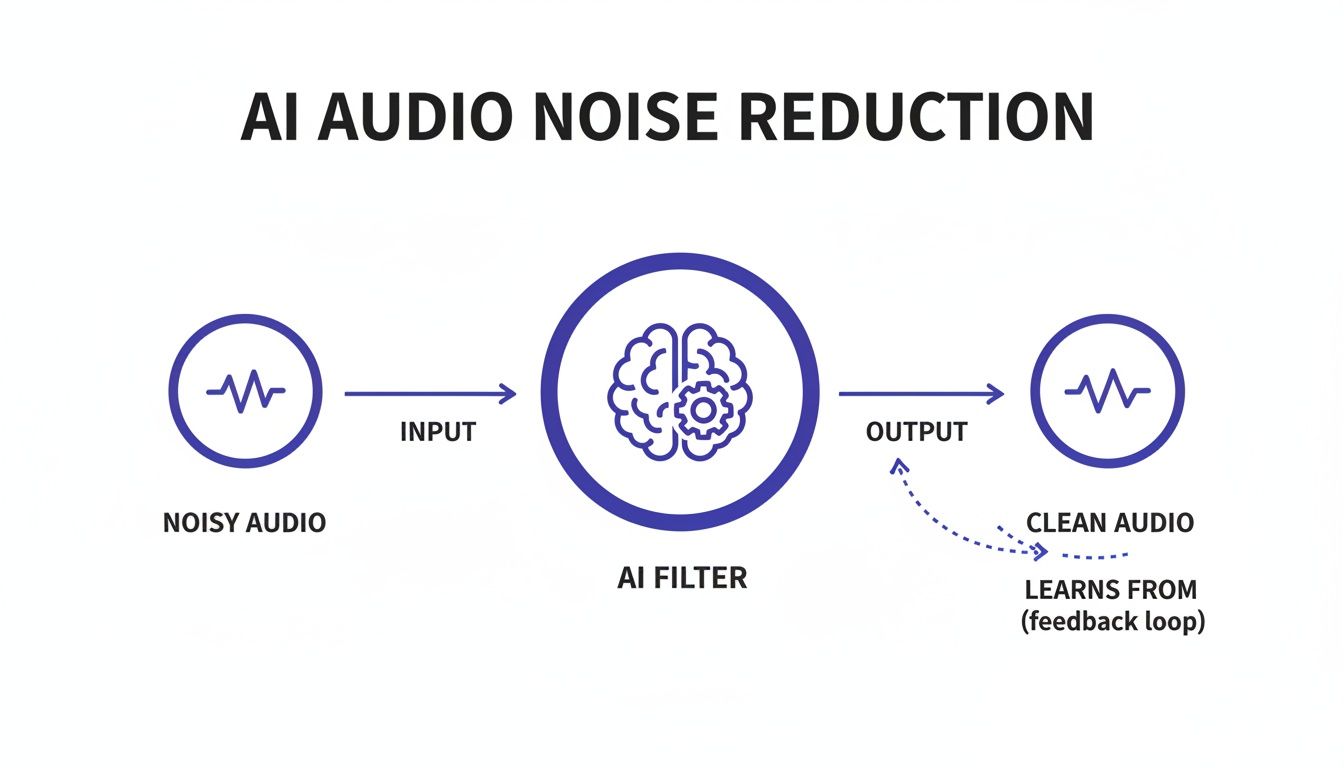
As you can see, the AI doesn't just block noise. It surgically separates the voice you want to keep from the background sounds you don't, resulting in a much cleaner output.
Why Context Is Everything for an AI
The real magic here is the AI's ability to understand context. It isn't just listening for loudness; it analyzes the entire audio waveform to figure out what should be there (your voice) and what's crashing the party (everything else).
Let's say you're recording a podcast in your living room and a siren wails in the distance.
- A traditional noise gate would be useless. The siren is loud, so the gate would stay wide open, letting both your voice and the siren pass right through.
- An AI model, on the other hand, recognizes the specific sound signature of a siren. It can then isolate those frequencies and digitally remove them, all while keeping your voice perfectly intact.
This process is called source separation, and it's worlds beyond simple filtering. The AI is essentially reconstructing what your clean voice should sound like without the noise woven into it.
AI isn't just turning down the volume on noise. It's performing a kind of sonic surgery, identifying the unwanted elements and carefully removing them without damaging the surrounding vocal tissue.
This is exactly why AI tools can handle such a huge range of distractions, from the steady hum of a refrigerator to a dog barking unexpectedly. Older methods just couldn't cope with unpredictable sounds. You can dig deeper into how different software-based noise cancellation technologies stack up in our other guide.
Because the AI works to preserve the natural tone and character of the original voice, the final result sounds authentic, not processed or robotic. This makes AI audio noise reduction an essential tool for anyone who needs professional-sounding audio without the steep learning curve of traditional engineering. It's not just about removing noise; it's about rescuing the original performance.
What You Really Gain from Using AI for Noise Reduction
Knowing the "how" behind AI audio cleaning is interesting, but what really matters is what it can do for your projects. Bringing an AI audio noise reduction tool into your workflow isn't just a tech upgrade—it's a smart move that saves you a ton of time, money, and creative headache. The biggest win? It puts professional-grade audio in everyone's hands.
You can see this shift happening in the market's explosive growth. The online audio noise reduction system market was recently valued at a whopping USD 563 million, and the broader AI audio software market is on track to hit nearly USD 18 billion by 2033. That kind of money doesn't lie; it shows a massive demand from creators who know that clean sound is non-negotiable. You can dive deeper into the numbers by checking out the full market research on AI audio processing.
Achieve Studio Quality Sound Anywhere
Not long ago, getting clean audio meant shelling out for pricey microphones, sound-dampening foam, and a whisper-quiet room. AI has made most of that practically obsolete. Now you can record a podcast interview in a noisy coffee shop or shoot a video on a windy beach and still walk away with crystal-clear dialogue.
Think about it: a podcaster can now interview a guest who's just using their built-in laptop mic. The AI can strip out the room echo and fan hum on their end, making it sound like you were both sitting in the same professional studio. That kind of freedom lets you create content wherever and whenever inspiration hits.
Slash Your Post Production Time
If you've ever tried to manually remove background noise in traditional editing software, you know the pain. It's a tedious, painstaking process of wrestling with equalizers, noise gates, and spectral editors. It takes a trained ear and, more importantly, hours of your life for just a few minutes of clean audio.
AI-powered tools turn that multi-hour slog into a few clicks. You just upload your file, and the algorithm does all the heavy lifting in minutes. All that time you get back is gold. You can spend it on what actually matters—like storytelling, editing, and creating—instead of getting bogged down in technical fixes.
Think of an AI cleaner as your personal, automated sound engineer. It handles the most frustrating part of post-production so you can get back to being a creator. It doesn't replace your skill; it just massively speeds up your workflow.
Boost Audience Engagement and Retention
Bad audio is more than just annoying; it’s a wall between you and your audience. If people have to strain to hear what you’re saying over a buzzing fridge or street traffic, they're going to click away. It's that simple. A crisp, noise-free track makes your content effortless to follow.
That professional polish keeps your audience locked in. Whether you're making a YouTube tutorial, a corporate webinar, or a podcast, clean audio signals that you respect the listener's time. That respect pays off in better watch times and a more loyal audience.
Improve Accessibility for All Listeners
Clean audio isn't just a nice-to-have; for many, it’s a must-have. For listeners who are hard of hearing or have auditory processing issues, background noise can make your content completely unintelligible. By using AI audio noise reduction to strip away those distractions, you’re making your work more inclusive.
On top of that, pristine audio is the secret to accurate automated transcriptions and captions. AI transcription services stumble over noisy files, spitting out gibberish. A clean source file ensures your captions are correct, making your content accessible to everyone—including people who watch videos on mute. This one small step can dramatically expand your reach.
Practical Use Cases for Every Creator
Theory is great, but what really matters is how a tool solves real-world problems. For anyone creating content, AI audio noise reduction isn't just a neat feature—it's a lifesaver that fixes the annoying audio issues that can sink a project. It’s the bridge between the audio you actually record and the professional quality you’re aiming for.
And people are noticing. The demand for this technology is exploding. You see it in tools designed for distraction-free meetings and in the money being spent. In a recent year, North America alone accounted for a 36% market position in AI audio software, pulling in USD 1.6 billion. That number tells a story: clean audio is no longer a luxury, it's a necessity. You can see more on the growth of noise suppression technology.
So, let's get specific. Here’s how different types of creators are using this tech to save their sanity and make better content.
For the Podcaster Juggling Remote Guests
We’ve all been there. You just wrapped up an amazing interview, but your guest was calling from their home office, and their audio is full of that tell-tale computer fan hum and a subtle room echo. In the old days, you were stuck: either spend hours painstakingly editing it out by hand or publish an episode that sounds distracting and unprofessional.
With AI, that entire headache disappears in minutes.
- The Problem: Your guest's audio has a constant background hum and reverb, making them sound like they’re in a cave while you sound like you’re in a studio.
- The AI Fix: You simply run their audio track through an AI cleaner. The algorithm immediately pinpoints the fan noise and dials back the echo, all without making their voice sound robotic.
- The Result: The finished episode sounds like you were both sitting in the same room. It's a smooth, professional listening experience that keeps your audience hooked.
This is about more than just damage control. It frees you up to book interesting guests from anywhere on the globe without worrying about their less-than-perfect microphone setup.
For the YouTuber Filming in the Wild
As a YouTuber, you can't always film in a quiet, controlled studio. Sometimes the location is the story. Whether you’re vlogging on a chaotic city street or filming a project in your noisy garage, background sound is a constant battle. Wind, traffic, and random conversations are the natural enemies of clear audio.
This is where AI becomes your secret weapon on location.
AI audio noise reduction works like a digital pop filter and a portable sound booth, all in one. It lets you capture the vibe of a real place without sacrificing the audio clarity your audience deserves.
Think about a travel vlogger filming at an outdoor market. The scene is beautiful, but the raw audio is a jumble of people talking, music playing, and wind hitting the mic. An AI tool can intelligently separate the vlogger's voice from that mess, making their commentary pop. It's also a game-changer if you need to remove static sound from audio recordings caused by wind or cable interference.
For the Educator Creating Clear Online Courses
When it comes to online learning, if students can't hear you clearly, they can't learn effectively. It’s that simple. If they’re straining to understand you over keyboard clicks, a squeaky chair, or a humming air conditioner, their focus is gone.
AI gives educators a straightforward way to guarantee every lesson is heard loud and clear.
- Record Comfortably: The instructor can just focus on teaching, not on every little noise their home office is making.
- Clean it Up: After recording, they drag the video or audio file into an AI tool. The AI surgically removes all those distracting ambient sounds.
- Deliver Quality: The final course videos are clean, professional, and easy to understand, creating a much better experience for every student.
For the Audio Engineer on a Tight Deadline
Even the pros with years of experience and expensive software are turning to AI. Sure, a seasoned audio engineer can manually clean up a track, but it's a slow, meticulous process. When a client needs a project turned around yesterday, AI audio noise reduction is an incredibly powerful first step.
Instead of spending an hour hunting down every bit of hum and hiss in a voiceover, an engineer can get a nearly perfect result from an AI in just a few minutes. This frees them up to spend their valuable time on the creative side of mixing—adjusting EQ, dialing in compression, and adding effects. The result is a better final product, delivered on time.
How to Use an AI Audio Cleaner
Getting started with an AI audio cleaner is surprisingly easy. If you've ever felt intimidated by complex audio editing software with its endless knobs and sliders, you can relax. Modern AI tools are designed with a completely different philosophy: simplicity and speed. The whole process is usually just a few clicks.
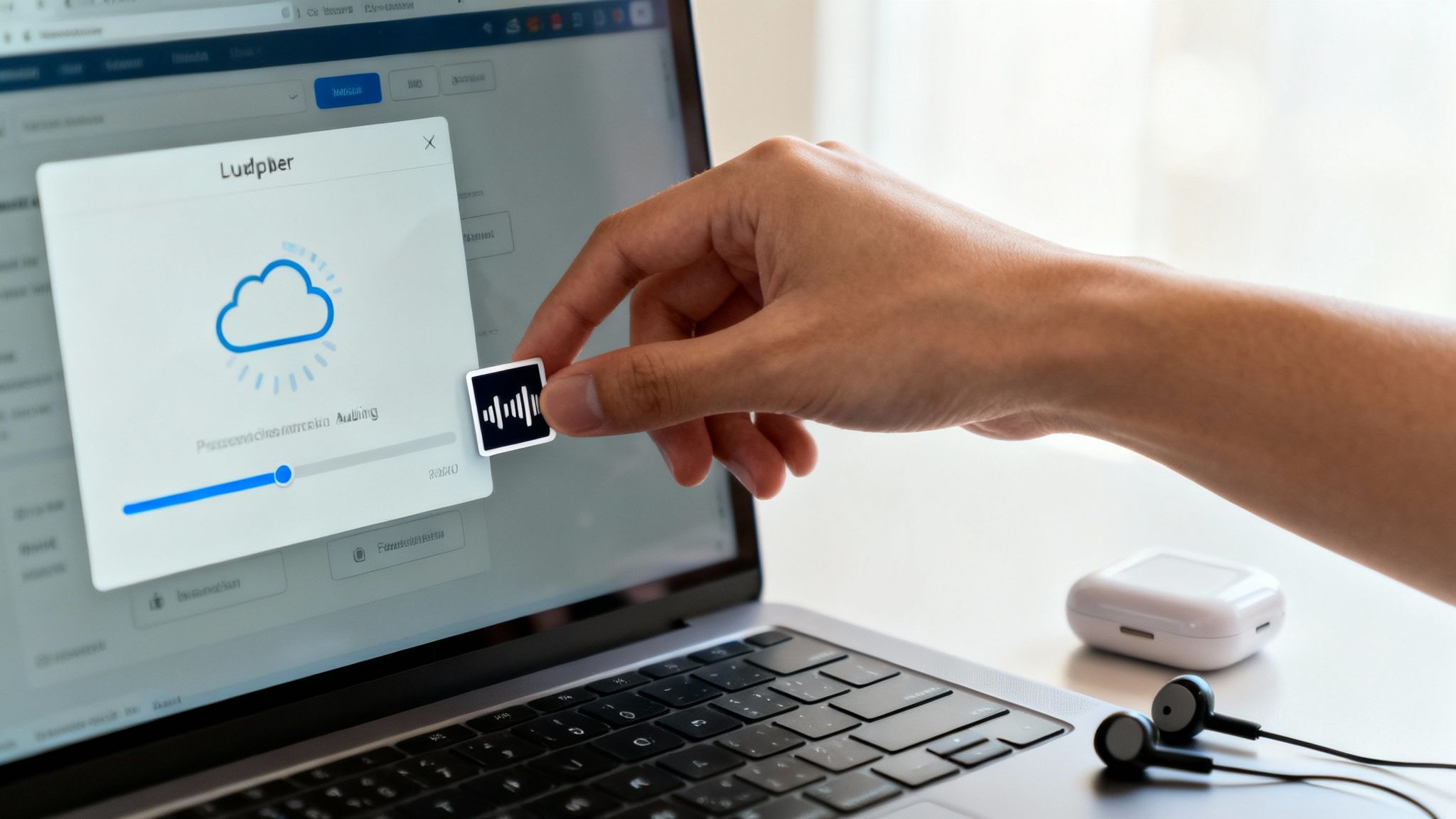
Let's walk through the three simple stages that take your noisy recording and turn it into something clean and professional-sounding.
Step 1: Upload Your Media File
First things first, you need to get your audio or video file into the tool. Most web-based cleaners are built to handle pretty much any common file type you throw at them, so you don't have to worry about converting anything beforehand.
You can almost always upload:
- Audio Files: Standard formats like MP3, WAV, FLAC, and AAC are a given.
- Video Files: Got a video with bad audio? No problem. Just upload the MP4, MOV, or AVI file directly. The AI is smart enough to find the audio track and work on it exclusively.
The interface is usually a simple drag-and-drop box. Find your file, drag it over, and you’re on your way.
Step 2: Let the AI Work Its Magic
Once your file is uploaded, the real work starts—but you don't have to do any of it. The AI takes over completely. Your file gets sent to a powerful cloud server where a trained algorithm scans every millisecond of your recording.
It’s not just applying a generic filter. The AI is listening intently, figuring out what is human speech and what is unwanted noise—like that air conditioner hum, the distant traffic, or even the tapping of your own keyboard. The process can take a few seconds or a couple of minutes, depending on how long your file is. Essentially, the AI rebuilds your voice from the ground up, leaving the distractions behind.
Think of it less like turning down the volume on noise and more like intelligent sound surgery. The goal is to preserve the natural tone and richness of the speaker's voice while precisely removing everything else.
Step 3: Download Your Polished Audio
When the processing finishes, the tool will usually let you preview the results. You'll get to hear a direct "before and after" comparison, which is often the most satisfying part—the difference can be night and day.
Happy with the outcome? Just hit download. You can typically choose the format you need, whether that’s a high-quality WAV file for more editing or a smaller MP3 for easy sharing. If you started with a video, the platform will give you back the same video file, but now with the crystal-clear audio track baked in.
Your clean file is ready to go. You can drop it into your podcast, upload it to YouTube, or use it for transcription. If you're still deciding on a service, check out our breakdown of the best audio noise reduction software for a detailed look at the top options available.
Achieving clean audio is crucial for all sorts of tasks. For example, when you're converting speech to text for meeting notes, starting with a noise-free recording makes a huge difference in accuracy. This simple three-step workflow puts that power in anyone's hands.
Frequently Asked Questions About AI Audio
Jumping into the world of AI audio noise reduction often brings up a few questions. It's powerful stuff, but it’s totally normal to wonder how it affects your original recordings, what's going on under the hood, and what it’s actually like to use. Here are some straightforward answers to the questions we hear most often, so you can feel confident adding these tools to your workflow.
Will AI Noise Reduction Make My Voice Sound Robotic?
This is probably the number one concern, and for good reason. It comes from bad experiences with older, non-AI tools. Those early noise reduction plugins were pretty clumsy—they’d just hack away at entire frequency ranges to get rid of noise. The problem was, they often took a chunk of your voice along with it, leaving things sounding thin, metallic, or weirdly robotic.
Modern AI is playing a completely different game. It isn't just a blunt filter; it’s an intelligent separator.
Think of it this way: an AI model has listened to thousands of hours of crystal-clear speech and just as many hours of pure noise. Through this training, it learns the incredibly complex sonic "fingerprint" of a human voice and how to tell it apart from the random, chaotic patterns of background sound.
So instead of just slicing out frequencies, the AI carefully lifts your vocal performance away from the noise. The whole point of the best AI audio noise reduction tools today is to be completely transparent. You shouldn't even notice the processing—you should only notice that the distracting noise is gone. The warmth, character, and unique tone of your voice stay right where they belong.
What File Formats Can I Use With These Tools?
Flexibility is a huge plus with modern, cloud-based audio cleaners. They’re designed to work with the file types creators are already using, which means you can skip the annoying step of converting files before you even start.
Most tools are built to handle pretty much anything you throw at them:
- For Audio-Only: You can count on support for standards like MP3, WAV, FLAC, and AAC. If you want to keep quality at its absolute peak, stick with WAV or FLAC.
- For Video Files: Need to clean up the audio from a video? Just upload the whole thing. Most services easily handle MP4, MOV, and AVI files.
The real beauty of a web-based tool is that it does the heavy lifting for you. You upload a video, the AI automatically finds the audio track, cleans it up, and then stitches it back to the video for you to download. One quick tip: always check a service’s limits on file size and duration before you start uploading a big project.
How Does AI Handle Sudden, Unexpected Noises?
This is where AI really leaves older methods in the dust. Traditional tools like noise gates could handle a consistent, low-level hum from a fan or an air conditioner, but they were completely useless against a sudden dog bark, a door slamming, or a siren wailing past your window.
An AI model, on the other hand, has been trained to recognize these things as specific sound events.
Because its training library includes thousands of examples of these abrupt interruptions, the AI knows the unique sonic signature of a bark versus a siren. This allows it to surgically target and remove that specific sound from the recording while leaving your voice completely untouched. It’s this ability to deal with both constant and unpredictable noise that makes AI audio noise reduction such a game-changer for recording in the real world, where you can't always control your environment.
Are My Files Secure and How Does the Pricing Work?
Security and clear pricing are non-negotiable when you're trusting a service with your content. Reputable AI audio cleaners take your privacy seriously and have clear policies to protect your files. For instance, many services like SimpleClean automatically delete your files from their servers after a short period, like seven days, so your content remains your own.
When it comes to paying for it, the industry has mostly landed on a few straightforward models.
- Free Trials: Nearly every platform will give you a free trial—often a certain amount of audio (like one free hour)—so you can hear the results for yourself before committing.
- Subscriptions: If you're creating content regularly, like for a podcast or YouTube channel, a monthly or annual subscription is usually the most economical choice. These plans give you a set number of processing hours each month.
- Pay-As-You-Go: Only need to clean up audio once in a while? Pay-as-you-go credits are perfect. You just buy a block of processing time and use it whenever a noisy project pops up.
The key is to find a tool with a pricing structure that fits how you work. That way, you only pay for what you actually use, making professional-grade audio cleanup accessible to everyone, from hobbyists to full-time creators.
Ready to turn your noisy recordings into studio-quality audio? Give SimpleClean a try and hear the difference for yourself. Upload a file for free and get crystal-clear sound in just a few clicks. Get started at SimpleClean.