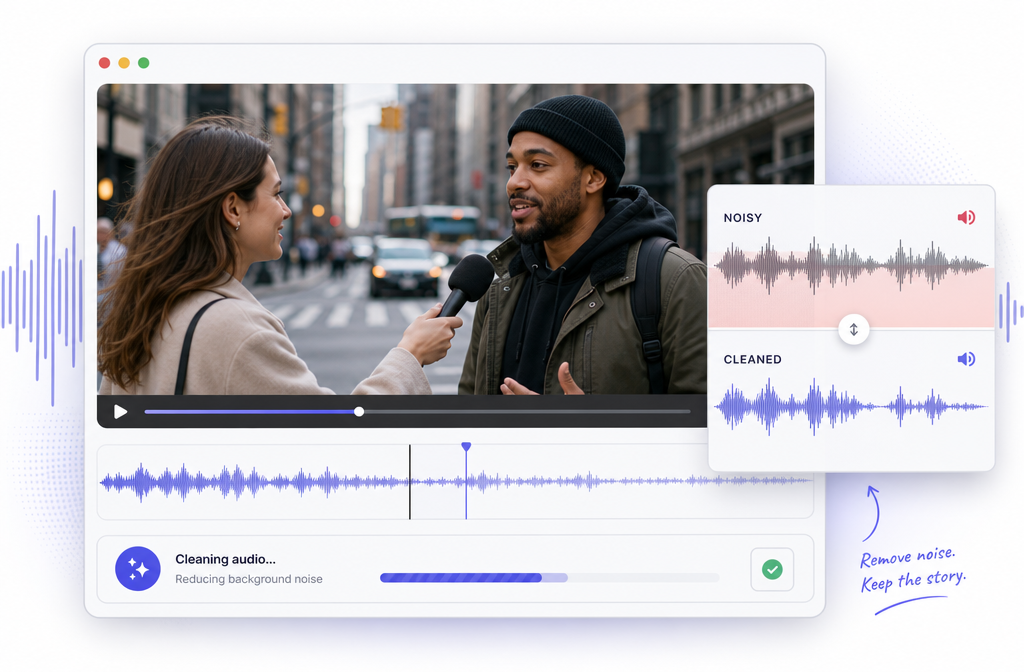
Outdoor spoken-word video often gets buried by traffic: road wash, tire noise, engine and exhaust sound, passing cars, honks, and sometimes sirens. The good news is that this kind of noise can often be reduced online without opening a DAW. The catch is that traffic is harder to clean than a simple hum, because it is broad, variable, and constantly changing.
Quick Answer: Can you remove traffic noise from a video?
Yes, you can often reduce traffic noise from a video online, especially when the voice is still clearly louder than the background. Results are usually best with steady road wash or distant street sound. Results are less perfect when speech overlaps with close pass-bys, honks, sirens, wind, echo, or clipping.
A practical workflow is:
- Upload your noisy video or audio file
- Run noise cleanup
- Preview carefully
- Back off processing if speech starts sounding watery, underwater, or robotic
- Export the cleaned version
If you want the fastest browser-based route, try SimpleClean for spoken-word cleanup, then review the result before publishing. For videos that also need subtitles, Best AI Captions can fit naturally into the next step of your workflow.
What traffic noise actually is
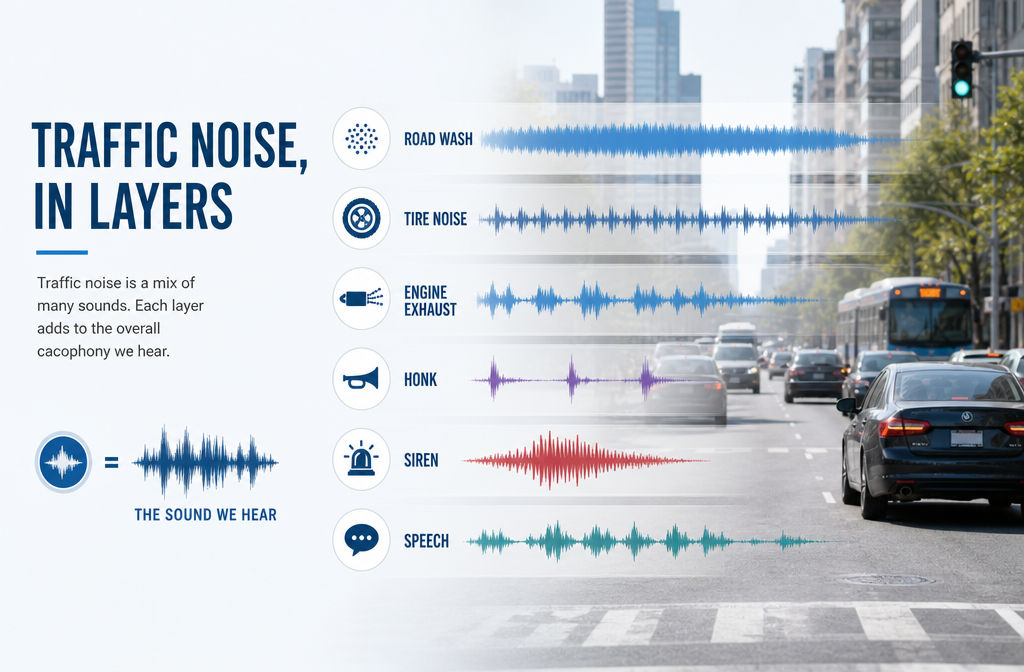
Traffic noise is not one single sound. According to the Federal Highway Administration, roadway noise commonly comes from tire-pavement interaction as well as engine and exhaust-related sources. That matters because a tool is not trying to remove one neat tone; it is trying to separate speech from a moving bed of changing environmental sound.
- Road wash: the steady broadband whoosh of nearby traffic
- Tire noise: rolling noise that can sound like hiss plus rumble
- Engine or exhaust: lower-frequency components and pass-by swells
- Honks and sirens: short, attention-grabbing bursts that may overlap speech
- Passing cars: changing level and tone as vehicles move closer and farther away
This is why traffic behaves differently from a fixed electrical hum or steady HVAC noise.
Why traffic noise is harder than fan hum or steady buzz
Classic noise-reduction methods work best when background noise is relatively constant and quieter than the wanted signal. Audacity's documentation makes this point clearly, and it explains why a simple hum is usually easier to clean than a street interview beside an active road.
In plain English:
- Hum or fan noise: more consistent, easier to identify and reduce
- Traffic noise: variable, broadband, and often overlapping the same frequencies as speech
- Traffic plus wind: harder still, because wind can smear low frequencies and hit the mic unpredictably
- Traffic plus echo: harder because the voice itself is already less defined before cleanup begins
Some denoise tools distinguish between methods aimed at steady noise and AI-driven approaches meant for more complex variable noise such as traffic or crowds. That framing is useful, but the main takeaway for creators is simpler: the more changeable the noise is, the more realistic your expectations should be.
When traffic noise can be removed well vs only reduced
If you want a realistic answer instead of marketing hype, this is the section that matters most.
| Scenario | Typical result | What to expect |
|---|---|---|
| Steady road wash in the background | Usually cleans well | Speech can become clearer if the voice already stands above the noise |
| Distant street noise behind a phone video | Often reduced well | Good improvement is possible, but not total silence |
| Single loud passing car during speech | Partially reduced | The pass-by may soften, but some overlap with words can remain |
| Honk or siren on top of spoken words | Limited recovery | If it covers the voice, that part may not be fully recoverable |
| Heavy highway noise very close to subject | Usually softened, not removed | Speech may improve but still sound compromised |
| Traffic + wind or traffic + clipping | More difficult | You may need to solve the bigger problem first or accept partial improvement |
The core rule is simple: cleanup works best when speech is still intelligible before processing. If the road noise is louder than the speaker, any tool has less clean voice information to preserve.
Best use cases for removing road noise from video online
Online cleanup is especially useful when you need a fast spoken-word fix rather than a full edit session.
- Street interviews: reduce road wash so answers are easier to understand
- Phone-shot videos: improve outdoor clips recorded on sidewalks, parking lots, or near roads
- Balcony talking-head content: soften constant city traffic under dialogue
- Real estate walkthroughs near busy streets: keep agent narration more usable
- Vlogs and journalist standups: quickly clean voice-first content without opening desktop software
If your next step is multilingual publishing, cleaned audio can also feed neatly into Translate Dub for translated, dubbed, and captioned versions.
Traffic noise vs hum, wind, crowd noise, and echo: which fix do you need?
Many bad recordings have more than one problem. Use the right diagnosis before you process.
| If your main issue is... | What it sounds like | Best first fix |
|---|---|---|
| Traffic / road noise | Whoosh, rumble, pass-bys, honks | Noise reduction focused on variable environmental noise |
| Hum / electrical buzz | Stable low tone or buzz | Hum-specific cleanup; see remove hum from audio online |
| Wind | Buffeting, low-end blasts | Wind-focused cleanup; see removing wind noise from video |
| Crowd noise | Many voices and ambience | Speech-focused denoise, but with realistic expectations |
| Room echo / reverb | Voice sounds distant, roomy, smeared | Reverb reduction; see remove reverb from video online |
| Clipping / distortion | Harsh, crunchy, broken peaks | Declipping first if possible; see remove clipping from audio online |
For traffic-heavy clips, it is common to have a combination problem, such as traffic + wind or traffic + echo. In those cases, improvement is still possible, but no single pass should be pushed too hard.
How to remove traffic noise from video online with SimpleClean
If your goal is speed, a browser workflow is usually enough for spoken-word footage.
- Upload your file. Start with your video or audio recording. Common formats people look for in online cleanup workflows include MP4, MOV, MP3, and WAV.
- Run the cleanup. Let the tool analyze the dialogue against the background traffic.
- Preview before exporting. Adobe's guidance on background-noise cleanup supports a reduce-and-preview approach rather than maxing out denoise immediately.
- Back off if voices sound processed. If speech turns watery, underwater, or robotic, reduce the amount of processing.
- Export the cleaned file. Then move on to captions, translation, or publishing.
If you just need a quick fix for a noisy interview, talking-head clip, or roadside walkthrough, this is where Remove echo with SimpleClean is the simplest next step.
Why over-processing makes speech sound underwater
Noise reduction is not magic; it is a tradeoff. Push it too far and the tool starts removing parts of the voice along with the traffic. Adobe specifically recommends adjusting gradually and previewing, which matches real-world audio practice.
Common over-processing artifacts include:
- Watery speech: swirly, phasey texture
- Underwater sound: dullness plus unnatural movement in the voice
- Robotic tone: missing detail and choppy consonants
- Pumping: background noise rises and falls unnaturally between words
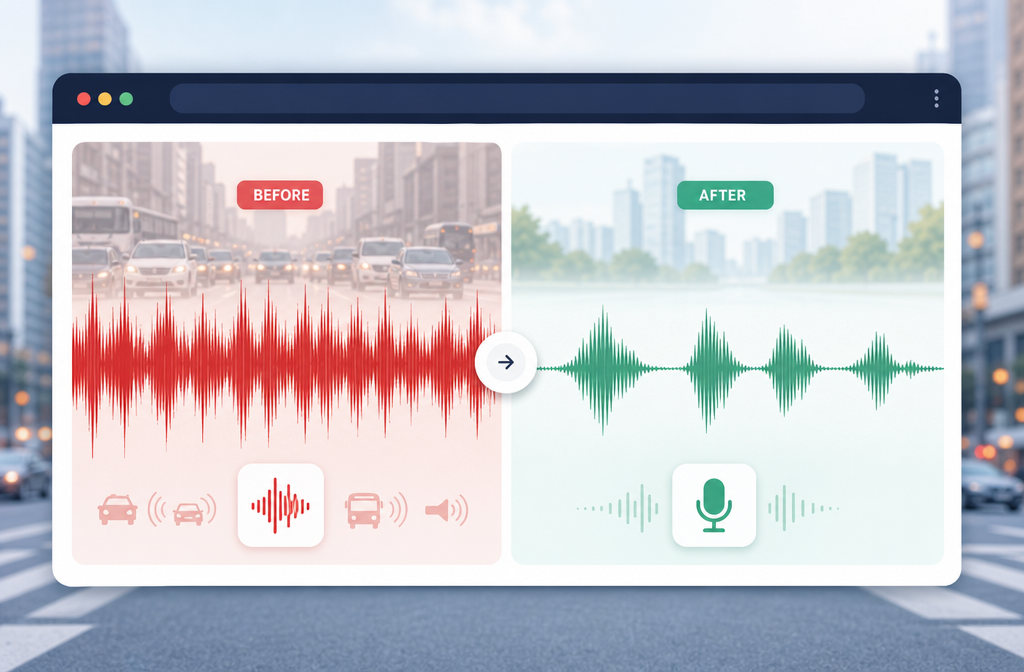
The best result is usually not “all noise gone.” It is better intelligibility without obvious damage to the speaker.
Troubleshooting by scenario
1) Constant road rumble behind a static shot
This is one of the better cases for online cleanup. Because the noise is more continuous, it is easier to reduce while keeping speech understandable.
- Start moderately
- Preview between adjustments
- Stop once the dialogue is clearer, even if some ambience remains
2) Intermittent honks or sirens
Short bursts are tougher. If the honk or siren lands between words, it may reduce nicely. If it lands directly on top of a word, that word may never come back perfectly.
- Expect partial reduction, not perfect removal
- Prioritize voice naturalness over chasing total silence
3) Heavy highway noise in a video interview
If the subject was recorded too close to a busy road, cleanup can still help, but usually by softening the background rather than erasing it.
- Good for making a clip more usable
- Less likely to sound studio-clean
- Best outcome when the mic was near the speaker
4) Moving camera outdoors
When the camera or phone moves, the traffic noise pattern changes constantly. That makes the job harder than a locked-off interview.
- Use lighter processing
- Check transitions as the environment changes
- Accept that consistency may vary across the clip
5) Traffic + wind
If the mic also got hit by wind, the result depends on which problem is worse. Strong wind can overwhelm the voice before traffic cleanup even starts. For more on that, see our wind-noise guide.
6) Traffic + room echo from a doorway or balcony
Echo reduces speech definition, so noise reduction has less clean vocal information to preserve. Try a lighter pass and manage expectations.
Best-for recommendations
- Best for fast spoken-word cleanup: browser-based processing with SimpleClean
- Best for steady low-level street wash: moderate reduction with careful previewing
- Best for phone recordings near roads: online cleanup followed by captions for clarity
- Best for multilingual repurposing: clean first, then use Translate Dub
- Best for social distribution after cleanup: publish clips across channels with Mallary.ai, especially if your team wants one workflow for scheduling, posting, and follow-up engagement
That last point matters for creators and marketers: once you make a roadside clip understandable, it becomes far easier to repurpose it into shorts, captioned posts, and multi-platform content distribution.
How to get better results next time
Audacity's support materials emphasize prevention first, and that is especially true with traffic noise. Post-production can help a lot, but capture still matters most.
- Move the mic closer to the speaker. A stronger voice-to-noise ratio gives cleanup tools more to work with.
- Increase distance from the road. Even a small location shift can reduce traffic bleed.
- Use wind protection outdoors. Traffic is hard enough without added wind damage.
- Monitor while recording. If possible, listen on headphones and catch problems early.
- Record a few seconds of room or location tone. This can help you judge what the background really sounds like.
- Avoid reflective positions. Doorways, walls, and balconies can add echo on top of traffic.
After cleanup: captions, translation, and publishing
Once the dialogue is more intelligible, the rest of your workflow gets easier:
- Add subtitles with Best AI Captions
- Create multilingual versions with Translate Dub
- Distribute cleaned clips across social channels with Mallary.ai
That is a practical creator stack: clean the speech, make it watchable without sound, localize if needed, then publish everywhere.
Final takeaway
If you need to remove traffic noise from video online, the most honest expectation is this: AI can often make spoken-word clips far more understandable, but it cannot always erase the street completely. Steady road wash usually responds better than honks, sirens, and close pass-bys. The best results come from clips where the speaker is still understandable before processing.
For a quick no-DAW workflow, upload the clip, reduce the traffic noise, preview carefully, and export once the voice sounds clearer without obvious artifacts. If that is what you need right now, Remove echo with SimpleClean.
Sources and further reading
- Adobe Premiere: Remove Background Noise from Video - Supports the reduce-and-preview workflow and caution against overprocessing when removing background noise.
- Audacity Manual: Noise Reduction - Supports the explanation that classic noise reduction works best on relatively constant background noise and when the wanted signal is louder.
- Audacity Support: Noise reduction & removal - Supports the prevention-first advice and cautious use of noise reduction.
- FHWA: Acoustical Considerations - Supports the explanation that roadway noise commonly comes from tires interacting with pavement plus engine and exhaust-related sources.
- Media.io AI Noise Reducer - SERP competitor reference for browser-based workflow framing and common audio/video format expectations.
- VEED Remove Background Noise from Audio - SERP competitor reference for positioning online denoise as a simple alternative to desktop editing software.
- CleanAudio.io - SERP competitor reference for commercial positioning around traffic-noise cleanup and online preview workflows.
- Eranol Audio Denoise - Supports the plain-English distinction between approaches for steady noise versus variable noise like traffic and crowds.