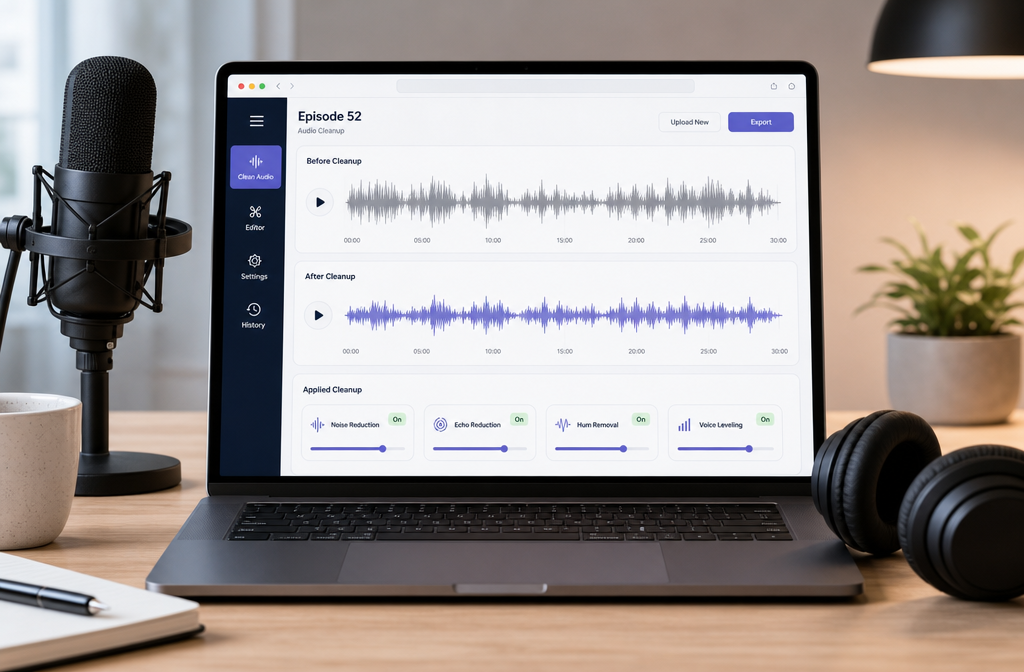
If you already recorded a podcast episode and it sounds noisy, echoey, uneven, or amateur, you can often improve it online without opening a full DAW. For spoken-word shows, the fastest workflow is: upload the audio or video file, reduce steady noise and roominess, compare before and after, keep the voice natural, then export a clean publish copy in a podcast-friendly format. This works best for fan or HVAC noise, hiss, hum, light echo, and uneven dialogue. It helps less with severe clipping, heavy crosstalk, or voices buried under other voices.
For a fast first pass, you can clean podcast audio with SimpleClean before transcription, clipping, or publishing.
Quick Answer
Cleaning podcast audio online means repairing a recorded spoken-word episode in the browser after the session is over. A good online workflow can reduce steady background noise, soften room echo, improve clarity, and make voice levels feel more consistent without forcing you to learn multitrack editing.
- Best candidates for cleanup: fan noise, HVAC rumble, steady hiss, electrical hum, moderate room echo, light mouth clicks, and uneven spoken-word recordings.
- Only partly fixable: clipped speech, severe overlap between speakers, very distant voices, and harsh compression artifacts from low-quality call recordings.
- Best source files: WAV if you have it, then M4A or MP3, or video files like MP4 when the podcast was recorded on camera.
- Publishing basics: Spotify for Creators supports MP3, M4A, and WAV uploads in mono or stereo. Apple provides audio requirements and notes that playback loudness can be adjusted when Sound Check metadata is present.
The key is to treat cleanup as a repair pass, not magic. Good spoken-word cleanup makes an episode easier to follow, less distracting to hear, and often easier to transcribe accurately.
What “clean podcast audio online” really means
This is post-recording repair for dialogue-heavy episodes: solo podcasts, interviews, remote recordings, phone-recorded inserts, and video podcasts. It is not the same thing as full music production or detailed multitrack editing.
In practice, podcasters usually want one or more of these results:
- Remove steady background noise
- Reduce room echo or reverb
- Lower hum or buzz
- Tame clicks and light mouth noise
- Make speakers feel more even in loudness
- Export a clean file ready for Spotify, Apple, transcription, clips, and social posting
According to Auphonic’s algorithm documentation, loudness normalization is different from denoising, and speech-isolation style processing can remove ambience or music along with noise if pushed too hard. That is why spoken-word cleanup works best when you solve the actual symptom instead of overprocessing the whole file.
What SimpleClean handles best for podcasts
SimpleClean makes the most sense as a fast first-pass cleanup tool when you already have a finished recording and want it to sound clearer before publishing or deeper editing.
- Steady background noise
- Fan and HVAC noise
- Hiss
- Room echo or light reverb
- Hum or low electrical buzz
- Light clicks
- General spoken-word unevenness
That makes it especially useful for remote interviews, laptop-mic backups, webcam podcast audio, and phone-recorded segments that are intelligible but distracting.
What online cleanup can fix well, partly fix, or not really fix
| Problem | Can online cleanup help? | Best expectation | Should you re-record? |
|---|---|---|---|
| Steady hiss | Usually yes | Noticeably cleaner speech | Usually no |
| Fan or HVAC noise | Usually yes | Much less distraction if voice is clear | Usually no |
| Hum or low buzz | Usually yes | Cleaner low end, less electrical rumble | Usually no |
| Moderate room echo | Often partly to well | More focused voice, less hollow sound | Sometimes |
| Light mouth clicks | Often partly | Reduced distraction, not always perfect | No |
| Keyboard noise | Often partly | Less obvious, especially between phrases | No |
| Background chatter | Sometimes partly | Voice may improve, competing speech may remain | Maybe |
| Severe clipping | Limited | May become less harsh, rarely fully restored | Often yes |
| Heavy speaker overlap | Limited | Some separation may help, but not full repair | Often yes |
| Voice buried under noise | Limited | Possible improvement, not a miracle | Often yes |
That realism matters. Cleanup can save many episodes, but it cannot perfectly recreate speech detail that was never captured.
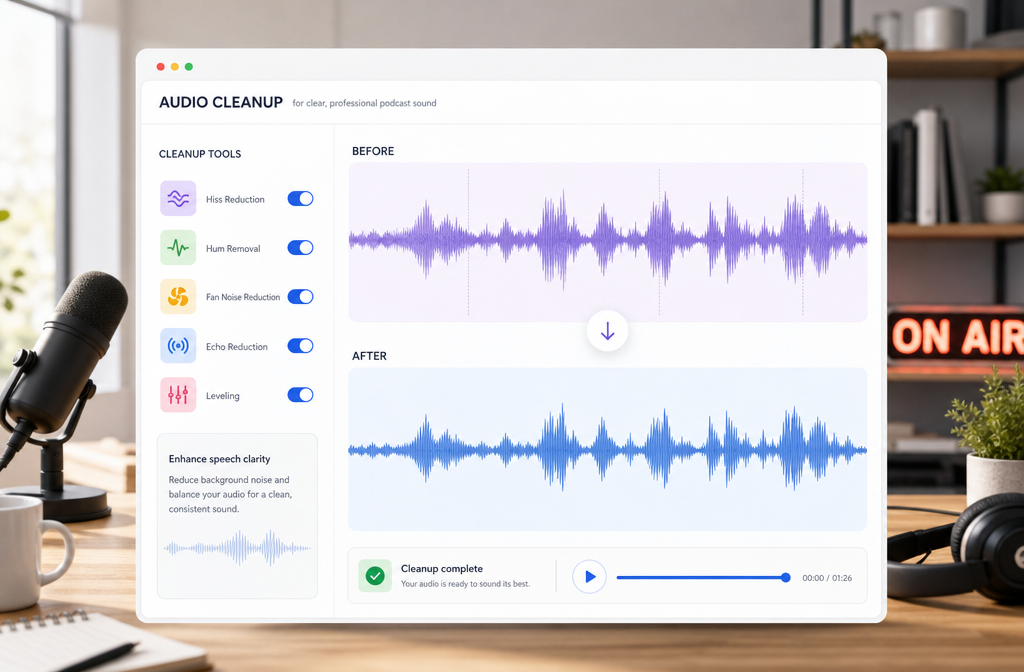
How to clean podcast audio online in 3 fast steps
- Upload your podcast file. Use the exported audio file if you have one, or upload the video file if your podcast was recorded as MP4 or another video format.
- Preview and compare. Listen for the actual defect: hiss, hum, fan noise, hollowness, or uneven voice level. Compare before and after instead of judging the processed version in isolation.
- Download the cleaned result. Keep one cleaned publish copy for release, and keep your original or a WAV master for archive if possible.
This approach is faster than building a full DAW chain when your main goal is simply to make a spoken-word episode cleaner, easier to follow, and ready for distribution.
Symptom-based troubleshooting for podcast recordings
| What you hear | What it usually means | What to do |
|---|---|---|
| High steady shhh sound | Hiss, high preamp gain, noisy room tone | Use noise reduction carefully and compare to the original |
| Low buzz or drone | Hum, electrical noise, HVAC rumble | Target hum or low-end noise reduction |
| Hollow, distant, roomy voice | Room echo or reverb | Use reverb reduction, but keep expectations realistic |
| Crunchy, broken loud words | Clipping or distortion | Try repair, but prepare for partial improvement only |
| Tiny saliva ticks or lip smacks | Mouth clicks | Reduce lightly so consonants stay natural |
| Other people faintly talking behind host | Background conversation | Speech-focused cleanup may help, but competing voices often remain |
| Typing and desk noise | Mechanical transients near the mic | Reduce if possible, especially in pauses |
If you need more specific help on one defect, see our guides on removing hiss from audio online, removing hum from audio online, reducing mouth clicks, fixing clipped audio, and removing echo from audio online.
Best for: when online podcast cleanup is the right choice
- Best for solo podcasters: quick cleanup of hiss, fan noise, and roominess without learning a DAW
- Best for interview shows: cleaning guest tracks before editing and leveling
- Best for remote podcasts: improving exported files from Riverside, Zoom, or similar tools
- Best for video podcasters: cleaning the audio inside MP4 files before adding captions or clips
- Best for editors on a deadline: a fast first pass before deeper manual work
If your file has severe clipping, constant speaker interruptions, or a guest recorded from across the room with strong background conversation, online cleanup is still worth trying, but you should frame it as salvage rather than full restoration.
Remote podcast audio: Riverside, Zoom, and other interview platforms
Remote episodes often sound inconsistent because each person has a different mic, room, and internet connection. When available, start from local high-quality tracks, not backup cloud recordings. Riverside explains that its high-quality tracks are recorded locally on each participant’s device, while cloud recording files are backup files and may be lower quality because they depend on the internet connection.
That matters because cleanup works better when the original track has more intact voice detail and fewer compression artifacts.
Practical remote workflow:
- Export each local speaker track if your platform gives you separate files
- Clean the noisy or echoey track first, not necessarily the whole mix
- If you only have a combined file, still clean it, but expect less control
- Use cloud backups only when the local files are missing or incomplete
If you are cleaning webinar or call-style recordings too, our guides on cleaning Zoom recording audio online, cleaning Google Meet recording audio online, and cleaning Microsoft Teams recording audio online cover similar issues.
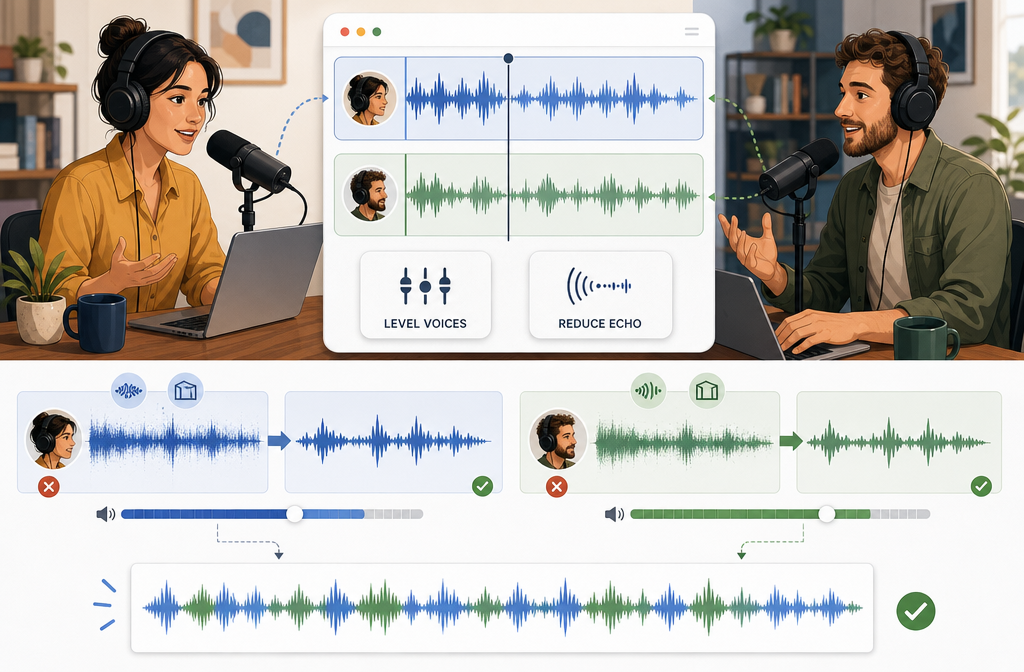
How to keep voices natural and avoid overprocessing
The biggest mistake in AI podcast cleanup is trying to make the file sound “perfect” instead of clear and believable.
- Compare against the original often
- Process only the damaged version, not your archive master
- Do not strip so much ambience that speech sounds phasey or watery
- Use speech-focused cleanup carefully if you have intro music or room tone you want to preserve
- When in doubt, leave a little natural room sound rather than creating artifacts
Auphonic specifically notes that stronger speech isolation can remove music and ambience along with unwanted sound. For podcasts, intelligibility usually matters more than total silence between words.
Leveling voices and loudness, explained simply
Podcasters often say a file sounds “bad” when the bigger problem is actually inconsistent loudness. One speaker is too quiet, another is too loud, and listeners keep changing volume.
Loudness normalization is different from noise reduction. Noise reduction removes unwanted sound. Loudness normalization aims to make playback feel more consistent. The EBU explains loudness as a standardized way to measure perceived program level, and R128 is the core framework behind modern loudness normalization.
You do not need mastering theory here. The practical takeaway is simple: your episode should feel consistently audible from start to finish, without sudden jumps between host and guest.
Apple’s podcast requirements mention audio metadata and note that playback can be adjusted to a target level of -16 dB when Sound Check metadata is present. Use that as playback context, not as a guarantee that every listening app will behave the same way.
If your episode still sounds uneven after cleanup, do a level pass before publishing. Clean first, then normalize or level.
Export settings for Spotify and Apple-friendly delivery
Spotify for Creators supports MP3, M4A, and WAV uploads in mono or stereo. For spoken-word podcasts, that gives you a practical choice:
- WAV: best as your archive or master copy
- M4A or MP3: practical publish formats when you want smaller files
- Mono: often makes sense for voice-only shows
- Stereo: useful if your production includes stereo music, ambience, or intentional left-right elements
For most dialogue-heavy podcasts, the smartest workflow is to keep a cleaned WAV master if available, then export the publish copy in the format your hosting workflow prefers.
Publishing readiness: cleaner audio helps more than listening
Better audio does not just improve listener experience. It can also help downstream tasks:
- Cleaner podcast transcripts
- Better subtitle readability on video clips
- More polished social snippets
- Less listener drop-off caused by noise and inconsistent levels
If you publish video podcast clips, Best AI Captions can help add captions and subtitles after cleanup. If you repurpose episodes for multilingual audiences, Translate Dub fits naturally after the audio is cleaned. And when you are ready to distribute clips, episode promos, and audiograms across platforms, Mallary.ai is useful for scheduling and automating social publishing from one dashboard or API.
That makes cleanup a first step in a larger publishing pipeline, not just an isolated repair task.
Prevention tips for your next recording
- Keep mic distance consistent. Shure’s placement guidance recommends staying close and using a pop filter for spoken voice.
- Use a pop filter or windscreen. This helps reduce plosives and harsh breath bursts.
- Watch gain staging. RØDE advises setting gain carefully to avoid clipping while keeping a healthy signal.
- Record in a quieter room. Soft furnishings help reduce reflections and roominess.
- Wear headphones during remote sessions. This helps prevent speaker bleed and makes issues easier to catch live.
- Prefer local recordings when available. For remote podcasts, local tracks usually clean up better than internet-dependent backups.
If you already have a noisy episode in hand, the fastest move is still to repair your podcast audio online with SimpleClean before you transcribe, clip, caption, or publish it.
Frequently asked questions
Can I clean a podcast recorded on my phone?
Yes. Phone-recorded podcast audio can often be improved online, especially when the main problems are hiss, room echo, fan noise, or uneven loudness. Results depend on how intelligible the voice was in the original recording.
Can I clean video podcasts online too?
Yes. If your podcast is inside a video file like MP4, you can clean the audio portion before publishing clips, full episodes, or transcriptions.
Can AI remove all room echo from a podcast?
Not always. Moderate room echo can often be reduced enough to improve clarity, but strong reverb from a very reflective room is usually only partly fixable.
Will cleanup fix clipping?
Sometimes partly, but not perfectly. If loud words were badly distorted during recording, cleanup may reduce harshness without fully restoring the lost detail.
What loudness should a podcast be exported at?
Your episode should sound consistently audible and not jump wildly between speakers. EBU loudness standards help explain the measurement side, but the practical goal for podcasters is stable perceived loudness rather than chasing theory.
Should podcast episodes be WAV or MP3?
Keep WAV as the archive or master when possible. Use MP3 or M4A as a practical publish copy if that fits your hosting workflow. Spotify for Creators supports MP3, M4A, and WAV uploads.
Will cleaning audio help podcast transcription accuracy?
Often yes. Cleaner spoken-word audio is generally easier for both humans and transcription systems to understand, especially when noise and roominess are reduced.
Sources and further reading
- Apple Podcasts for Creators — Audio requirements - Used for Apple audio requirements context and the note about playback adjustment when Sound Check metadata is present.
- Spotify for Creators — Publishing audio episodes - Used to confirm supported upload formats and mono/stereo support for podcast episode publishing.
- EBU Technology & Innovation — Loudness - Used to fact-check the plain-English explanation of loudness normalization and R128.
- Auphonic Help — Audio Post Production Algorithms (Singletrack) - Used to distinguish loudness normalization from denoising and to note artifact cautions with stronger speech-focused processing.
- Riverside Help — About high quality tracks - Used to support the recommendation to prefer local high-quality tracks for remote podcast cleanup.
- Riverside Help — About cloud recording files - Used to explain why cloud backups may be lower quality and less ideal for cleanup.
- Shure — SM4 User Guide (placement) - Used for prevention guidance on close mic placement and pop filter use for spoken voice.
- RØDE — Techniques for Gaining Stage Your Microphone During Recording - Used for gain staging and clipping prevention tips.