Picture this: you're landing the biggest client of your career over a video call, and right on cue, a construction crew fires up a jackhammer outside your window. Or maybe you've just nailed the perfect take for your podcast, but listening back, you realize the air conditioner was humming the whole time.
These are the exact moments software noise cancellation was made for. It's the digital magic that swoops in to clean up your audio, using smart algorithms to hunt down and eliminate distracting sounds, leaving just your voice, crisp and clear.
The Problem Software Noise Cancellation Solves
Let's be honest, our world is noisy. From barking dogs and crying babies during a remote meeting to the constant drone of city traffic, unwanted sound is everywhere. Trying to get clean audio in the middle of all that chaos is a huge challenge, and it's precisely the problem software noise cancellation is built to fix.
Instead of needing a soundproofed studio or expensive microphones, this technology gives you a powerful and easy way to get professional-sounding audio. It intelligently listens to your audio, figures out what's your voice and what's background junk, and then surgically removes the junk.
Why Clean Audio Is Essential
The need for clean audio isn't just about sounding nice—it has a real-world impact. Poor audio quality can create serious problems.
- Misunderstandings and Mistakes: When audio is muffled or full of distractions, people miss things. In high-stakes fields like healthcare or finance, a simple miscommunication can lead to major errors.
- Lost Engagement: If you're a content creator, noisy audio is a killer. It makes your audience tune out. That distracting hum or echo can make even the most brilliant video unwatchable, hurting your channel's growth.
- A Poor Professional Image: Hopping on a sales call with a noisy background just makes you seem unprepared. It can chip away at the trust you're trying to build with clients and colleagues.
As we've all moved to more digital communication, the demand for these tools has exploded. The global market for this kind of software was valued at around USD 1.5 billion in 2024 and is expected to skyrocket to USD 4.2 billion by 2033. You can explore more data on this growing market trend to see just how essential this tech has become.
Ultimately, the goal is simple: make your voice the only thing that matters. Software noise cancellation ensures your message is heard exactly as you intended—loud and clear, without any distractions.
How Noise Cancellation Works: AI vs. Traditional Methods
To really get a handle on how software scrubs noise from your audio, it helps to imagine two different kinds of security guards. The first is an old-school bouncer with a rigid, pre-approved guest list. The second is a highly trained secret service agent who can spot and adapt to new threats instantly. This analogy really gets to the heart of the difference between traditional audio cleanup and the smart tools we have today.
This flow map gives you a quick visual of how a modern tool takes a messy recording and turns it into a clean, professional-sounding track.
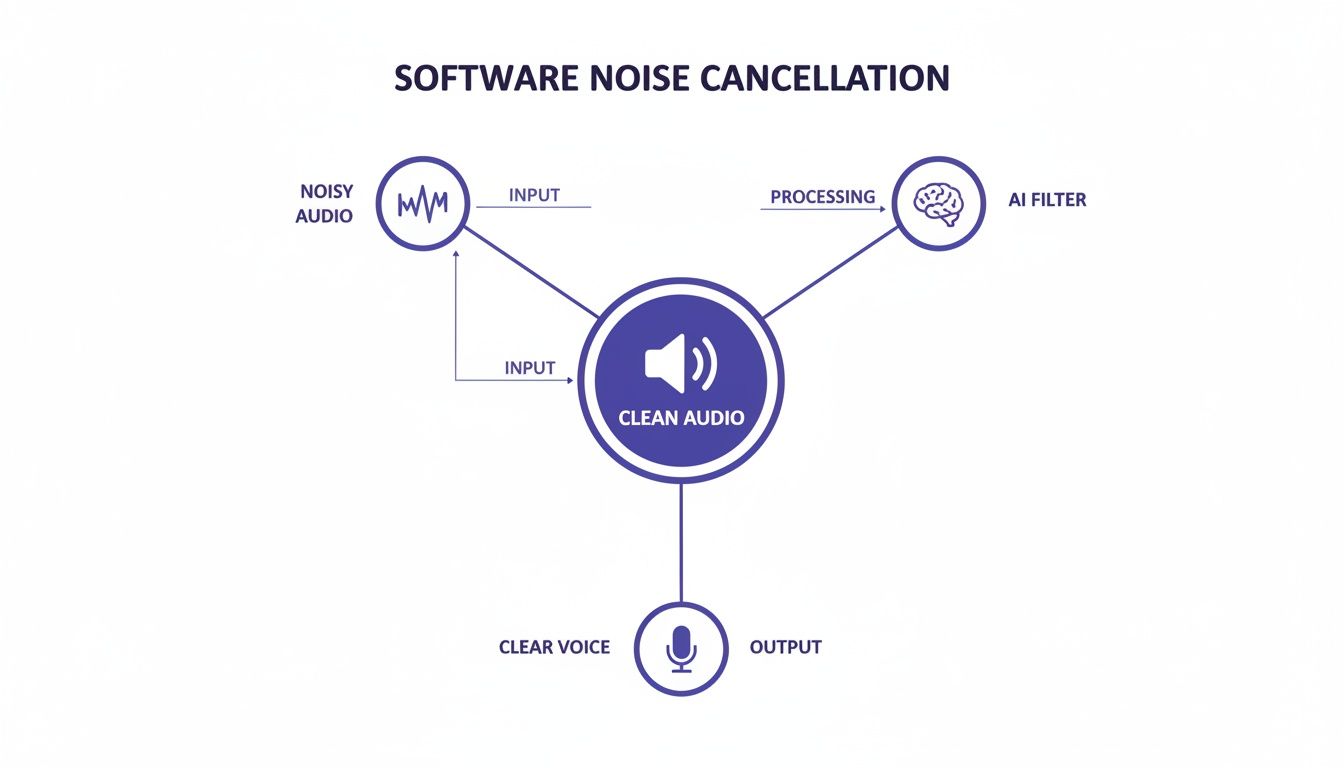
As you can see, that AI filter is doing the heavy lifting, sitting right between the raw, noisy audio and the final, crystal-clear voice.
Traditional DSP: The Bouncer Approach
The old-school methods rely on what’s called Digital Signal Processing (DSP). This is our bouncer. It works off a fixed set of rules designed to block very specific, consistent noises. The go-to technique here is often spectral gating or subtraction. It starts by taking a "fingerprint" of a constant background noise, like the steady hum of an air conditioner or the hiss from a cheap preamp.
Once it has that fingerprint, it sets up a gate. Any sound that perfectly matches that noise profile gets blocked. Your voice, which is much more dynamic, is supposed to pass right through.
This rule-based system works pretty well for simple, unchanging background noise. But the moment something unpredictable happens—a dog barking, a siren wailing, a chair squeaking—it falls apart.
Why? Because the bouncer's list is static. It can’t tell the difference between a sudden, unwanted sound and a subtle part of your speech it wasn't programmed to expect, often cutting off parts of your words.
AI and Machine Learning: The Secret Service Agent
This is where modern software noise cancellation comes in, powered by Artificial Intelligence (AI) and Machine Learning (ML). This is our secret service agent. Instead of a fixed guest list, the AI model has been trained on thousands of hours of audio data. It has learned to recognize the incredibly complex patterns of human speech and distinguish them from just about any noise you can imagine.
It doesn't just cut out a noise profile; it actually reconstructs the speech, predicting what your voice should sound like without all the interference. This lets it handle a much broader and more chaotic range of problems:
- Sudden Noises: Things like a door slamming or aggressive keyboard typing.
- Competing Voices: Other people talking in the same room.
- Reverberation: The echo and room tone from a space with poor acoustics.
This intelligent approach is way more flexible. The AI looks at the entire audio scene, understands the context, and isolates the main voice with a level of precision that DSP could never achieve.
To give you a clearer picture, let's break down how these two approaches stack up.
DSP vs AI Noise Cancellation: A Quick Comparison
| Feature | Traditional DSP (e.g., Spectral Gating) | Modern AI/ML (e.g., Neural Networks) |
|---|---|---|
| Method | Subtracts a static noise profile. Rule-based. | Reconstructs clean speech. Learns from data. |
| Best For | Consistent, predictable noise (hiss, hum). | Complex, dynamic noise (voices, clicks, reverb). |
| Weakness | Struggles with sudden or changing noise. | Can introduce minor artifacts if pushed too hard. |
| Flexibility | Low. Requires a clean noise "fingerprint." | High. Adapts to new environments in real-time. |
| Voice Quality | Can sound thin or "gated." | More natural and full-bodied. |
In short, while DSP is a reliable tool for simple jobs, AI’s ability to adapt and learn makes it the superior choice for the messy, unpredictable audio challenges we all face in the real world.
And it’s gotten incredibly fast. Thanks to major breakthroughs in signal processing and the power of modern GPUs, AI models can do their work in tens of milliseconds. This is what makes real-time noise cancellation possible, with end-to-end latency often dipping below 50 ms—a crucial threshold for natural-feeling conversations in live meetings. If you want to dive deeper, you can read more about the technology behind real-time audio processing and how it’s shaking up the industry.
Common Audio Artifacts and How to Avoid Them
While powerful software noise cancellation can feel like magic, pushing it too hard often introduces strange, unwanted sounds called audio artifacts. Think of these as the digital ghosts left behind by an overly aggressive cleanup process. Learning to spot them is the first step toward getting that clean, professional sound you're after.
Imagine your audio processor is an enthusiastic but clumsy assistant. When you tell it to get rid of all the background noise, it might accidentally snip off the quiet beginnings and endings of your words. This leaves your speech sounding choppy and abruptly cut off—an artifact known as gating. It's one of the most common calling cards of older or poorly configured noise reduction tools.
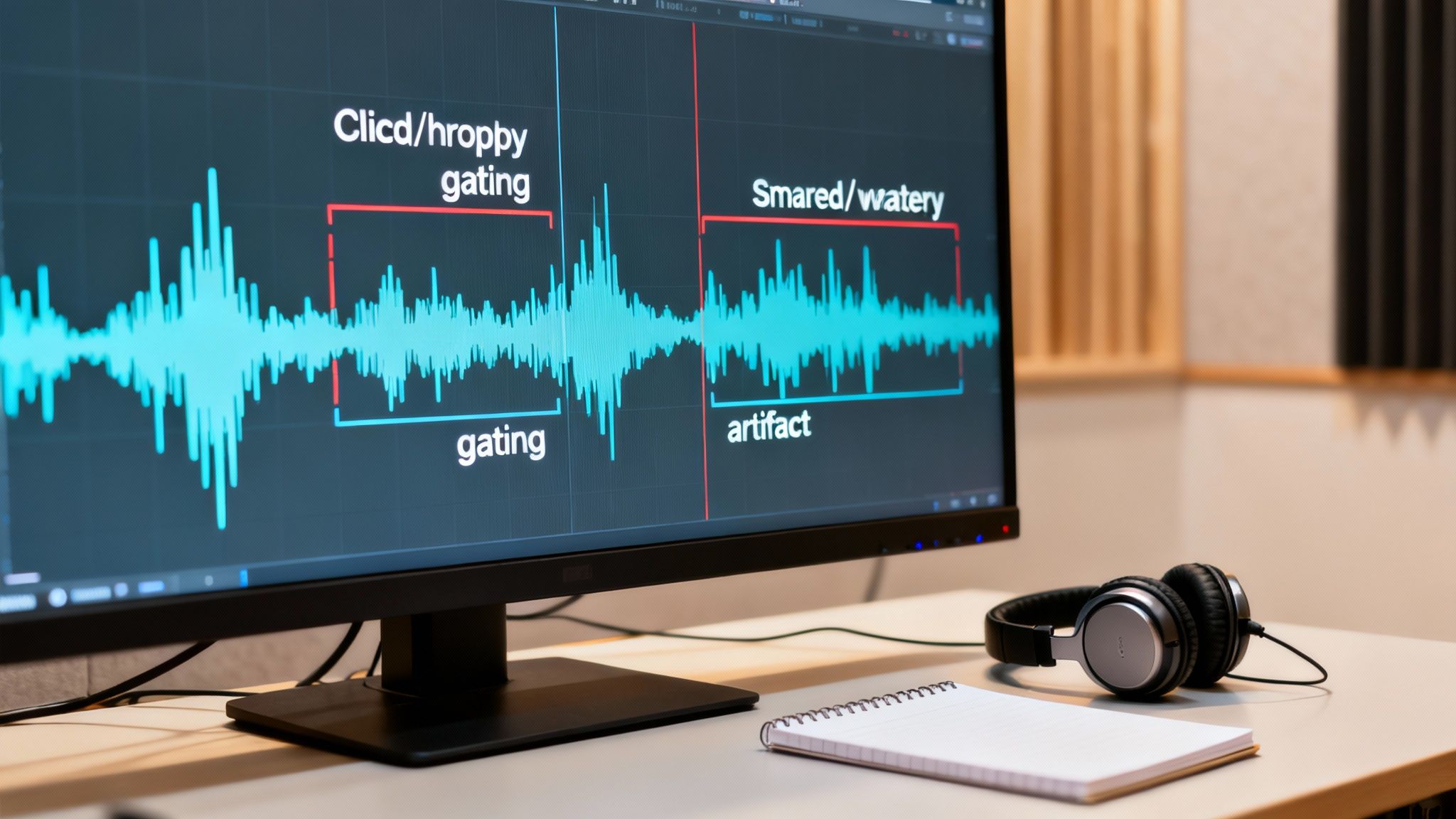
Another frequent offender is what engineers call a “watery” or “musical” sound. This is when a voice starts to sound robotic, metallic, or like it was recorded underwater. It happens when the software gets confused, struggling to tell the difference between the complex frequencies of a human voice and similar frequencies in the background noise. Instead of cleanly lifting the voice out, it takes chunks of it along with the noise, creating a hollow, distorted effect.
Identifying the Main Culprits
So, what summons these audio gremlins in the first place? Most artifacts show up when the software either works too hard or just makes a bad guess about what’s speech and what’s noise.
The primary issues usually boil down to one of these:
- Over-processing: It's tempting to crank the noise reduction dial all the way to 100%, but that's the fastest way to create artifacts. It forces the algorithm to be extremely aggressive, sacrificing the natural quality of the voice for total silence.
- Complex Noise Sources: Software can get tripped up when the background noise is all over the place or sounds too much like speech—think of a distant TV, music, or other people talking in the next room.
- Poor Source Audio: If the original recording is low quality to begin with, or the mic was too far from the speaker, the software has less clean data to work with. This dramatically increases the chances of it making mistakes.
Tips for a Clean and Natural Sound
Avoiding artifacts is all about finding that sweet spot. The goal is to remove distracting noise without stripping the life out of the original voice. The key is to be subtle and methodical in your approach.
The best noise reduction is the kind you don't notice. Your goal should be to make the background quieter and less distracting, not to achieve absolute, sterile silence, which can often sound unnatural.
A great starting point is to apply a moderate amount of noise reduction—say, somewhere around 50-70%—and then just listen. Does the voice still sound full and natural? Are the quiet parts of words still there? Flip back and forth between your processed audio and the original to make sure you're actually making an improvement.
If you start hearing any gating or watery sounds, just dial back the intensity until they disappear. It’s always better to leave a tiny bit of clean, consistent room tone than to have a voice riddled with distracting digital artifacts.
So, Who Actually Needs This Stuff? A Look at Real-World Uses
The magic of software noise cancellation isn't just for pro recording studios anymore. Far from it. This tech is fundamentally changing how creators and professionals get their message across, making clean audio a reality for anyone, no matter where they're working. It’s the practical answer to common, everyday problems that used to demand expensive gear and a soundproof room.
Take the modern content creator. A podcaster recording in a bustling city apartment doesn't have to hit pause every time a siren wails or a truck rumbles past. A good audio cleaner lets them carve their voice out from the chaos, producing a polished, distraction-free show that sounds like it came straight from a high-end studio.
It's the same story for a YouTuber filming on location. They can capture sharp, clear dialogue even with crowd noise or whipping wind. The software is smart enough to separate their speech from the background mess, keeping the focus right where it should be: on their message. This is a massive win for creators who thrive on spontaneity and filming in the real world.
Making Professional Communication Crystal Clear
The impact is just as big in the business and education worlds. A team lead running a remote meeting from a busy home office can finally stop worrying about background noise. The constant click-clack of a keyboard, the dog barking at the mailman, or general household chatter can all be wiped away.
This means everyone on the call can actually focus on the conversation instead of straining to hear. When the audio is clear, you get fewer misunderstandings and way more productive collaboration—something every remote team is striving for.
For educators and online trainers, clean audio is non-negotiable. When you remove distracting sounds from a lecture or a tutorial video, you create a better, more focused learning environment. It directly impacts student comprehension and keeps them engaged.
Everyday Audio Problems, Solved
Let's get specific. Here are a few real-world scenarios where software noise cancellation saves the day:
- The Coffee Shop Sales Call: A sales rep can confidently jump on a client call from a noisy cafe between appointments. The software scrubs out the hiss of the espresso machine and nearby chatter, making them sound completely professional.
- The Quick Video Voiceover: A marketer recording a voiceover for a new ad doesn't have to sweat the low hum from their computer fan. The tool simply erases it in post-production, leaving nothing but their clean narration.
- The "On-the-Street" Interview: A journalist interviewing someone on a busy sidewalk can salvage what would otherwise be unusable audio. The tech isolates the interviewee's voice, making every word intelligible for the final piece.
In every one of these situations, the technology is the bridge between a messy recording environment and a professional-grade result. It gives people the power to create and communicate clearly, no matter where they happen to be.
How to Choose the Right Noise Cancellation Software
Picking the right noise cancellation tool can feel like navigating a minefield of marketing buzzwords. But if you know what to look for, you can cut through the noise (pun intended) and find the perfect fit. Forget the flashy claims for a moment and start with the one thing that truly matters: how does it make your voice sound?
The whole point is to kill the background noise while preserving the natural, human quality of your speech. When you test a tool, listen with a critical ear. Does your voice suddenly sound thin, metallic, or like you're talking through a tube? Those are tell-tale signs of over-processing. A top-tier tool makes it sound like you were in a quiet studio all along, not like your voice was put through a digital wringer.
Define Your Primary Use Case
Next, get crystal clear on how you'll actually use the software. This is a big one, because the best tool for a live streamer is often completely different from the best tool for a podcaster. Your workflow is everything.
Real-Time Processing: Are you a streamer, an online teacher, or someone who lives in virtual meetings? You need a tool that cleans up audio on the fly. This kind of software typically creates a virtual microphone on your computer, filtering out noise before it ever gets to Zoom, OBS, or any other app.
Post-Production Plugins: If you're a podcaster, YouTuber, or audio engineer, you’ll want a plugin. These tools slide right into your editing software—think Adobe Audition or DaVinci Resolve—as a VST, AU, or AAX plugin. This gives you much more granular control over the final product during the editing process.
One of the most common missteps is grabbing a heavy-duty plugin for live calls or trying to use a simple real-time app for detailed post-production work. Match the tool to the task, and you'll save yourself a world of headaches.
Create Your Technical Checklist
Okay, you've found a few options that sound great and fit your workflow. Before you pull the trigger, run through a quick technical checklist. A tool that delivers amazing results is useless if it constantly crashes your computer or takes an engineering degree to figure out.
Here’s what to check:
- System Compatibility: This sounds obvious, but you'd be surprised. Does it run on your OS (Windows/macOS)? Does it work with your specific DAW or video editor? Double-check that the plugin format (VST3, AU, etc.) is supported.
- CPU Load: Good audio processing can be a resource hog. Dig into some user reviews or run a trial to see how much it taxes your system. A tool that eats up all your processing power will bring your entire workflow to a screeching halt.
- Ease of Use: How fast can you dial in a great sound? The best modern software noise cancellation tools, like SimpleClean, are built for speed and simplicity. Many can get you 99% of the way there with just a single click. A clunky, confusing interface is a creativity killer.
Putting It All Together: A Practical Workflow
Okay, enough with the theory. Let's walk through how this all plays out in the real world.
Imagine this: you've just nailed the perfect take for a voiceover. The delivery is spot-on, the energy is right... but when you play it back, all you can hear is the distracting whir of your laptop fan and the frantic clicking of your mechanical keyboard. The performance is gold, but the noise is making it completely unusable.
A few years ago, this might have meant a frustrating re-shoot. Today, you can fix it in minutes.
The first step is simply getting your audio into a cleaning tool. With most modern AI-powered software, the heavy lifting is done with a single click. You import the track, hit a "clean" button, and the algorithm instantly gets to work figuring out what's your voice and what's all that other junk.
Fine-Tuning for a Professional Finish
After that first automatic pass, you'll want to listen closely and make some small adjustments. Most of these tools give you a simple slider to control how much noise reduction is being applied.
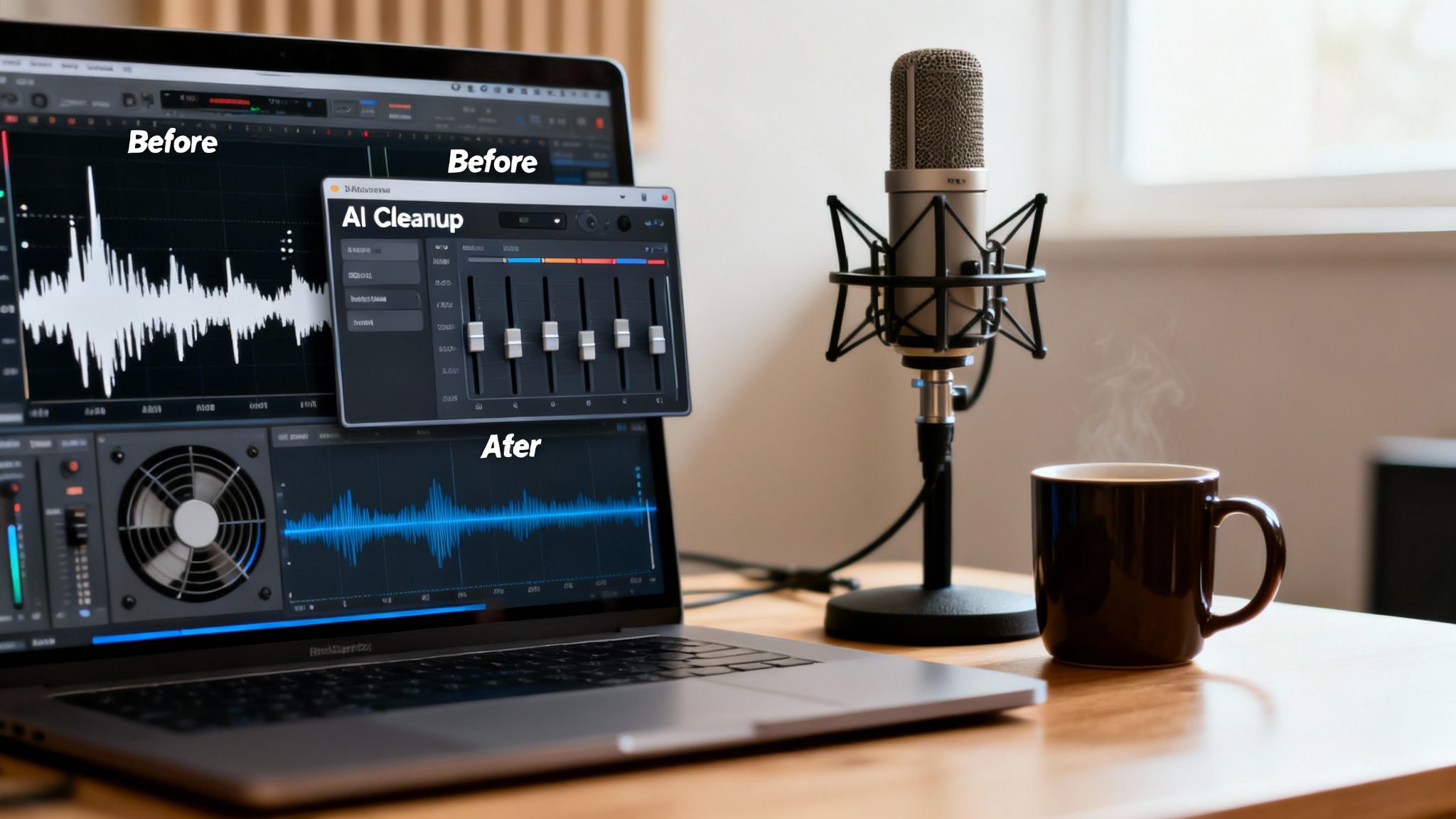
You can see in the "After" waveform how the noisy floor has been dropped, leaving just the clean speech. But how does it sound? If you notice the voice sounds a little thin or has that "underwater" artifact we talked about, you just dial back the strength until it sounds natural again. It’s a balancing act.
Pro Tip: Always A/B test your work. Flip the noise reduction on and off while you listen. This is the only way to be sure you’re actually improving the audio and not just swapping one problem for another. The goal is to make the background noise disappear, not to introduce new, weird sounds.
One last thing for those of you working in a Digital Audio Workstation (DAW) like Audition or Logic Pro. Make sure your noise reduction plugin is one of the very first things in your effects chain. Clean the audio before you add any EQ, compression, or other effects. If you compress a noisy track, you're just making the noise louder and harder to remove. Clean first, process later. It makes a world of difference.
Got Questions About Noise Cancellation? We've Got Answers.
Diving into audio cleanup often sparks a few questions. Let's tackle some of the most common ones you might have about software noise cancellation so you can get your audio sounding just right.
Will Noise Cancellation Make My Voice Sound Weird?
It can, but the good news is that modern tools are getting incredibly good at avoiding this. If you push the settings too hard on any noise cancellation software, you can end up with what we call "artifacts"—that thin, robotic, or "underwater" sound.
The trick is to find the sweet spot. The best AI-powered tools are trained to distinguish between your voice and the noise, preserving the natural warmth and character of your speech while surgically removing the distractions. My advice? Always start with a light touch and increase the effect slowly until the noise is gone, but your voice still sounds like you.
Should I Clean My Audio Live or in Post-Production?
This really boils down to what you're doing. There's no single "better" way; it just depends on your needs.
- Real-time processing is a must-have for anything live. Think virtual meetings on Zoom, online classes, or live streaming on Twitch. It cleans the audio on the fly, making sure your audience can hear you clearly from the get-go.
- Post-production plugins are the go-to for content creators like podcasters and YouTubers. Working this way gives you maximum control. You can tweak and refine the audio in your editor to make sure the final product is perfectly polished.
Can This Software Actually Get Rid of Wind and Echo?
Yes, and this is where modern AI has made a huge leap. Older, more traditional tools really struggled with complex, unpredictable sounds like wind or room reverb. They just weren't built for it.
Today's AI algorithms, however, are trained on massive datasets and have learned to identify the unique signatures of these sounds. They can recognize the chaotic whoosh of wind or the tell-tale reflections of an echoey room and separate them from your voice. For anyone who records on the go or in less-than-ideal spaces, this is a lifesaver. It can turn audio that was once completely unusable into something crisp and professional.
Great noise cancellation software doesn't just cut out the bad stuff. It intelligently reconstructs the parts of your voice that the noise was covering up, leading to a much fuller and more natural sound.
Ready to hear the difference for yourself? SimpleClean harnesses powerful AI to scrub background noise from your audio or video with a single click. Get started for free and clean your first hour of audio at SimpleClean.app.
Article created using Outrank