Crystal-clear audio is no longer a luxury; it's a necessity. Whether you're a podcaster fighting microphone hum, a video creator dealing with on-location wind noise, or an audio engineer meticulously restoring a flawed recording, background noise is a persistent obstacle. Poor audio quality can distract listeners, diminish your message's impact, and make your content seem unprofessional. This is where dedicated audio cleaning software becomes an essential part of your toolkit.
This comprehensive guide is designed to help you navigate the crowded market and find the best audio cleaning software for your specific needs and budget. We've moved beyond generic marketing claims to provide a detailed, practical analysis of the top tools available today. Before diving into specific tools, understanding the broader production workflow, such as learning how to produce a podcast effectively, can highlight exactly where and why audio cleaning is so crucial.
In this resource, you will find:
- In-depth reviews of 12 leading audio restoration platforms and plugins, from one-click AI solutions like Adobe Podcast to industry-standard suites like iZotope RX 11.
- Direct comparisons of key features, pricing, and ideal use cases for each tool.
- Honest assessments of each software's strengths and limitations, so you can make an informed decision.
- Practical guidance, including screenshots and direct links, to help you see the software in action and get started quickly.
Our goal is to cut through the noise-literally-and provide a clear, scannable resource that connects you with the right solution, whether you're a complete beginner or a seasoned post-production professional. Let's explore the tools that will transform your raw audio into polished, professional sound.
1. SimpleClean
SimpleClean earns its top spot by delivering an exceptional balance of power, simplicity, and accessibility, making it one of the best audio cleaning software options for creators focused on spoken-word content. This browser-based tool leverages sophisticated AI to perform studio-grade noise reduction without requiring any software installation or technical expertise. Its core strength lies in its "upload and go" workflow, which dramatically streamlines the post-production process for podcasters, YouTubers, and educators.
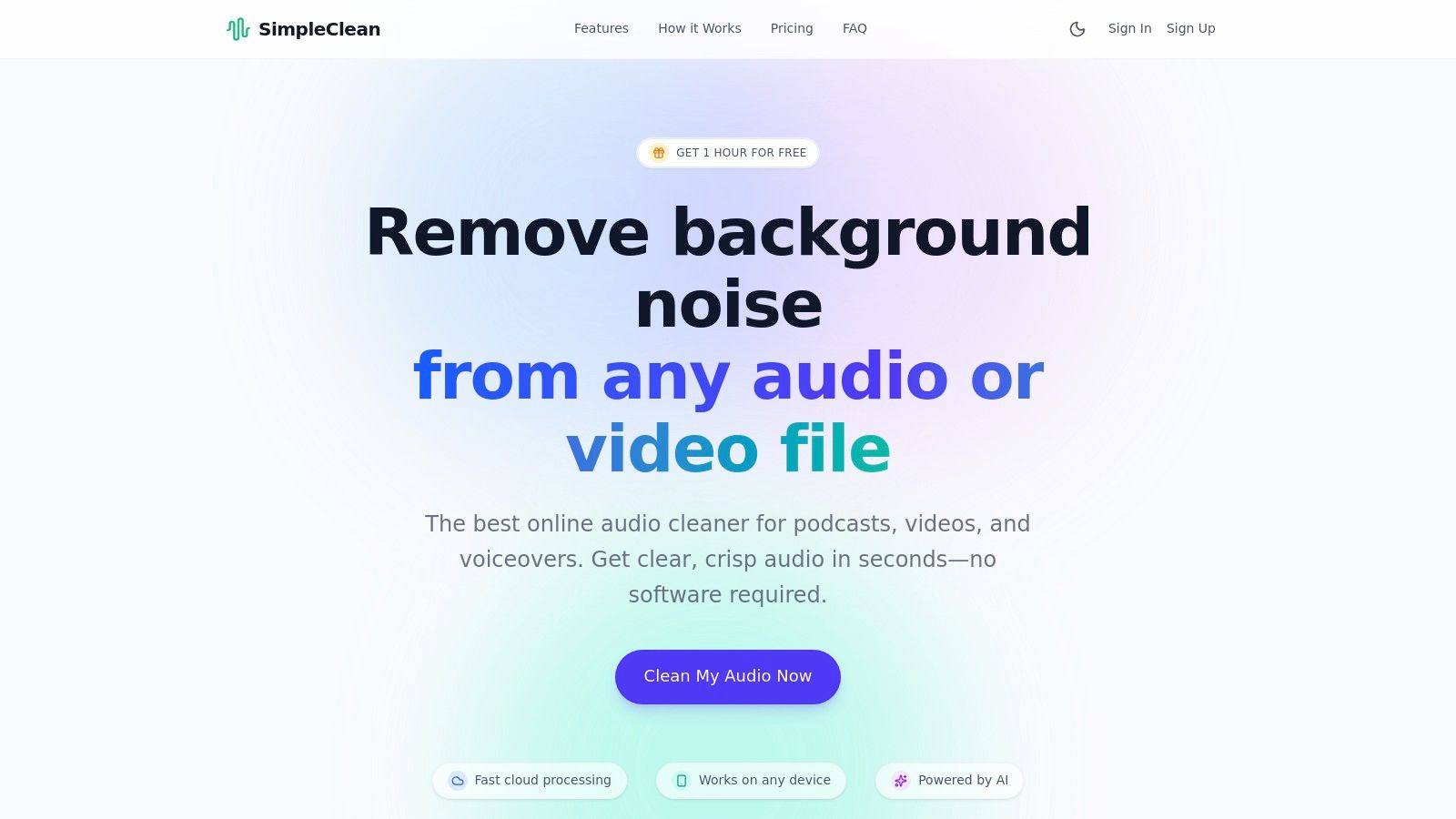
The platform’s AI is specifically trained to distinguish human speech from common distractions, effectively stripping away background noise like traffic, wind, and electronic hums while preserving the natural tone and cadence of the speaker’s voice. This focused approach prevents the over-processed, robotic sound that can plague less advanced tools. The entire process is handled in the cloud, meaning it works seamlessly across desktop and mobile devices.
Key Features & Use Cases
SimpleClean is engineered for efficiency, with a feature set that directly addresses the pain points of content creators.
- Broad Format Support: Upload dozens of audio and video formats, including MP3, WAV, MP4, and MOV. This versatility eliminates the need for pre-conversion, saving valuable time.
- Bulk Processing: The ability to upload multiple files at once and receive email notifications upon completion makes it ideal for batch-processing podcast episodes or a series of video lectures.
- Privacy by Design: All original and processed files are automatically deleted from servers after 7 days, a crucial feature for users handling sensitive interview or client material.
- Transparent Pricing: With a free trial hour, flexible subscriptions, and pay-as-you-go credits, users can choose a plan that fits their exact needs without long-term commitments.
Pricing and Accessibility
SimpleClean offers a straightforward and flexible pricing structure that caters to various usage levels.
- Free Trial: 1 hour of processing is available for free to all new users.
- Subscriptions: Monthly plans include 10 hours for $10/mo, 30 hours for $25/mo, and 100 hours for $85/mo. Unused hours roll over.
- Pay-As-You-Go: Purchase credits as needed, starting at $5.49 for 5 hours.
Pros & Cons
| Pros | Cons |
|---|---|
| Effortless, High-Quality Results: AI delivers studio-level cleanup with a nearly zero learning curve. | Spoken-Word Focus: Not optimized for complex music restoration or forensic audio analysis. |
| Web-Based & Accessible: No software to install; works on any device with a browser. | File & Storage Limits: Has a 1 GB/3-hour file limit and 7-day auto-deletion, requiring workflow adjustments for some. |
| Flexible, Transparent Pricing: Offers subscriptions and pay-as-you-go options with a free trial. | |
| Creator-Centric Workflow: Features like bulk uploads and broad format support save significant time. |
Website: https://simpleclean.app
2. iZotope RX 11
iZotope RX has long been considered the industry-standard tool for audio repair, making it some of the best audio cleaning software for professionals. While SimpleClean focuses on speed and accessibility, RX 11 provides a deep, surgical suite of modules for tackling complex audio problems with unparalleled precision. It's the go-to for post-production engineers, filmmakers, and serious podcasters who need granular control over every aspect of their sound.
The platform operates both as a standalone spectral editor and as a collection of plugins (AU, VST3, AAX) that integrate directly into your Digital Audio Workstation (DAW) or Non-Linear Editor (NLE). This workflow flexibility is a key differentiator. The standalone application allows you to visually identify and remove offending sounds like a cough or a chair squeak from the spectral display, a powerful technique for forensic audio work. For more general issues, modules like Voice De-noise, De-reverb, and Dialogue Isolate can be used as real-time plugins in your editing software. Its new AI-powered Repair Assistant can even suggest a processing chain, which helps flatten the steep learning curve.
Key Features & Use Cases
- Best For: Audio engineers, post-production professionals, and advanced content creators needing surgical control.
- Standout Modules: Includes highly acclaimed tools for removing hum, clicks, clipping, and isolating dialogue from noisy backgrounds.
- Pricing: RX 11 is available in three tiers: Elements (entry-level,
$129), Standard ($399), and Advanced (~$1199), with frequent sales available.
Our Take: For those who need to rescue seemingly unusable audio or meet strict broadcast standards, RX 11 is an indispensable investment. While overkill for quick cleanups, no other tool offers this level of depth and professional-grade results. You can find out more by exploring this comprehensive guide to iZotope RX 11.
Pros:
- Unmatched precision with spectral editing
- Extensive set of powerful repair modules
- Seamless integration with professional DAWs/NLEs
Cons:
- Significant learning curve for new users
- High cost, especially for Standard and Advanced tiers
Website: https://www.izotope.com/en/shop/rx-elements.html
3. Adobe Podcast – Enhance Speech
Adobe has entered the accessible audio space with a powerful, web-based tool called Enhance Speech. Part of the Adobe Podcast suite, this platform is some of the best audio cleaning software for creators who prioritize speed and simplicity over complex controls. It uses AI to analyze spoken word recordings, automatically removing background noise and echo while equalizing the voice to sound as if it were recorded in a professional studio.
The entire process is browser-based, requiring no software installation or technical expertise. You simply upload a supported audio or video file, and Adobe’s servers process it in minutes. The result is a dramatically cleaner and more present-sounding dialogue track. While the free tier offers generous access for occasional users, the Premium plan unlocks higher processing limits, bulk uploads, and a crucial strength-adjustment slider, giving you more control over how aggressively the effect is applied. This makes it an ideal first-pass tool for podcasters and video creators before moving to a full editor.
Key Features & Use Cases
- Best For: Podcasters, YouTubers, and content creators needing a quick, one-click solution for cleaning up dialogue.
- Standout Modules: Features a single, powerful AI-driven "Enhance Speech" algorithm for noise, echo, and EQ correction.
- Pricing: A generous free tier is available with daily limits. The Premium subscription (~$9.99/month) offers higher limits, batch processing, and adjustable enhancement strength.
Our Take: For anyone intimidated by complex plugins or DAWs, Adobe Podcast’s Enhance Speech is a game-changer. It provides near-magical results on moderately noisy audio with zero effort. While it lacks surgical precision and can sometimes produce artifacts on severely damaged audio, its simplicity and effectiveness for dialogue are unmatched for a free tool.
Pros:
- Extremely simple one-click workflow
- No software installation or DAW required
- Excellent for a quick first-pass cleanup on dialogue
Cons:
- Daily processing limits on the free tier
- Lacks fine-grained control for complex audio issues
Website: https://podcast.adobe.com/enhance
4. Descript – Studio Sound
Descript takes a unique, workflow-centric approach to audio cleanup, positioning itself as much more than just a repair tool. It’s an all-in-one platform for podcasters and spoken-word creators, combining a powerful text-based audio/video editor with an AI-powered enhancement feature called Studio Sound. This makes it some of the best audio cleaning software for those who want a single application to record, transcribe, edit, and polish their content without jumping between different programs.
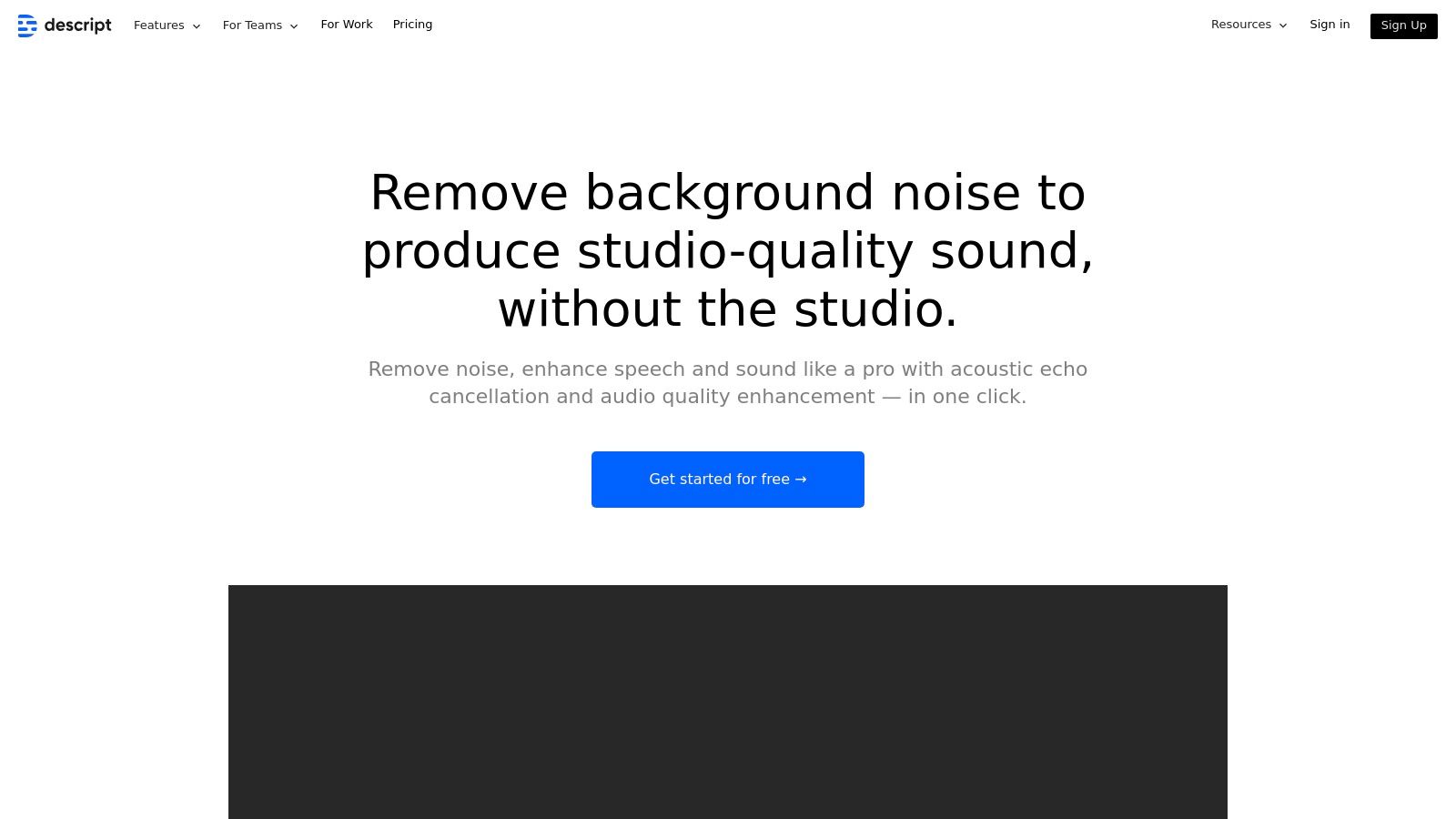
The core appeal is its simplicity. Instead of manually tweaking noise reduction or EQ settings, Studio Sound uses a regenerative AI model to remove background noise, eliminate room echo, and enhance vocal frequencies with a single click. This is ideal for creators who value speed and efficiency. The entire editing process is built around a transcript, allowing you to edit audio by simply editing text, which is a revolutionary workflow for many. Its ability to remove filler words ("ums" and "ahs") automatically is another massive time-saver for podcast production.
Key Features & Use Cases
- Best For: Podcasters, video creators, and anyone producing spoken-word content who needs an integrated editing and cleanup solution.
- Standout Modules: The one-click Studio Sound feature, text-based editing, automatic filler word removal, and built-in screen/camera recording.
- Pricing: Offers a Free plan with limited features, a Creator plan at ~$12/month, a Pro plan at ~$24/month, and custom Enterprise pricing. Paid plans include unlimited Studio Sound usage.
Our Take: If your primary goal is producing high-quality podcasts or voiceovers with minimal technical fuss, Descript is a game-changer. The integration of cleanup and editing into one seamless, text-based workflow is brilliant for content creators. However, it lacks the surgical precision of dedicated tools like RX for complex audio restoration tasks. You can learn more about how to fix echo and reverb in recordings.
Pros:
- Extremely fast, one-click results for spoken-word audio
- Combines cleanup, editing, and publishing in one app
- Innovative text-based editing workflow saves significant time
Cons:
- Studio Sound requires an internet connection for cloud processing
- Less granular control compared to dedicated repair suites
Website: https://www.descript.com/studio-sound-2
5. Auphonic
Auphonic is less a surgical repair tool and more an intelligent finishing service, making it some of the best audio cleaning software for content creators who need consistent, professional-sounding masters without the manual effort. This cloud-based platform automates the final polish for podcasts, lectures, and screencasts. It intelligently analyzes your audio and applies leveling, loudness normalization, noise reduction, and filtering to deliver a broadcast-ready file in minutes.
The service excels at streamlining workflows. Instead of manually chaining plugins, you simply upload your file, set a target loudness standard (like -16 LUFS for podcasts), and let its AI algorithms do the work. It’s particularly powerful for batch processing entire series of episodes or lectures, ensuring every file meets the same quality and loudness specifications. Its integration with services like YouTube, Dropbox, and various podcast hosts automates the final delivery step, saving creators valuable time.
Key Features & Use Cases
- Best For: Podcasters, educators, and broadcasters who need a fast, automated final mastering solution.
- Standout Modules: Includes an Adaptive Leveler, Loudness Normalization (EBU R128, ATSC A/85), and AI-based noise and hum reduction.
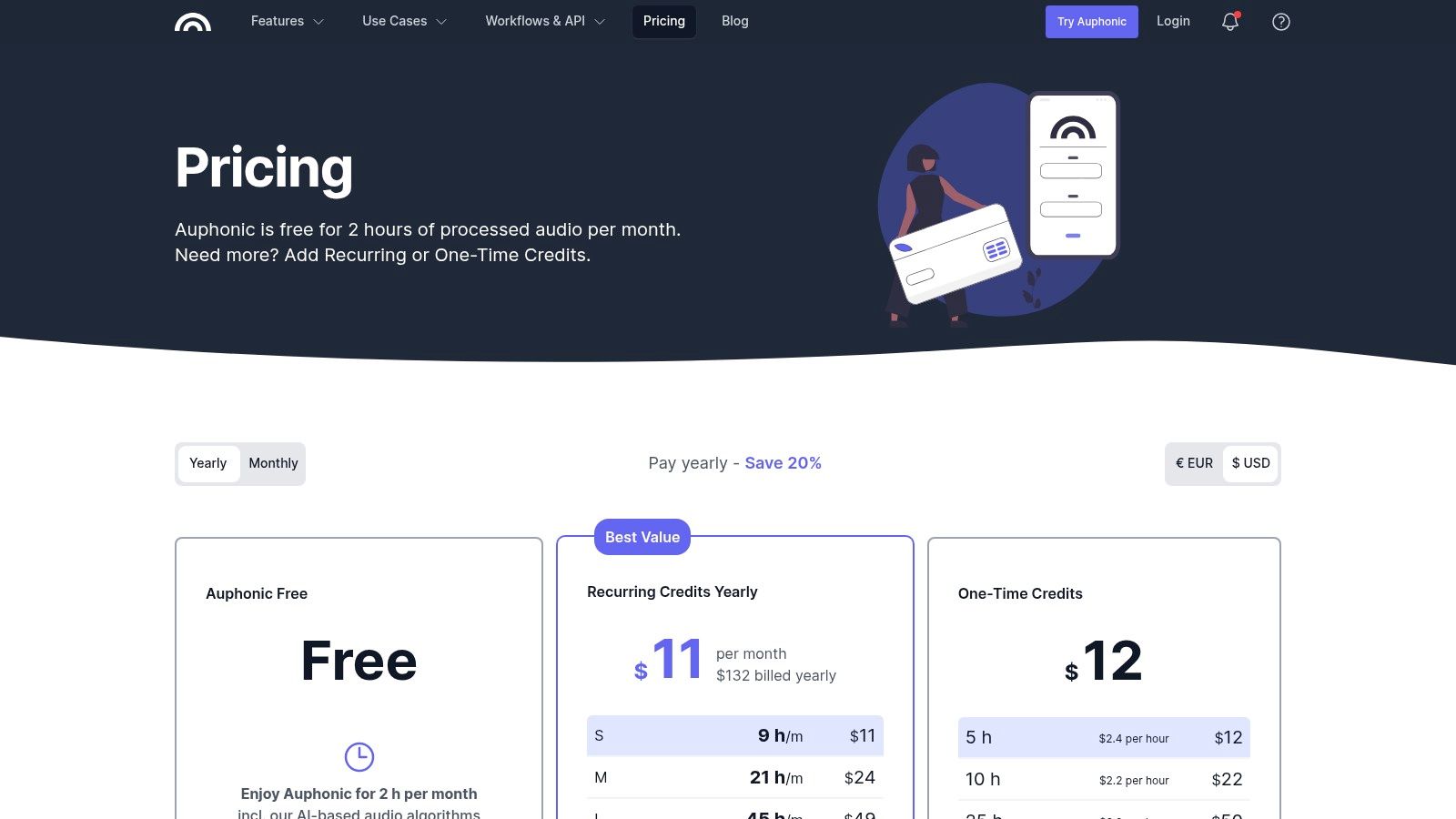
- Pricing: Auphonic operates on a credit system. You get 2 hours of free processing each month. Paid plans start at $13/month for 11 hours of audio, with larger one-time credit packages also available.
Our Take: Auphonic is the ultimate "set it and forget it" tool for creators who prioritize speed and consistency over granular control. It won’t rescue severely damaged audio like RX, but for finalizing well-recorded content, its automated polish is remarkably effective and a huge time-saver.
Pros:
- Extremely easy-to-use automated processing
- Ensures compliance with professional loudness standards
- Excellent integrations for automated workflows
Cons:
- Limited manual control over specific noise issues
- Recurring plan credits do not roll over month-to-month
Website: https://auphonic.com/pricing
6. Acon Digital – Restoration Suite 2
For users who need powerful audio repair tools without the complexity or cost of an all-in-one suite, Acon Digital’s Restoration Suite 2 is an outstanding choice. It isn't a single application but a focused bundle of four high-quality plugins: DeNoise 2, DeHum 2, DeClick 2, and DeClip 2. This collection provides the core essentials needed for most common audio problems, making it some of the best audio cleaning software for those working within a Digital Audio Workstation (DAW).
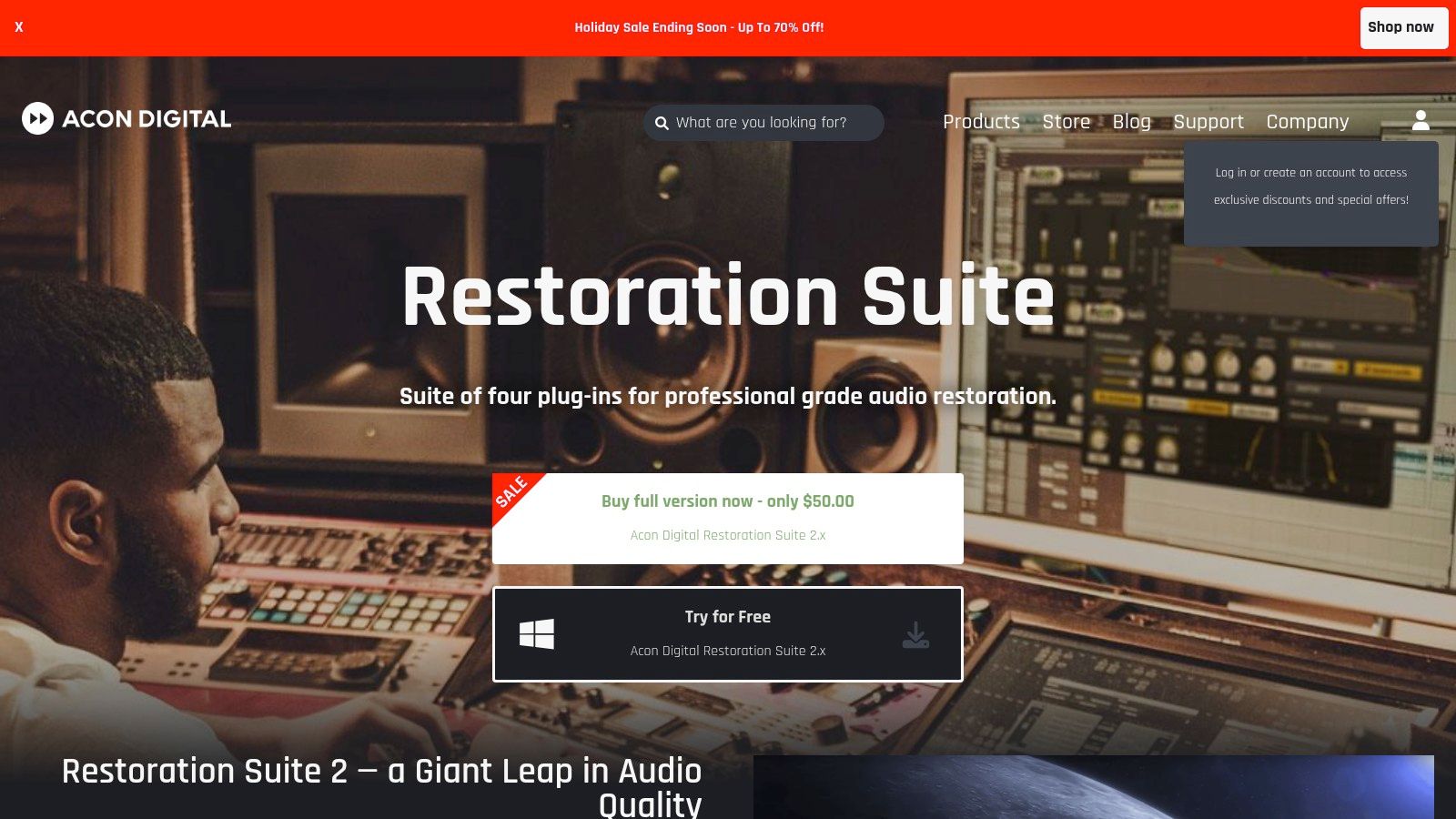
The suite is designed to integrate seamlessly into your existing workflow as VST, VST3, AU, or AAX plugins. Each tool features a clean, intuitive interface with detailed metering, allowing you to see and hear the processing in real-time. A key advantage is its adaptive noise reduction algorithm in DeNoise 2, which can learn a noise profile from your audio and dynamically adjust, a feature typically found in more expensive software. The entire suite is also remarkably light on CPU usage, which is a major benefit for creators running complex projects on less powerful machines.
Key Features & Use Cases
- Best For: Podcasters, musicians, and video editors who need core restoration tools inside their DAW without a steep learning curve or high cost.
- Standout Modules: The suite includes four dedicated plugins for hiss (DeNoise 2), hum and buzz (DeHum 2), clicks and crackle (DeClick 2), and digital/analog clipping (DeClip 2).
- Pricing: The entire suite is offered at a very competitive one-time price of $99.90.
Our Take: Acon Digital’s Restoration Suite 2 hits the sweet spot between affordability, ease of use, and professional results. It’s an excellent, budget-friendly alternative to more comprehensive suites, providing the essential tools most creators need to significantly improve their audio quality directly within their editor.
Pros:
- Excellent price-to-performance ratio
- Very light on CPU resources
- Intuitive and easy to learn for beginners
Cons:
- No standalone spectral editor for surgical repairs
- Fewer specialized modules than higher-end suites
Website: https://acondigital.com/products/restoration-suite
7. Waves Clarity Vx
Waves Clarity Vx targets a very specific and common problem: noisy dialogue. Positioned as a direct competitor to tools like Acon Digital's Dialogue Extract, this plugin leverages its own neural network technology to separate spoken voice from background noise instantly. It's considered some of the best audio cleaning software for video editors, podcasters, and content creators who need to clean up voice tracks quickly without navigating a complex suite of tools.
What makes Clarity Vx stand out is its extreme simplicity. The plugin presents a single main knob that controls the amount of noise reduction, allowing users to dial in the perfect balance in real-time. This plug-and-play approach means it integrates directly into any major DAW or video editor (like Premiere Pro or DaVinci Resolve) and delivers results with minimal tweaking. While it doesn't offer the surgical precision of a full spectral editor, its AI is remarkably effective at preserving the core vocal tone while eliminating common issues like hum, air conditioning, and street noise.
Key Features & Use Cases
- Best For: Video editors, podcasters, and YouTubers who need fast, high-quality dialogue cleanup directly in their timeline.
- Standout Modules: Features a single, powerful AI-driven voice separation algorithm with a simple one-knob interface and an ECO mode for lower CPU usage.
- Pricing: Clarity Vx is sold as a perpetual license, typically retailing around $29.99 during frequent sales, though its standard price is higher.
Our Take: When time is critical and the goal is purely to clean up vocals, Clarity Vx is a phenomenal tool. Its single-knob design removes all guesswork, providing broadcast-ready results in seconds. It's not a complete audio repair kit, but for its intended purpose, it's exceptionally powerful and efficient.
Pros:
- Incredibly simple and fast to use
- Excellent results on dialogue with minimal artifacts
- Real-time processing fits seamlessly into editing workflows
Cons:
- Can be CPU-intensive on complex projects
- Plugin-only; not a standalone editor for surgical repairs
Website: https://www.waves.com/plugins/clarity-vx
8. Adobe Audition
For creators already invested in the Adobe ecosystem, Adobe Audition offers a powerful and familiar environment, making it some of the best audio cleaning software for video editors and podcasters. More than just a repair tool, Audition is a full-featured Digital Audio Workstation (DAW) with a comprehensive suite of recording, editing, and restoration features built directly into its core. Its main advantage is the seamless "round-trip" integration with Adobe Premiere Pro, allowing video editors to send audio clips to Audition for advanced cleanup and back without ever leaving the ecosystem.
Audition provides both automated and manual tools for audio repair. The Essential Sound panel offers quick, preset-based cleanups for common issues like noise, rumble, and harsh frequencies, which is perfect for fast turnarounds. For more complex problems, its Spectral Frequency Display allows you to visually identify and remove specific sounds, such as a phone ringing or a dog barking, with surgical precision using tools like the Spot Healing Brush. This combination of speed for common tasks and depth for challenging ones makes it a versatile choice.
Key Features & Use Cases
- Best For: Video editors, podcasters, and content creators using the Adobe Creative Cloud suite.
- Standout Modules: Includes a powerful Spectral Frequency Display, Adaptive Noise Reduction, and the user-friendly Essential Sound panel for quick mixing and repair.
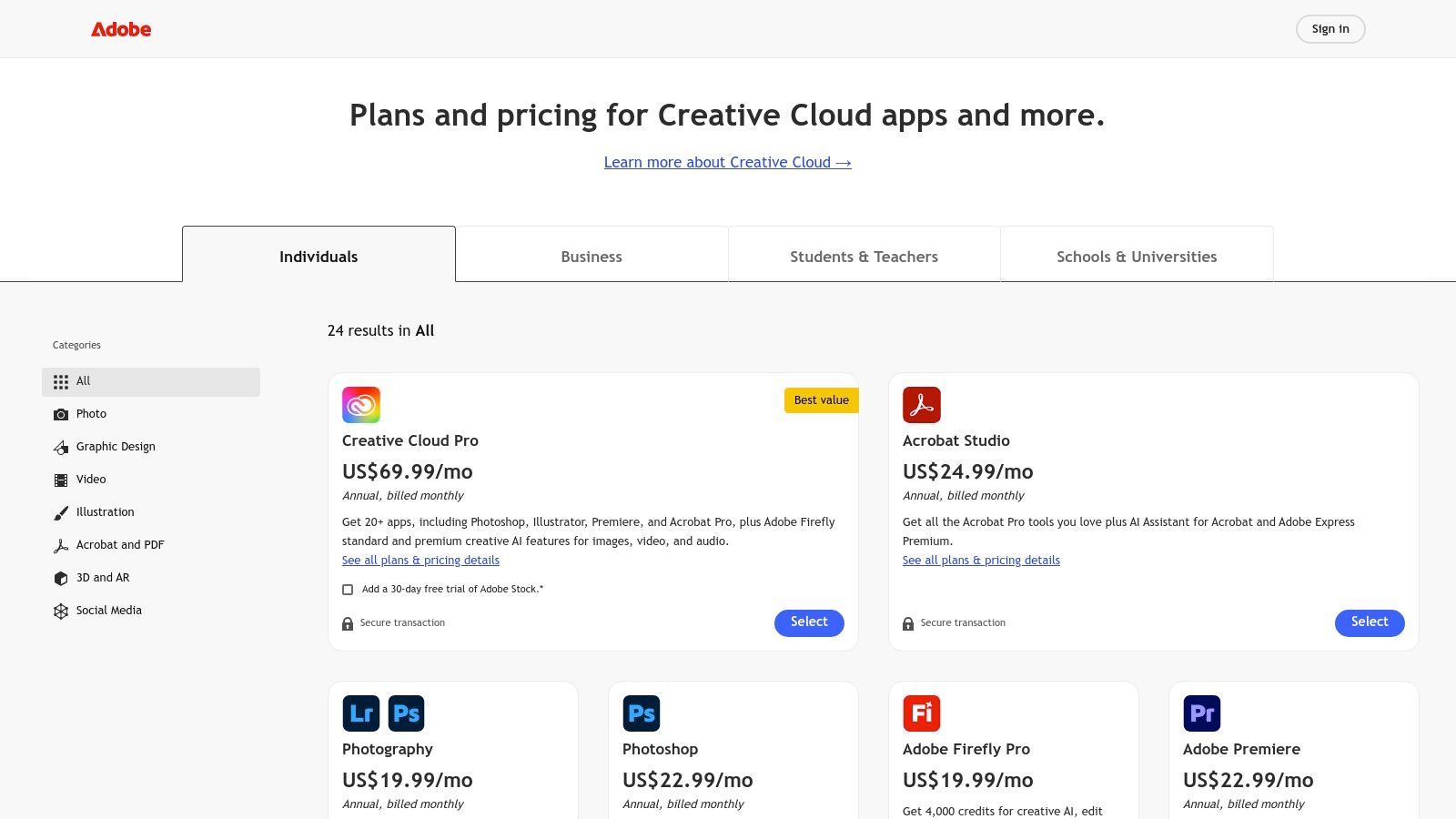
- Pricing: Available through a Creative Cloud subscription, either as a single app (
$22.99/mo) or as part of the All Apps plan ($59.99/mo).
Our Take: If you live inside Premiere Pro, Audition is a no-brainer. Its deep integration saves immense time and streamlines post-production workflows. While it has a steeper learning curve than single-purpose tools, the power it offers as a complete audio editing package is undeniable. You can get started by learning how to clean up audio with our guide.
Pros:
- Broad post-production toolset in a single app
- Deep integration with Adobe Creative Cloud and Premiere Pro
- Combines both simple and advanced repair workflows
Cons:
- Subscription-only licensing model
- Advanced features require time to master
Website: https://www.adobe.com/creativecloud/plans.html
9. DaVinci Resolve Studio (Fairlight)
For creators who work with both video and audio, DaVinci Resolve Studio offers a remarkably integrated solution. While primarily known as a professional video editing suite, its built-in Fairlight audio page contains a powerful set of tools that easily qualify it as some of the best audio cleaning software, especially for video-centric workflows. It eliminates the need to round-trip audio to a separate application, streamlining the entire post-production process.
The free version of Resolve is incredibly capable, but the paid Studio version unlocks the most advanced audio repair features. These include an AI-accelerated Voice Isolation tool for separating dialogue from complex background noise, a Dialogue Leveler for consistent volume, and high-quality De-Hum and De-Reverb effects. Because it's a complete Non-Linear Editor (NLE), all your audio cleaning happens directly on your video timeline, providing immediate context and a seamless editing experience.
Key Features & Use Cases
- Best For: Video creators, YouTubers, and filmmakers who need an all-in-one editing and audio repair solution.
- Standout Modules: The Studio version includes Voice Isolation, Dialogue Leveler, De-Hum, and De-Reverb directly within the Fairlight page.
- Pricing: The full DaVinci Resolve Studio is available for a one-time perpetual license of $295, which includes all future updates.
Our Take: If you’re already editing video or looking for a professional NLE, Resolve Studio is an unbeatable value. Paying once for a lifetime of updates to both world-class video and audio tools is a compelling alternative to subscription models, making it a smart investment for serious creators.
Pros:
- Excellent value as an all-in-one video and audio suite
- No subscription; one-time purchase with free future updates
- Powerful, integrated workflow keeps everything in one application
Cons:
- Key audio cleaning tools require the paid Studio version
- Can be overwhelming for users only needing audio repair
10. CEDAR Audio – DNS One
For professionals operating at the highest levels of film, television, and forensic audio, CEDAR Audio is a name synonymous with uncompromising quality. The DNS One plugin brings the legendary power of their hardware dialogue noise suppressors into the digital realm, establishing its place as some of the best audio cleaning software for real-time post-production. It is specifically engineered to remove unwanted background noise like traffic, air conditioning, and general ambience without degrading the primary dialogue.
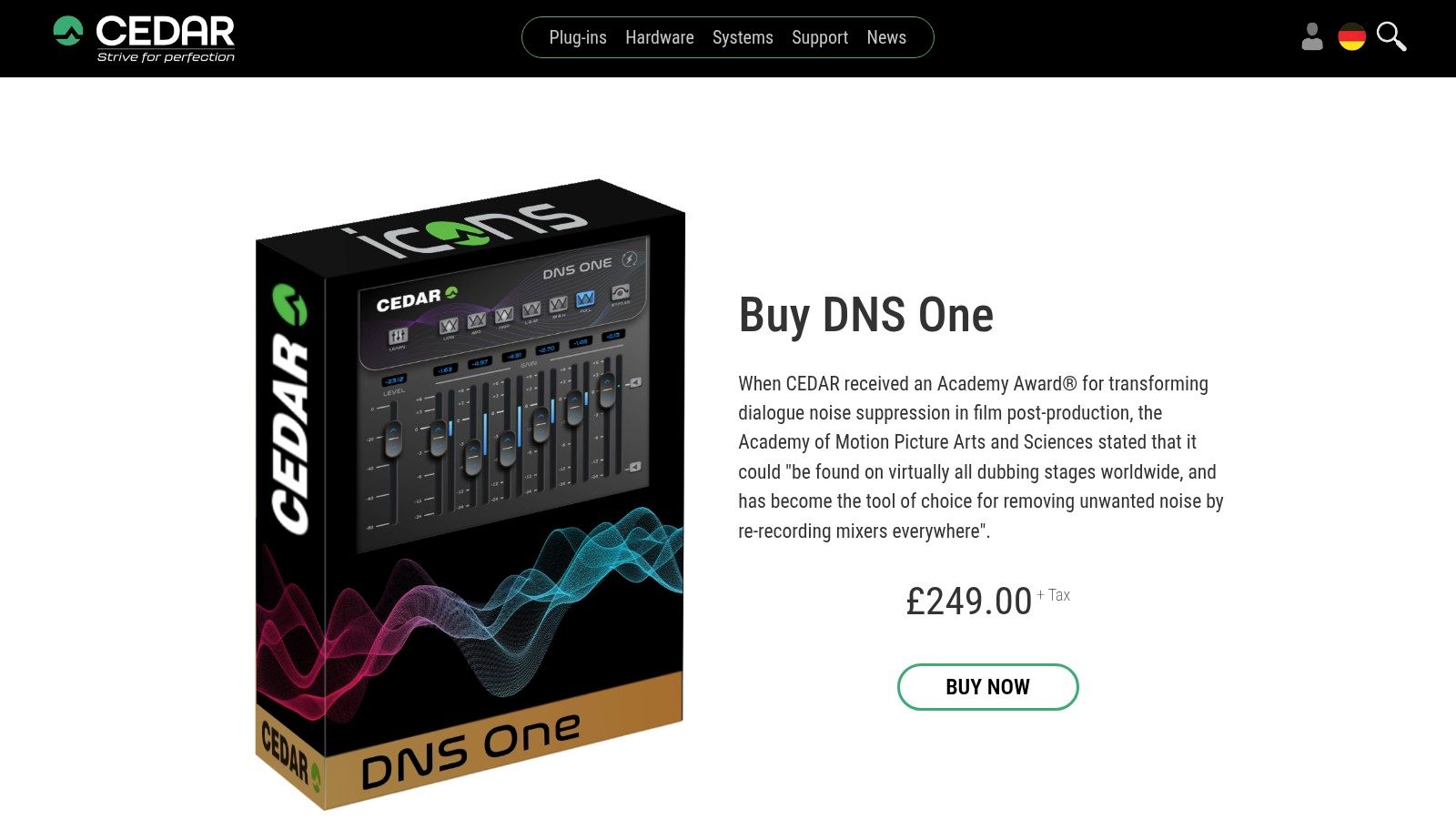
Unlike surgical tools like iZotope RX, CEDAR's approach is built around speed and transparency for dialogue-focused workflows. The plugin operates with near-zero latency, making it a staple in dubbing stages where engineers need to clean audio on the fly. It integrates into professional DAWs and NLEs as an AU, VST3, or AAX plugin, but its specialized nature and premium price point place it firmly in the professional-grade category. Licensing requires a physical iLok USB key or iLok Cloud.
Key Features & Use Cases
- Best For: High-end post-production houses, broadcast engineers, and forensic audio specialists.
- Standout Modules: Focused entirely on transparent, real-time dialogue noise suppression.
- Pricing: Premium-tier software, with pricing typically available through authorized dealers. Expect a significant investment reflecting its industry standing.
Our Take: When speed, transparency, and artifact-free dialogue are non-negotiable, CEDAR DNS One is the industry benchmark. It's not a general-purpose repair suite but a highly specialized tool that performs its single task better than almost anything else on the market.
Pros:
- Trusted industry-standard for professional dialogue cleaning
- Fast, real-time processing with near-zero latency
- Exceptionally transparent results that preserve vocal quality
Cons:
- Very high cost aimed at a specific professional market
- Requires iLok licensing for authorization
Website: https://cedaraudio.com/plugins/shop/dnsone
11. Accentize – dxRevive / dxRevive Pro
Accentize dxRevive carves out a specific niche as some of the best audio cleaning software for speech restoration. Rather than being a general-purpose repair kit, dxRevive uses advanced AI algorithms to specifically reconstruct unclear or degraded dialogue, transforming muffled, noisy, or distorted voice recordings into crisp, studio-quality sound. Its intelligent processing makes it a powerful tool for post-production engineers, documentary filmmakers, and podcasters dealing with challenging location audio.
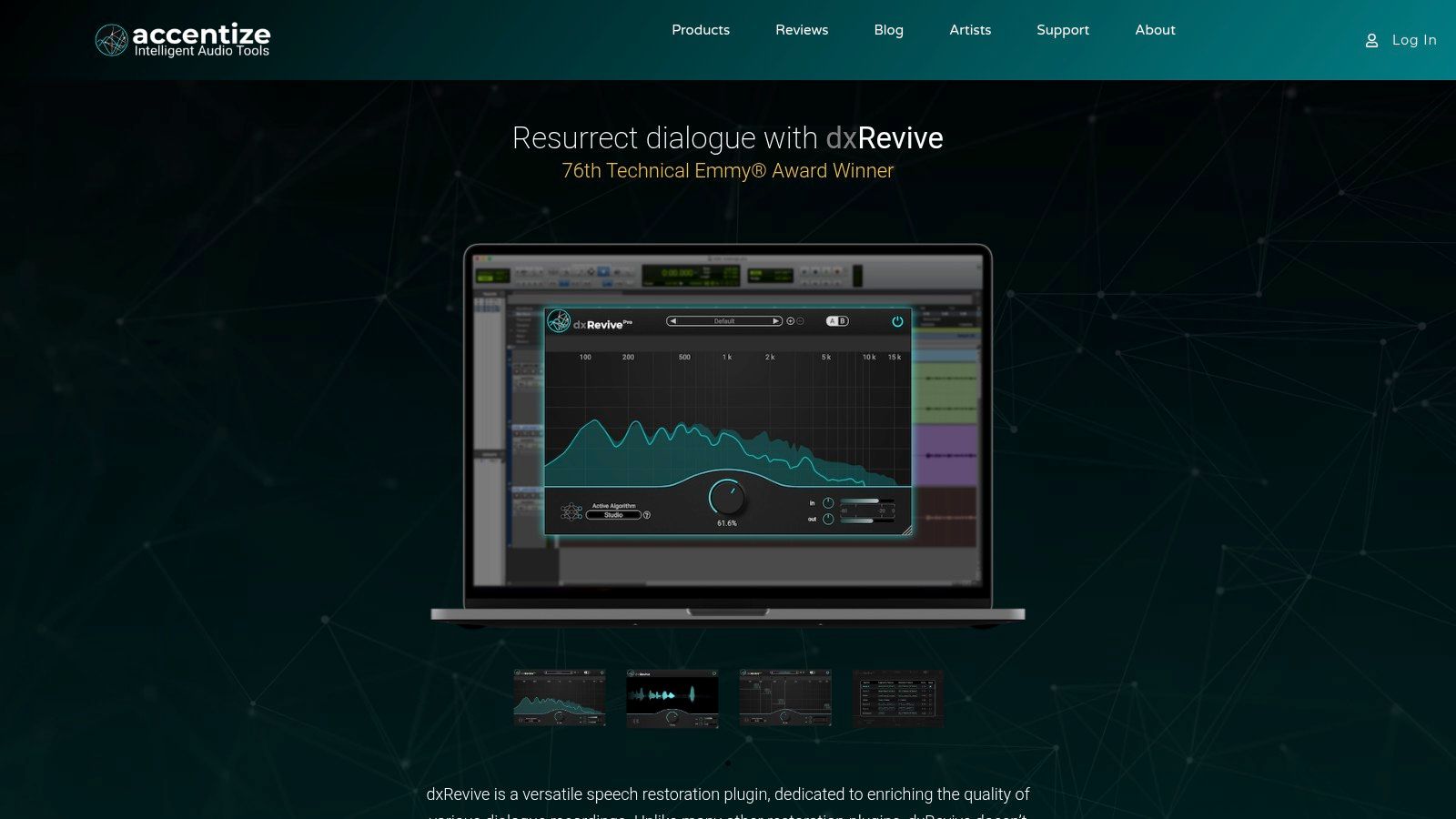
Operating as a VST3, AU, and AAX plugin, dxRevive integrates directly into your preferred audio or video editor. The standard version features an impressively simple single-knob interface with different restoration algorithms like "Retain Character" and "Natural," while the Pro version adds a spectral display and deeper controls for more complex tasks. A key advantage is its entirely local, CPU-based processing, which means your audio files never leave your computer, ensuring complete privacy. This focus on offline processing and dedicated voice repair makes it a unique and highly effective solution.
Key Features & Use Cases
- Best For: Video editors, dialogue editors, and podcasters focused on rescuing problematic voice recordings.
- Standout Modules: AI-powered speech restoration, spectral focus for targeted frequency repair (Pro), and presets for common issues like phone recordings.
- Pricing: dxRevive is available in two tiers: Standard (
$109) and Pro ($219). A free trial is available for both versions.
Our Take: When faced with seemingly unusable dialogue from a bad mic or noisy environment, dxRevive works like magic. It's less of a general toolkit and more of a specialized "dialogue saver," but for that specific purpose, its speed and quality are often astonishing.
Pros:
- Incredible results on heavily damaged or poor-quality voice recordings
- Simple workflow with deep controls available in the Pro version
- Processes audio locally, ensuring data privacy
Cons:
- Highly specialized for speech; not ideal for music or general sound effects
- Can be CPU-intensive, especially on older systems
Website: https://www.accentize.com/dxrevive/
12. Plugin Boutique – Audio Restoration marketplace
While not a single piece of software, Plugin Boutique is an essential marketplace for anyone searching for the best audio cleaning software from various developers. It serves as a central hub where you can compare, purchase, and manage plugins from top brands like iZotope, Waves, Acon Digital, and Zynaptiq. For savvy buyers, it’s often the most cost-effective way to build a professional audio restoration toolkit by taking advantage of frequent sales, exclusive bundles, and a "virtual cash" loyalty program.
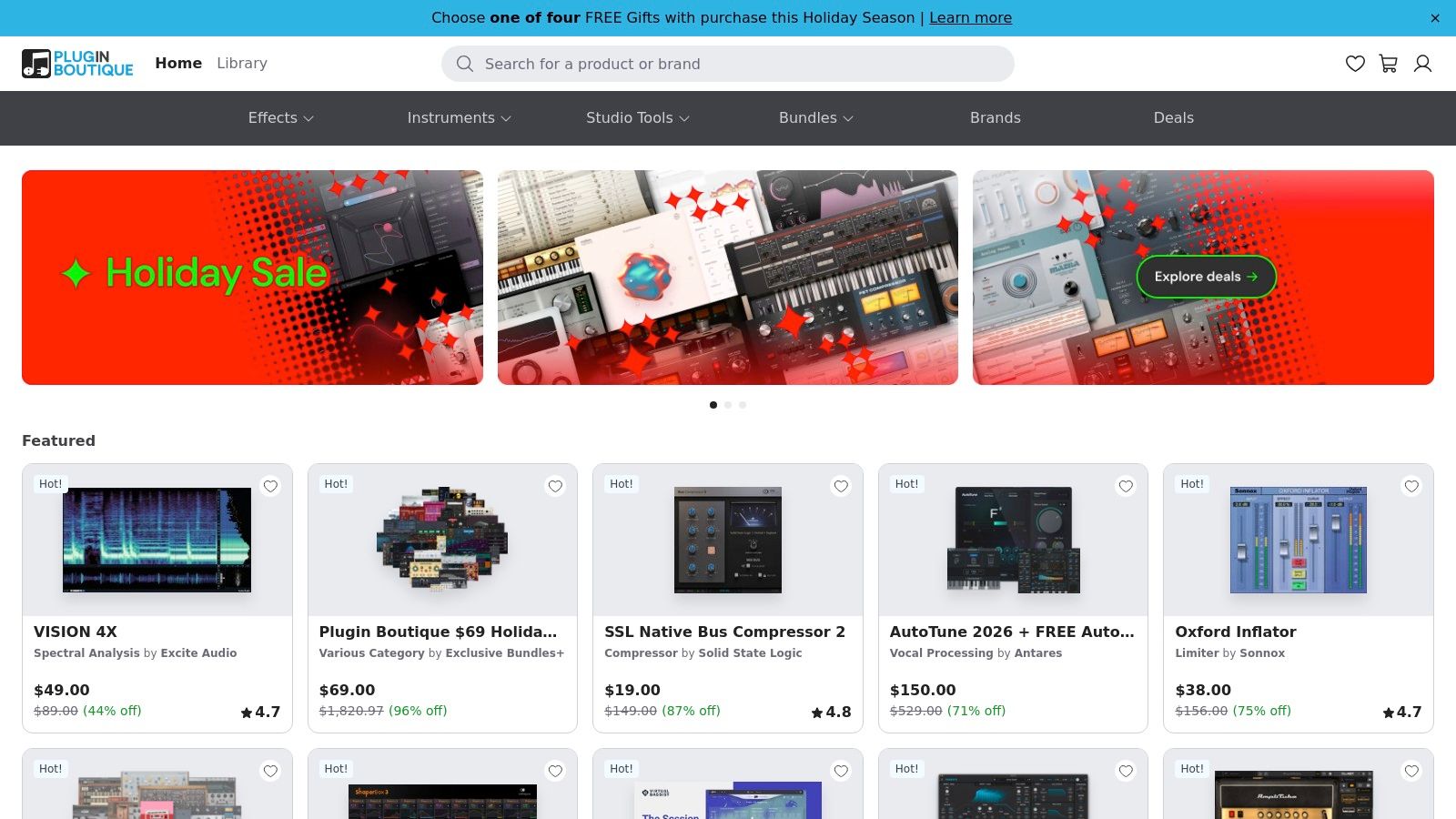
The platform simplifies the discovery process by curating tools into categories like "Audio Restoration," allowing you to see de-noise, de-reverb, and de-click tools side-by-side. User reviews, detailed specifications, and video tutorials are available on product pages, providing the necessary information to make an informed decision without visiting multiple developer websites. This comparison-shopping model is invaluable for finding the right tool for your specific needs and budget, especially when major sales events occur.
Key Features & Use Cases
- Best For: Users looking to compare different brands, find deals, and purchase multiple plugins from one reputable source.
- Standout Modules: Offers a vast catalog including industry standards like iZotope RX, Acon Digital Restoration Suite, and Waves Clarity Vx.
- Pricing: Varies by product. The key benefit is access to frequent discounts, exclusive bundles, and bonus free plugins with qualifying purchases.
Our Take: Plugin Boutique is the smart shopper's destination for audio software. Instead of buying direct, checking here first can save you hundreds of dollars on premium tools. Just be prepared to manage different license systems (like iLok or Waves Central) depending on the plugins you buy.
Pros:
- Regular sales and bundle offers make tools more affordable
- Easy to compare multiple brands in one marketplace
- Loyalty program provides rewards on purchases
Cons:
- Different vendor licensing systems can be confusing to manage
- Best prices are often tied to limited-time promotions
Website: https://www.pluginboutique.com/
Top 12 Audio Cleaning Software Comparison
| Product | Target audience | Core features | Ease of use / Workflow | Pricing & value | Unique selling point |
|---|---|---|---|---|---|
| SimpleClean (Recommended) | Creators, podcasters, YouTubers needing fast spoken‑word cleanup | AI noise removal; browser/cloud; bulk uploads; wide format support; preserves natural voice | Upload → AI analyze → download; no install; mobile/desktop | 1 hr free; subs 10/30/100 hrs ($10/$25/$85); pay‑as‑you‑go credits; rollover up to 3× | Fast, studio‑quality spoken‑word cleanup in browser + 7‑day auto‑delete privacy |
| iZotope RX 11 | Audio engineers, post pros needing surgical repairs | Spectral editing; De‑noise/hum/reverb/click/clip; Repair Assistant; plugins & standalone | Powerful, modular workflows; steeper learning curve | Tiered (Elements/Standard/Advanced); higher cost for pro tiers | Industry standard for deep, surgical restoration |
| Adobe Podcast – Enhance Speech | Users wanting one‑click web cleanup | One‑click voice enhancement; echo/noise removal; adjustable strength (Premium) | Extremely simple: browserbased one‑click; bulk on Premium | Free daily use; Premium for higher limits and controls | Very quick browser one‑click enhancement from Adobe |
| Descript – Studio Sound | Podcasters/creators who want editing + cleanup | Studio Sound AI; transcription; multitrack editing; screen/camera recording | Integrated text‑based editing + one‑click enhancement; cloud processing | Free tier; paid plans include unlimited Studio Sound | Combines cleanup with full editing/publishing workflow |
| Auphonic | Podcasters, educators needing hands‑off final polish | Loudness normalization; denoise/hum; leveling; batch & platform connectors | Automated batch workflows; minimal manual tuning | Credit‑based pricing; flexible for occasional/heavy users; credits no rollover | Reliable automated “final polish” and delivery integrations |
| Acon Digital – Restoration Suite 2 | DAW users seeking affordable restoration plugins | DeNoise, DeHum, DeClick, DeClip; real‑time preview; low CPU | Plugin workflow inside any DAW; intuitive UI | Affordable one‑time purchase; strong price/performance | Simple, efficient restoration with light CPU use |
| Waves Clarity Vx | Editors wanting quick dialog cleanup in DAW | Neural voice isolation; real‑time; mono/stereo support; single‑knob | Very fast single‑knob workflow; automatable | Sold as plugin (frequent sales via retailers) | Instant, high‑quality dialog noise reduction with minimal controls |
| Adobe Audition | Post production users in Adobe ecosystem | Spectral display & spot healing; Adaptive Noise Reduction; DeReverb | Full DAW workflow; deep features; integrates with Premiere Pro | Subscription via Adobe Creative Cloud | Broad post‑production toolset tightly integrated with Premiere |
| DaVinci Resolve Studio (Fairlight) | Video editors needing pro audio tools | Fairlight dialogue processor; noise reduction; end‑to‑end video+audio | Integrated video+audio workflow; learning curve for Resolve | One‑time Studio license (paid) | Perpetual license + full video/audio workflow value |
| CEDAR Audio – DNS One | High‑end film/TV post houses & forensic audio | Near‑zero latency dialog suppression; real‑time processing | Professional real‑time workflows; low latency | Premium pricing; iLok licensing | Industry‑trusted transparent dialog cleanup for post houses |
| Accentize – dxRevive / Pro | Post engineers restoring problematic speech | Single‑knob + modes; spectral focus; local CPU processing | Simple controls with pro tweaks; CPU‑heavy on older machines | Plugin pricing; trial available | Strong offline speech restoration with natural results |
| Plugin Boutique – Marketplace | Buyers comparing restoration tools | Large catalog (Waves, iZotope, Acon, etc.); trials; bundles | Easy comparison and license delivery; frequent sales | Varies by vendor; regular promotions and bundles | Centralized marketplace for deals and side‑grades |
Final Thoughts
Navigating the landscape of audio restoration can feel like a complex journey, but as we've explored, the right tool can transform a problematic recording into a polished, professional-sounding masterpiece. We’ve journeyed through a comprehensive list of the best audio cleaning software, from the powerful, industry-standard suites like iZotope RX 11 and CEDAR DNS One to the astonishingly simple yet effective AI-driven tools like Adobe Podcast and Descript’s Studio Sound.
The central takeaway is that there is no single "best" solution for everyone. The ideal choice hinges entirely on your specific needs, technical expertise, and budget. Your workflow and the nature of your audio problems should be the primary drivers of your decision.
Key Takeaways for Choosing Your Tool
To distill our findings, let's recap the most crucial considerations when selecting your software:
- Simplicity vs. Control: If you're a podcaster or video creator focused on speed and efficiency, one-click solutions like SimpleClean, Auphonic, or Adobe Podcast offer incredible value. They handle the heavy lifting, allowing you to focus on content creation. In contrast, audio engineers and post-production professionals will require the granular control and surgical precision offered by tools like iZotope RX 11, Acon Digital Restoration Suite 2, or the Fairlight page in DaVinci Resolve.
- Workflow Integration: Consider how a new tool fits into your existing process. Do you need a standalone application, or would a VST/AU plugin like Waves Clarity Vx or Accentize dxRevive be more efficient? For those already embedded in the Adobe or Blackmagic ecosystems, using Audition or DaVinci Resolve’s built-in tools is often the most seamless path.
- The Power of AI: Artificial intelligence is no longer a gimmick; it's a revolutionary force in audio repair. Tools that leverage AI can often achieve results in seconds that once took experts hours to accomplish. Don't underestimate the power of these modern algorithms, especially for common issues like background noise, reverb, and mouth clicks.
- Budget and Scalability: Your financial commitment can range from free online tools to thousands of dollars for professional hardware and software. Start with what you can afford and consider your growth. Many creators begin with a simple tool and invest in more advanced software as their skills and client demands grow.
Actionable Next Steps
With this knowledge, your path forward is clearer. Start by identifying the top two or three contenders from our list that best match your user profile. Most of the paid options offer free trials or limited-use versions. Take advantage of these opportunities.
Test each one with a real-world audio file that represents your typical challenges. Don't just use a clean recording; find a file with the exact hisses, hums, or background chatter you regularly fight against. This hands-on comparison is the single most effective way to determine which software truly delivers the results you need and feels intuitive to you.
Ultimately, the goal is to make your audio invisible, allowing your message to shine through without distraction. Once your audio is pristine, the next step for many content creators is to seamlessly integrate it into their video projects for platforms like social media. If that's part of your workflow, learning how to convert audio to video for social media is a crucial skill for maximizing your content's reach. Every tool we’ve discussed is a step toward that professional clarity, empowering you to produce content that captivates your audience.
Ready to clean your audio with the power of AI but without the steep learning curve? SimpleClean was designed for creators who need pristine audio fast, using a simple drag-and-drop interface to remove noise, reverb, and other common issues in seconds. Give your content the professional sound it deserves by trying SimpleClean today.