Quick verdict
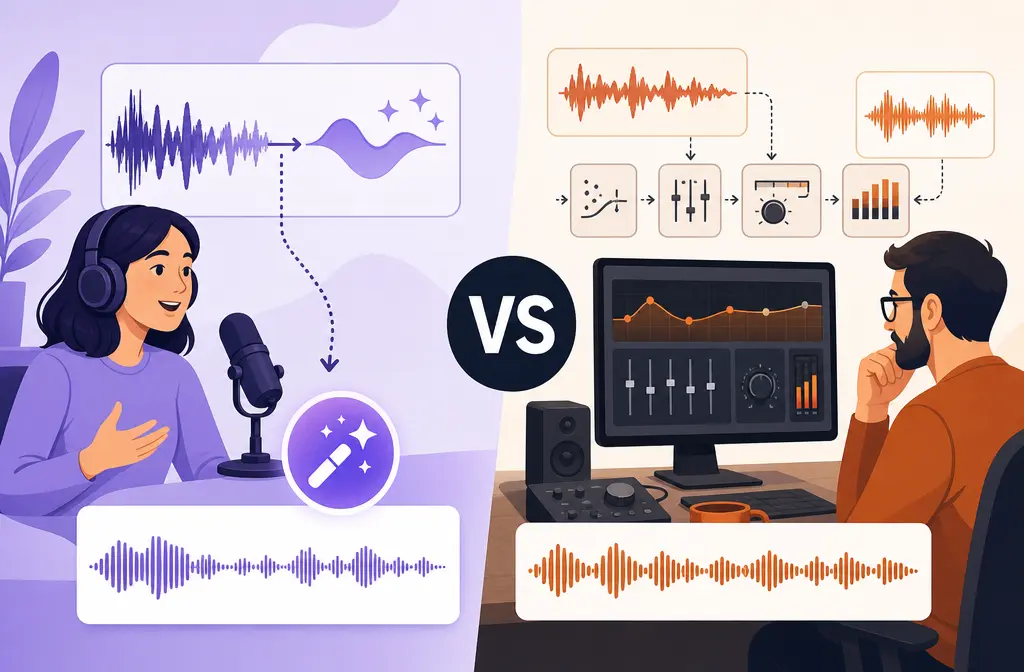
Adobe Podcast and Auphonic are better at different stages of the workflow. If your recording sounds rough and you want a fast speech-cleanup pass, Adobe Podcast is usually the easier starting point. If your audio is already understandable but still needs balanced levels, target loudness, true-peak control, multitrack processing, transcripts, subtitles, or delivery-ready output, Auphonic is usually the stronger finishing tool.
- Choose Adobe Podcast first for one-click speech rescue.
- Choose Auphonic for leveling, normalization, and finishing.
- Use both in sequence when the raw voice needs cleanup and the final program needs release-ready processing.
- Use a simpler exported-file workflow when you just want to improve one finished voice-first file quickly, such as clean an exported voice recording with SimpleClean.
Beginner verdict: Adobe Podcast is easier to grasp at first.
Podcast verdict: Auphonic is stronger for final loudness and delivery control.
Video editor verdict: Adobe Podcast is more useful for rough speech rescue; Auphonic matters more when output consistency matters.
One-off exported file verdict: a simpler option like clean exported video audio with SimpleClean may be faster than a full podcast-post pipeline.
What each tool is actually for
The most useful way to compare Adobe Podcast vs Auphonic is to stop treating them as the same kind of product.
Adobe Podcast is a browser-based toolset centered on recording, transcription, light editing, and especially Enhance Speech. On Adobe's plans page, the free plan lists audio-only Enhance Speech, one file at a time, no strength adjustment, a 30-minute max duration, 500 MB max file size, and 1 hour per day. Premium adds video support, bulk upload, strength controls for speech, music, and ambience, plus up to 2-hour files, 1 GB max file size, and 4 hours per day. Source
Auphonic is broader automated post-production. Its official features and help pages describe leveling, loudness normalization, noise reduction, filtering and enhancement, transcript and subtitle generation, publishing automation, and both singletrack and multitrack workflows. Source Source
That difference matters because “make this voice clearer” and “finish this episode to delivery spec” are not the same job.
| Category | Adobe Podcast | Auphonic |
|---|---|---|
| Best core role | Speech cleanup / rescue first pass | Automated post-production / finishing |
| Noise and echo cleanup | Speech-focused enhancement | Denoise, reverb reduction, filtering, hum reduction, and speech-isolation-related controls |
| Loudness normalization | Not the main differentiator in the supplied sources | Strong focus, including loudness targets, true peak, and MaxLRA |
| Multitrack workflow | Not the main strength in the supplied sources | Supports singletrack and multitrack processing |
| Video support | Premium adds video support | More clearly positioned for automated finishing workflows than speech rescue |
| Bulk processing | Premium adds bulk upload | Built for repeatable production workflows |
| Transcripts / subtitles | Transcription is part of the toolset | Includes transcripts and subtitles |
| Publishing integrations | Not the main differentiator here | Yes |
| Best fit | Bad raw speech that needs quick help | Balanced, compliant, repeatable outputs |
Quick decision tree
- Is the voice hard to understand because the raw recording sounds bad? Start with Adobe Podcast.
- Is the voice understandable, but the episode is uneven, too quiet, too loud, or not release-ready? Use Auphonic.
- Do you have multiple speakers or separate tracks? Lean Auphonic.
- Do you just have one exported MP4, WAV, or M4A and want a quick cleaner file? A simpler exported-file workflow may be enough, such as improve a finished voice file with SimpleClean.

Audio-quality reality check: speech isolation and mastering are not the same job
Many comparison posts reduce this to “which sounds better?” That is too vague to help you choose.
Adobe Podcast is strongest as a speech-rescue pass. If a laptop mic, webcam mic, or untreated room made the spoken voice sound weak or messy, Adobe Podcast is often the more logical first step because Enhance Speech is built around improving speech presentation. Adobe also frames the product around recording, editing, transcription, and Enhance Speech in its official materials. Source
Auphonic is strongest as a finishing pass. Its official documentation goes beyond cleanup into leveling, loudness targets, true-peak control, MaxLRA, filtering, denoise, reverb reduction, hum reduction, and multitrack post-production. Source Source Source
- Speech rescue asks: “Can you make this voice clearer?”
- Mastering / finishing asks: “Can you make this whole program balanced and delivery-ready?”
If you ask either tool to do the other tool's main job, the result may feel underwhelming even when the tool is working as designed.
Pricing and limits
Adobe Podcast
- Free plan: audio-only Enhance Speech
- Free plan: one file at a time
- Free plan: no strength adjustment
- Free plan: 30-minute max duration
- Free plan: 500 MB max file size
- Free plan: 1 hour/day
- Premium: adds video support, bulk upload, and strength controls for speech, music, and ambience
- Premium: up to 2-hour files, 1 GB max file size, and 4 hours/day
Auphonic
- Free tier includes 2 hours per month
- Billing is based on processed duration
- Reruns with the same input files are free
- Multitrack is billed by output duration, not by summing every track's duration
Practically, Adobe is easier to test for quick rescue work. Auphonic's model makes more sense once you are doing repeatable post-production or finishing full episodes.
Best for 6 real-world scenarios
1) Bad laptop mic or rough webcam audio
Best pick: Adobe Podcast. If the main problem is poor raw speech quality, Adobe Podcast is the clearest fit.
2) Podcast episode with uneven speaker levels
Best pick: Auphonic. Leveling and loudness management are where Auphonic is more purpose-built. Source
3) Exported MP4 from a video editor
Best pick: depends on the goal.
- If the speech itself sounds bad and needs rescue, Adobe Podcast Premium is the better match because Premium adds video support. Source
- If the speech is understandable and you just want a quick cleanup pass on one finished file, a simpler exported-file workflow may be enough, such as clean a finished MP4 voice track with SimpleClean.
4) Multitrack interview
Best pick: Auphonic. The supplied Auphonic sources explicitly support both singletrack and multitrack workflows. Source
5) Audiobook-style or delivery-spec output
Best pick: Auphonic. Its loudness documentation is specifically aligned with target loudness, true peak, and MaxLRA requirements. Source
6) Fast one-off cleanup
Best pick: Adobe Podcast or a simpler file-cleanup workflow, depending on scope. If you want speech-focused rescue, use Adobe Podcast. If you already exported a voice-first file and want something lighter than a broader finishing stack, remove noise from an exported recording with SimpleClean may be the simpler route.
Should you use Adobe Podcast before Auphonic?
Often, yes, but only when each tool is doing its own job.
Use both in sequence when:
- The raw speech sounds noticeably bad.
- You need the voice cleaned first.
- You also need balanced levels, target loudness, true-peak management, transcript or subtitle workflow, or publishing-ready output after cleanup.
A practical stack is:
- Run the spoken file through Adobe Podcast for speech rescue.
- Send the cleaned result into Auphonic for leveling, normalization, and final delivery processing.
Stacking is overkill when:
- You are making short social clips.
- You only need a one-off talking-head export cleaned.
- You are fixing a simple voiceover for a course, ad, or sales video.
- You do not need multitrack, loudness specs, transcript automation, or publishing workflows.

Where SimpleClean fits better
There is a middle ground many comparison posts skip: creators who do not want a full podcast-post pipeline at all.
If you already exported a file from Premiere Pro, Final Cut Pro, CapCut, Canva, Camtasia, or another editor, and your goal is simply to improve a voice-first file quickly, a lighter exported-file cleanup workflow may be enough. For that use case, you can clean spoken-word exports with SimpleClean instead of building a broader finishing chain.
This fits best when you:
- have one final exported file instead of a whole production workflow,
- care more about cleaner speech than delivery-spec mastering,
- do not need multitrack balancing,
- do not need transcript, subtitle, or publishing automation in the same audio tool.
After cleanup, related tools may help with the next step of distribution:
- Best AI Captions for captions or subtitles on the video version.
- Translate Dub for translated dubbing and captions.
- Mallary.ai for scheduling and distributing clips or finished content across channels.
Best workflow by scenario
| Scenario | Recommended workflow | Why |
|---|---|---|
| YouTube talking-head recorded on a weak mic | Adobe Podcast first; optional simpler exported-file cleanup for finished exports | Speech rescue matters more than mastering |
| Remote podcast with uneven guests | Adobe first if raw speech is rough, then Auphonic | Needs both cleanup and finishing |
| Single exported MP4 from an editor | Simpler exported-file cleanup or Adobe Podcast Premium | Depends whether you want quick file cleanup or Adobe's rescue workflow |
| Multitrack interview | Auphonic | Multitrack support is a core differentiator |
| Podcast release with loudness target requirements | Auphonic | Loudness normalization and true-peak control are central strengths |
| Short social voice clip | Simpler exported-file cleanup | Full stacking is usually unnecessary |
How to choose in 5 steps
- Identify the real problem. Is it bad raw speech, or is it final-level consistency and delivery?
- Check Adobe's limits first. The free Enhance Speech plan is audio-only, one file at a time, up to 30 minutes and 500 MB, with 1 hour per day. Source
- Choose Adobe Podcast for rough raw speech. Use it when the spoken voice itself needs the first-pass rescue.
- Choose Auphonic for finishing. Use it when the audio is understandable but still needs leveling, loudness normalization, true-peak control, transcripts, subtitles, or multitrack post-production. Source Source
- Avoid extra tools when the job is simple. For one exported voice file, a lighter route such as clean a finished spoken-word file with SimpleClean may be enough.
Final verdict
Adobe Podcast is better for one-click speech cleanup.
Auphonic is better for leveling, loudness normalization, delivery specs, and multitrack finishing.
If you are choosing only one, match the tool to the stage of the job:
- Bad raw voice: Adobe Podcast
- Release-ready finishing: Auphonic
- Quick exported-file cleanup without podcast-production extras: a simpler workflow such as clean an exported voice-first file with SimpleClean
FAQs
Is Adobe Podcast better than Auphonic?
For speech rescue, often yes. For finishing and delivery consistency, often no. They are strongest at different stages.
Should I use Adobe Podcast before Auphonic?
Yes, if the raw speech needs help first and the final output still needs leveling, loudness normalization, or finishing.
Does Auphonic remove background noise or just level audio?
According to Auphonic's official features and production help pages, it does more than leveling. It includes denoise, reverb reduction, filtering, hum reduction, and related automated post-production controls. Source Source
Can Adobe Podcast normalize loudness for podcasts?
In the supplied official sources, Adobe Podcast is framed mainly around recording, transcription, editing, and Enhance Speech. For loudness targets and final output control, Auphonic is the stronger source-backed recommendation in this comparison. Source Source
Which is better for video files: Adobe Podcast or Auphonic?
Adobe Podcast Premium adds video support, so it is relevant when the spoken voice in a video needs rescue. If the need is final leveling, normalization, and output consistency, Auphonic is usually the better finishing step. Source
Is Auphonic worth it if I already use Adobe Podcast?
Yes, if you still need balanced levels, loudness normalization, true-peak control, multitrack finishing, transcripts, subtitles, or publishing automation after speech cleanup. Source Source
What is the best workflow for cleaning and mastering a podcast episode?
If the raw speech is rough, use Adobe Podcast first and Auphonic second. If the speech is already clear, go straight to Auphonic. If it is just one exported file and you do not need a full podcast-post pipeline, a lighter cleanup workflow may be enough.
Sources and references
- Adobe Podcast plans
- Adobe Podcast FAQ
- Auphonic pricing
- Auphonic features
- Auphonic production help
- Auphonic audio algorithms
- Auphonic loudness specs
Related reading: if Adobe's enhancer is failing rather than underperforming, see Adobe Podcast Enhance Speech Not Working. If your source is a remote recording platform, you may also want Zencastr noise reduction troubleshooting or how to remove background noise from video online.