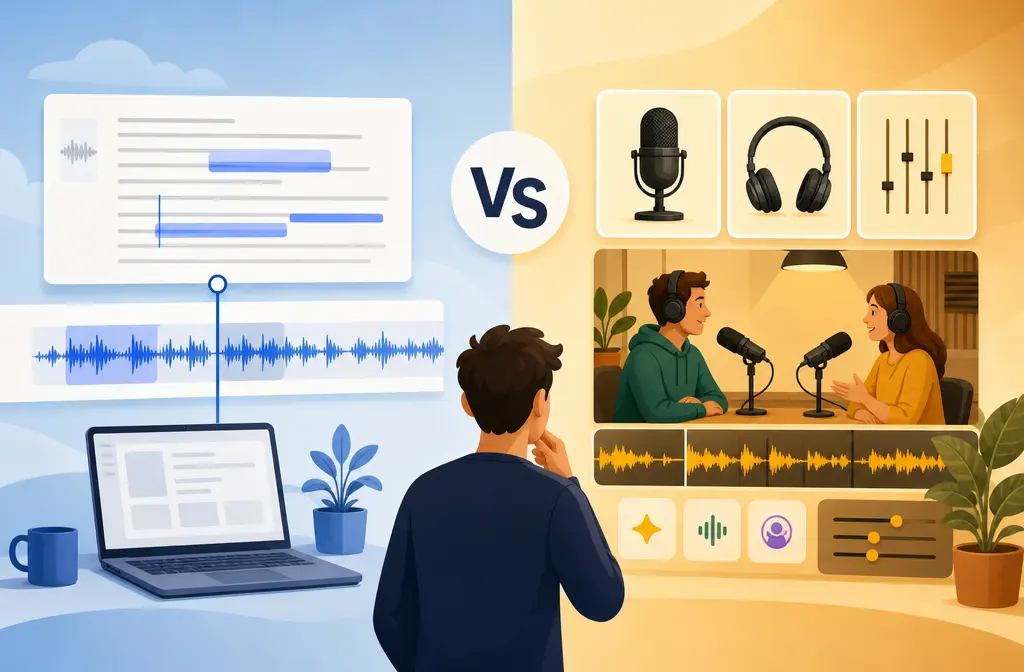
If you are choosing between Descript and Podcastle, the fastest answer is this: Descript is usually the better pick when editing is the hard part, while Podcastle, now called Async, is usually the better pick when recording, cleaning up, and publishing in one place matters more.
Descript stands out for transcript-first editing, retakes, filler-word removal, and deeper spoken-word edit control. Async stands out for a simpler browser-based studio flow, one-click cleanup with Magic Dust, and built-in podcast hosting and publishing. If your workflow starts with “I need to shape the conversation,” Descript is often the stronger fit. If it starts with “I need to record, polish, and ship this episode fast,” Async is often easier.
Quick Answer
Pick Descript if: you want transcript-based editing, stronger spoken-word edit control, easier text-driven cuts, and a workflow that supports podcast episodes, interviews, and video repurposing from the edit outward.
Pick Podcastle/Async if: you want a more straightforward browser studio, built-in AI polish, and podcast hosting/publishing inside the same product.
- Best for solo podcasters who want one app to publish: Async
- Best for interview editing and transcript cleanup: Descript
- Best for YouTube or course creators editing spoken video: Descript
- Best for simple record-clean-publish workflows: Async
- Best for severe cleanup problems after export: a separate cleanup pass
What changed: Podcastle is now Async
Async says Podcastle has rebranded to Async, while accounts, projects, and pricing remained in place. That matters because many people still search for “Descript vs Podcastle,” while the official site, pricing, and help documentation now live under Async branding. Source: Async rebrand announcement.
In other words, if you are comparing Descript vs Podcastle, you are really comparing Descript vs Async.
Descript vs Podcastle (Async) at a glance
| Category | Descript | Podcastle / Async |
|---|---|---|
| Core strength | Transcript-first editing and broader spoken-word post-production workflow | Simpler record-clean-publish workflow with built-in hosting emphasis |
| Editing style | Edit media by editing text, with timeline control and spoken-word tools | Cleaner all-in-one browser flow with editing and cleanup built in |
| Audio cleanup | Studio Sound for one-click AI voice enhancement, including background noise and echo cleanup claims | Magic Dust for noise reduction, EQ, and vocal smoothing |
| Recording | Strong for edit-first creators who also need recording | Strong browser studio positioning for recording and shipping episodes |
| Hosting and publishing | Edit-first workflow; hosting is not the main differentiator in this comparison | Built-in podcast hosting and publishing is a real differentiator |
| Best fit | Editors shaping conversations, clips, and video from transcripts | Creators who want to record, polish, host, and publish in one app |
| Main limitation | Can be more than you need if you want simple publishing over deeper editing | Less compelling if transcript editing depth is your main requirement |

Who should pick Descript vs Podcastle?
Choose Descript if your workflow starts with editing
Descript is the better choice when your job is not just cleaning audio, but restructuring spoken content. Its biggest advantage is that the transcript is not just a reference. It is central to how you edit. That is especially useful if you:
- Cut long interviews into tighter episodes
- Remove filler words and awkward tangents
- Create clips from full episodes
- Edit talking-head or screen tutorial videos alongside spoken audio
- Need stronger text-based control than a simple browser recorder typically gives
If that sounds like you, Descript is often worth the extra complexity and plan cost.
Choose Async if your workflow starts with recording and publishing
Async makes more sense when you want the shortest path from recording to finished episode. Its official pricing and product pages emphasize podcast hosting and publishing alongside recording, editing, and cleanup. That is not a small detail. For many solo podcasters, having hosting in the same tool removes handoff steps. Source: Async pricing and Async podcast studio.
Async is often the better fit if you:
- Record in the browser and want a simpler studio feel
- Want one-click polish without much tweaking
- Care about built-in hosting and publishing
- Are less focused on deep transcript-driven restructuring
Best for by use case
Best for solo podcasters: Async
If you mainly need to record, clean up, and publish an episode without building a heavier post-production workflow, Async has the clearest all-in-one appeal. Its hosting matters here.
Best for interview shows: Descript
Interview podcasts usually create more edit decisions: trimming pauses, removing filler, cutting detours, reshaping openings, and pulling clips. Descript’s transcript-first approach is a stronger match for that kind of work.
Best for YouTube editors: Descript
If your podcast is also a video workflow, Descript usually has the edge because the transcript can drive both audio and video edits. That makes it more attractive for spoken tutorials, commentary, interviews, and course content.
Best for course creators: Descript
Course creators often need to fix retakes, remove repeated lines, tighten explanations, and repurpose lessons into shorter assets. That is closer to an edit problem than a publishing problem, which favors Descript.
Best for a social clips team: Descript
Teams pulling quotes and short-form clips generally benefit more from transcript-based editing than from a simpler podcast-hosting workflow. If the team’s value is in reshaping content, Descript is usually the stronger fit.
Editing workflow: where the gap really shows
The biggest difference is not a checklist feature. It is the mental model of the product.
- Descript: edit-first, transcript-centered, better when you are actively shaping the content
- Async: record-clean-publish, better when speed and simplicity matter more than edit depth
Descript is built around editing media by editing a transcript. That matters for:
- Retakes
- Filler word cleanup
- Removing sections by deleting text
- Multitrack spoken-word sessions
- More detailed timeline control when a text-only pass is not enough
Async also includes editing, but the advantage is different: it is trying to keep the workflow simpler, especially for creators who do not want a more editor-like environment unless necessary.
If you already know you like to tweak structure, pacing, and clip selection, Descript is the safer choice. If you usually keep the conversation mostly intact and just want it cleaner and publishable, Async may feel faster.
Audio cleanup: Descript Studio Sound vs Async Magic Dust
This is where many comparison pages stay too shallow. These tools are both one-click cleanup features, but they are not described the same way.
- Descript Studio Sound: Descript describes it as one-click AI background-noise and echo removal, and says it is regenerative rather than purely subtractive. Source: Descript Studio Sound.
- Async Magic Dust: Async describes it as a polish stack that includes noise reduction, EQ, and vocal smoothing. Source: Async Magic Dust help guide.
In plain English, that means:
- Studio Sound is positioned more like speech enhancement and repair, especially for noise and echo issues.
- Magic Dust is positioned more like broad voice polish: cleaner, smoother, and more balanced sound in one pass.
- Simple noise reduction usually means lowering steady noise, but not necessarily rebuilding weak or bad-sounding speech.
That difference matters because cleanup can mean different things:
- If the voice itself sounds rough and the room is messy, Descript’s framing suggests a stronger repair-oriented ambition.
- If the recording is decent but needs a quick professional-sounding polish, Async’s Magic Dust framing makes sense.
Still, there is an important limitation with both. One-click speech enhancement can start sounding synthetic when:
- The file is already heavily compressed or overprocessed
- The room echo is severe
- Noise overlaps strongly with speech
- The speaker is distant from the mic
That does not mean the feature failed. It means the source problem may be too extreme for a one-button result to sound fully natural.
If your project has stubborn hum, wind, harsh room reverb, or ugly background interference under dialogue, export the file and run a separate cleanup pass rather than stacking more and more enhancement inside the editor. If you want a dedicated cleanup step after export, SimpleClean is another tool from our team.
If you specifically need more guidance on Descript’s echo handling, see our guide to removing echo in Descript.

Recording workflow: browser studio, guests, and video support
Both tools are part of a modern creator workflow, but the emphasis differs.
Async’s product pages stress the browser-based podcast studio flow: recording, editing, cleanup, and publishing together. That makes it attractive if you want fewer moving parts. Source: Async podcast studio.
Descript is also a strong option for creators who record, but its standout value in this comparison is what happens after the recording: transcript edits, restructuring, clip extraction, and spoken-video refinement.
For remote interview creators deciding between a recording-first tool and an edit-first tool, this is the key question:
- Do you mostly need a smooth capture-to-publish system? Async is easier to justify.
- Do you mostly need stronger post-recording editing leverage? Descript is easier to justify.
If you are also comparing Descript with a more recording-centered platform, our Descript vs Riverside guide may help frame that decision.
Publishing and hosting: Async has the clearer all-in-one advantage
This is one of the biggest practical differences.
Async’s pricing and podcast studio pages emphasize built-in podcast hosting and publishing. If your goal is to keep recording, cleanup, and release in one app, Async has a meaningful advantage. Source: Async pricing and Async podcast studio.
Descript fits better when editing is one step inside a broader content workflow. If your publishing stack already exists, or you do not care whether your editor also hosts the show, Descript’s lack of hosting emphasis matters less.
So if you are deciding as a podcaster rather than as an editor, this section may be the tie-breaker.
Pricing and plan friction: what to watch for
Pricing changes often, so do not trust old roundup posts. Check the official pages before you buy. Based on the provided official sources, here is the safer planning view:
- Descript includes Studio Sound on the free plan, but access is limited compared with paid plans. Source: Descript pricing.
- Async uses an AI-credit model and also ties value to storage and publishing features. Source: Async pricing.
- In both tools, free plans can be enough to test the workflow, but not always enough to support a regular production pipeline.
The real pricing question is not only which is cheaper. It is:
- Will you burn through AI cleanup or transcription limits quickly?
- Do you need hosting included?
- Are you paying for edit depth you actually use?
- Will a browser-first tool save time that offsets feature gaps?
If you only publish occasionally, either free tier may be enough for a trial. If you are producing weekly episodes, pay close attention to transcription, media, AI, and publishing limits before committing.
Where each tool breaks down
Neither Descript nor Async is the ideal answer for every audio problem.
Descript and Async are weaker fits when:
- You are doing music-heavy editing or complex sound design
- You need detailed mix engineering rather than spoken-word cleanup
- Multiple speakers overlap frequently
- The room echo is severe and baked into distant mic audio
- The recording has extreme wind, hum, or layered background noise under speech
For those cases, one-click enhancement can help, but it may also introduce a processed sound if pushed too far. A cleaner workflow is often:
- Do your structure edit in Descript or Async
- Export the raw or lightly processed dialogue
- Run targeted cleanup separately
- Bring the improved audio back into your final edit if needed
Decision tree: which should you buy?
Use this quick decision tree.
- I want to edit by editing text, cut interviews fast, and repurpose content.
Choose Descript. - I want one app to record, clean up, host, and publish my podcast.
Choose Async. - I make spoken video, tutorials, or course content and need transcript-driven control.
Choose Descript. - I am a solo podcaster who values simplicity more than deeper edit power.
Choose Async. - I already recorded something noisy and mainly need rescue cleanup.
Try the built-in enhancement first, then export for separate cleanup if the result sounds synthetic.
How to choose between Descript and Podcastle in 5 practical steps
- Map your bottleneck. Decide whether your hardest problem is editing structure, audio cleanup, or publishing.
- Test your real file. Do not judge either tool from a demo. Import an actual interview, tutorial, or noisy episode draft.
- Compare one-click cleanup carefully. Listen for room echo reduction, noise handling, and whether the voice becomes too smoothed or synthetic.
- Check plan limits before committing. Review current official pricing, including free-plan limits, AI usage, and publishing features.
- Use a separate cleanup pass when needed. If noise, hum, wind, or echo remains after the built-in tools, export and run dedicated cleanup instead of overprocessing inside the editor.
Final verdict
Descript is better for podcast editing. If your work involves transcript edits, retakes, filler cleanup, interview shaping, and spoken-video repurposing, it is the more capable fit.
Podcastle, now Async, is better for a simpler all-in-one podcast workflow. If you want browser-based recording, AI polish, built-in hosting, and a cleaner path to publishing, Async is easier to recommend.
If you are stuck between them, use this rule: choose Descript when editing quality drives the decision; choose Async when workflow simplicity and built-in publishing drive the decision.
And if either one gets close but not quite clean enough, export the audio and use a dedicated last-mile cleanup step. That is often the fastest way to save an otherwise solid recording without overprocessing the voice.