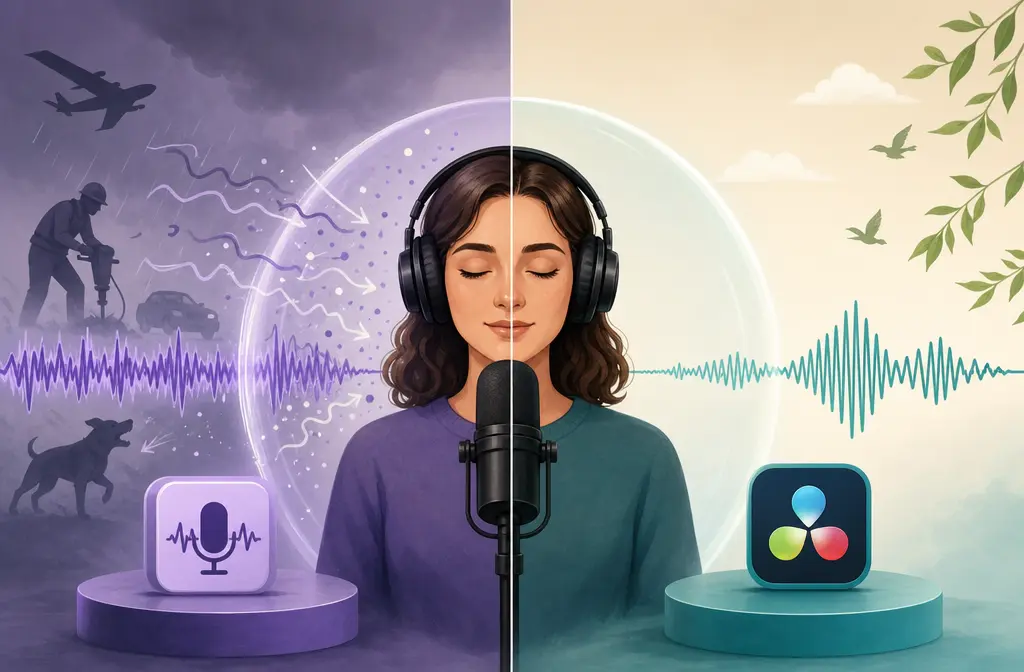
Adobe Podcast vs DaVinci Resolve Voice Isolation: Which Cleans Noisy Dialogue Better?
If you are choosing between Adobe Podcast Enhance Speech and DaVinci Resolve Voice Isolation, the biggest difference is not just sound. It is where the cleanup happens in your workflow.
Quick Answer
Choose Adobe Podcast when you already have a noisy exported file and want stronger after-the-fact speech cleanup in a browser-based workflow. It is especially practical for saved audio or video dialogue that needs rescue without reopening a full edit.
Choose DaVinci Resolve Voice Isolation when you are already editing in Resolve Studio and want fast dialogue cleanup directly on a clip or track without exporting, uploading, and reimporting files.
- Best for exported podcast or finished talking-head file: Adobe Podcast
- Best for interview edits already happening in Resolve: DaVinci Resolve Voice Isolation
- Best for one-off rescue of a noisy file: Adobe Podcast
- Best for ongoing edit-heavy workflow: DaVinci Resolve Voice Isolation
The short version: Adobe Podcast usually fits file-based rescue, while Resolve Voice Isolation usually fits timeline-based cleanup.
What each tool is actually for
These tools overlap, but they solve different moments in the production process.
Adobe Podcast Enhance Speech
Adobe positions Enhance Speech as a web-based cleanup tool for spoken audio and video dialogue. You upload a file, Adobe processes it in the browser workflow, and you download a cleaned result. According to Adobe's public plans page, the free tier is audio-only, while paid plans add video support, bulk upload, adjustable strength, larger file limits, and more daily usage time.
That makes Adobe Podcast a natural fit when:
- the edit is already done
- you only have the exported WAV, M4A, or MP4
- you do not want to rebuild audio routing inside an editor
- you want fast post-cleanup from a browser-supported machine
DaVinci Resolve Voice Isolation
Voice Isolation in DaVinci Resolve is part of the Fairlight dialogue cleanup toolkit and is available in DaVinci Resolve Studio, not the free version. Blackmagic describes it as a DaVinci Neural Engine feature for reducing background sounds and isolating dialogue, and the Fairlight guide shows it being used at either the clip or track level inside the timeline.
That makes Resolve Voice Isolation a natural fit when:
- you are already cutting the project in Resolve Studio
- you want to hear cleanup in context with music, effects, and cuts
- you need clip-by-clip or track-level control without leaving the project
- you want to avoid export and reimport friction

Plan, version, and workflow limits that matter
This is where many comparisons stay too vague. For real buyers, these limits matter more than a generic “which sounds better?” answer.
| Factor | Adobe Podcast | DaVinci Resolve Voice Isolation |
|---|---|---|
| Where it runs | Web-based workflow in a supported browser | Inside DaVinci Resolve Studio |
| Main use case | File-based speech cleanup after recording or export | In-timeline dialogue cleanup during editing |
| Free access | Yes, with limits on format, duration, file size, and daily use | No; Voice Isolation is a Studio feature |
| Video support | Paid plan adds video support | Works in video-edit workflow because it is inside Resolve |
| Bulk handling | Paid plan adds bulk upload | Managed inside project timeline rather than browser upload |
| Strength control | Paid plan adds strength adjustment | Controlled in the timeline via Fairlight tools |
| Internet dependency | Yes, browser-based upload and processing workflow | No browser dependency for the core workflow |
| Best fit | Rescuing already-exported dialogue files | Cleaning dialogue while actively editing |
From Adobe's plan information, the current public limits include:
- Free: audio-only, up to 30 minutes or 500 MB per file, and 1 hour per day
- Paid: video support, bulk upload, strength adjustment, up to 2 hours or 1 GB per file, and 4 hours per day
From Blackmagic's documentation, Voice Isolation is part of Resolve Studio. So if you use the free version of Resolve, this feature is not part of your toolkit.
Adobe Podcast vs Resolve: strengths and weaknesses
Where Adobe Podcast usually wins
- Better fit for saved exports: If you only have a final WAV, M4A, or MP4, Adobe's upload-clean-download model is straightforward.
- Lower friction for non-editors: You do not need to learn Fairlight routing or open a full NLE just to improve dialogue.
- Useful for one-off rescue jobs: If the project is done and you just need cleaner speech, Adobe's workflow is aligned with that need.
- Video cleanup option on paid plans: Adobe explicitly supports Enhance Speech for video on paid tiers.
The tradeoff is that Adobe also warns results depend on how audible the speaker is and how much background noise is present. In other words, it can help a lot, but it is not magic.
Where Resolve Voice Isolation usually wins
- Timeline convenience: No bouncing out, uploading, downloading, and re-syncing.
- Context-aware editing: You can judge cleanup while hearing music, ambient sound, and adjacent cuts.
- Clip or track workflow: Official Fairlight documentation supports using Voice Isolation at either level, which is useful for interview timelines and documentary edits.
- Better ongoing editing fit: If you are constantly revising cuts, keeping cleanup inside the project is more efficient.
The tradeoff is cost and access: you need Resolve Studio, and aggressive dialogue isolation can still introduce artifacts or a processed sound if pushed too far.
Best-for recommendations by scenario
| Scenario | Best choice | Why |
|---|---|---|
| Exported podcast episode with noise | Adobe Podcast | You already have a finished file and need cleanup without reopening a full edit. |
| YouTube talking-head video already exported | Adobe Podcast | File-based rescue is simpler than rebuilding the project in an editor. |
| Interview edit already in Resolve Studio | DaVinci Resolve Voice Isolation | Fast in-timeline cleanup with clip or track control. |
| One-off noisy dialogue rescue | Adobe Podcast | Browser workflow is often the quickest path for a single file. |
| Ongoing weekly video editing in Resolve | DaVinci Resolve Voice Isolation | Less export friction across repeated projects. |
| Need cleanup but no Resolve Studio license | Adobe Podcast | Resolve's feature is Studio-only. |
Is DaVinci Resolve Voice Isolation better than Adobe Podcast?
Not universally. It is better for some workflows, not for every user.
If your main question is “Which gives me cleanup without leaving my edit?” the answer is usually DaVinci Resolve Voice Isolation.
If your main question is “Which is better for a noisy file I already exported?” the answer is usually Adobe Podcast.
That workflow-first distinction is more useful than trying to declare a single overall winner.
When you should export audio from Resolve and clean it separately
Even if you edit in Resolve, there are times when exporting audio or video for separate cleanup makes sense.
- You finished the edit and only now noticed the dialogue problem
- You need to rescue a delivered file, not the project timeline
- You are collaborating with someone who only has the media export
- You do not have Resolve Studio access on the machine doing the fix
- You want a browser-based speech cleanup step instead of more timeline work
For that kind of last-mile repair, SimpleClean, another tool from our team, can be a practical fallback when you already exported the file and only need cleanup, not a whole new editing workflow.

How to choose between them in 5 steps
- Start with where the problem exists. If the noise issue is in an already-exported file, lean Adobe Podcast. If it is still inside an active Resolve project, lean Resolve Voice Isolation.
- Check access limits. Adobe free has usage and file limits. Resolve Voice Isolation requires Studio.
- Decide whether upload friction matters. Browser upload can be fine for one file, but annoying for repeated edit revisions.
- Test lightly before pushing hard. Both tools can sound unnatural when overused.
- Be realistic about bad source audio. If the issue is echo, clipped peaks, heavy wind, or overlapping voices, neither tool is likely to be a perfect fix.
When neither tool is enough
Neither Adobe Podcast nor DaVinci Resolve Voice Isolation should be treated as a miracle solution for every dialogue problem.
Expect limited results or obvious tradeoffs with:
- Overlapping speakers: two voices competing at once are hard to separate cleanly
- Severe clipping: once speech is badly distorted, cleanup tools cannot fully restore missing detail
- Heavy room echo: voice enhancement can improve intelligibility, but strong reverb often remains a compromise
- Heavy wind: low-frequency blasts can overwhelm spoken detail
- Music-heavy scenes: if voice and background are deeply mixed together, artifacts become more likely
Adobe's own FAQ notes that results depend on the audibility of the speaker and the amount of background noise. Blackmagic's Fairlight tools are also intended as dialogue cleanup aids, not total restoration of unusable recordings.
Which is better for YouTube dialogue cleanup?
For a typical YouTube creator, the answer depends on when you catch the problem.
- Before export, while editing in Resolve Studio: use Voice Isolation first
- After export, with only the final file in hand: use Adobe Podcast
If your channel is edit-heavy and you live in Resolve every week, Resolve's in-project speed is hard to beat. If your workflow is more ad hoc and you often notice noise problems late, Adobe Podcast is usually the more natural fit.
Who should switch tools?
Switch from Adobe Podcast to Resolve Voice Isolation if:
- you already edit in Resolve Studio
- you are tired of export and reimport steps
- you want cleanup decisions in context with the full timeline
- you handle lots of interview or documentary edits
Switch from Resolve Voice Isolation to Adobe Podcast if:
- the project is already exported
- you need to rescue files outside the editing timeline
- you are working from a supported browser rather than a full Resolve workstation
- you do not have Resolve Studio available where the repair needs to happen
Final verdict
Adobe Podcast is usually the better choice for post-export rescue. It is built around uploading a saved file, enhancing speech, and downloading a cleaner result. That is exactly the workflow many solo creators need when the edit is already done.
DaVinci Resolve Voice Isolation is usually the better choice for active Resolve editors. If your project is already in Resolve Studio, its biggest advantage is not abstract quality. It is speed, context, and staying in the timeline.
If you are deciding purely by workflow:
- Exported file cleanup: Adobe Podcast
- In-timeline dialogue cleanup: DaVinci Resolve Voice Isolation
For related reading, you may also want to compare Adobe Podcast vs Premiere Pro Enhance Speech or see our guide to remove background noise in DaVinci Resolve.