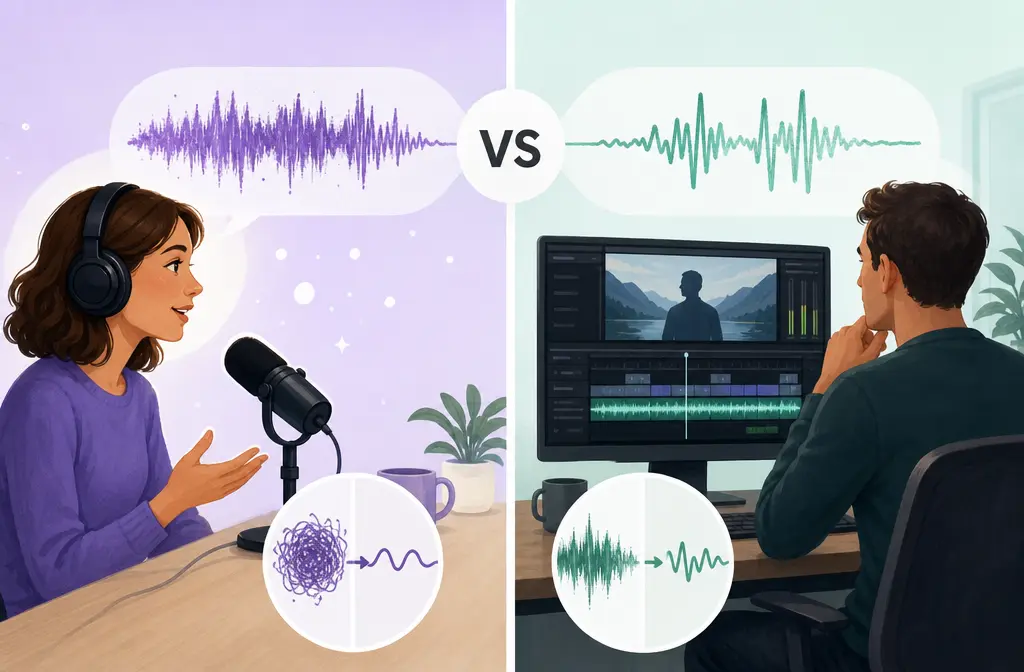
Quick Answer
If you want the strongest one-click rescue for noisy spoken audio, Adobe Podcast Enhance Speech is often the better pick, especially on rough speech recordings. If you want to keep dialogue attached to your edit, avoid extra exports, and make clip-by-clip decisions inside your timeline, Premiere Pro Enhance Speech is usually the smarter choice.
In plain English:
- Use Adobe Podcast when the recording is rough, speech is the priority, and you can tolerate an export/reimport step.
- Use Premiere Pro when sync, edit speed, revisions, and timeline context matter more than maximum cleanup strength.
That is the real tradeoff: browser cleanup vs timeline cleanup.
Adobe itself positions Adobe Podcast Enhance Speech as a browser-based workflow and Premiere Pro Enhance Speech as an Essential Sound feature applied directly to dialogue clips in the edit. Adobe’s community announcement also indicates that the Premiere version runs on-device, while Adobe Podcast web processing can produce stronger results in some rough-dialogue cases.
If you already know your project type, jump to the section for noise type, workflow speed, or the decision tree below.
What each tool actually is
Adobe Podcast Enhance Speech is a web-based post-processing tool. You upload an audio file on the free plan, or audio/video on the paid plan, let Adobe process it, then download the enhanced result and bring it back into your project if needed. Adobe also ties this product family to remote recording and browser workflows through Adobe Podcast.
Premiere Pro Enhance Speech lives inside Premiere’s Essential Sound panel. You tag a clip as dialogue, enable Enhance Speech, and adjust the Mix Amount while Adobe processes the clip in the background. That means the cleanup stays attached to your timeline instead of creating an external replacement file.
This difference matters more than the feature names suggest. One tool is built around processing a file. The other is built around processing edited clips.
| Category | Adobe Podcast Enhance Speech | Premiere Pro Enhance Speech |
|---|---|---|
| Where it runs | Browser-based workflow | Inside Premiere Pro |
| Best use case | One-click rescue for rough spoken recordings | Dialogue cleanup that stays in the timeline |
| How you apply it | Upload, process, download, reimport if editing video | Essential Sound > Dialogue > Enhance Speech |
| Strength control | Free plan: no strength adjustment; paid plan adds adjustable speech/music/ambience controls | Mix Amount control |
| Video support | Paid plan adds video support | Native in video timeline |
| Batch/bulk | Paid plan adds bulk upload; free plan is one-at-a-time | Clip-by-clip inside project |
| Sync risk | Yes, because you may replace media after processing | Low, because clips remain in sequence |
| Revision friction | Higher if client keeps changing cuts | Lower for ongoing editorial changes |
| Processing model notes | Adobe positions it as web post-processing | Adobe’s community announcement indicates it runs locally/on-device |
Is Adobe Podcast better than Premiere Pro Enhance Speech?
Often yes for damaged dialogue, but not always for the full editing workflow.
Adobe’s own guide says Adobe Podcast will often sound cleaner for dialogue than Premiere’s built-in option, and Adobe community discussion around the Premiere release also reflects that some users hear lower quality from the on-device version compared with Adobe Podcast web processing.
But “better” depends on what you are optimizing for:
- Better raw rescue in many noisy-dialogue cases: Adobe Podcast
- Better edit convenience: Premiere Pro
- Better for long revision cycles: Premiere Pro
- Better for a single ugly interview file before editing: Adobe Podcast
- Better when you must preserve exact clip relationships: Premiere Pro

Why Adobe Podcast can sound better than Premiere
Based on Adobe’s own positioning and community discussion, the web version is often the more aggressive speech cleanup path. That can help when the original recording has obvious noise or echo and you need a fast salvage pass.
It can also be why some users prefer Adobe Podcast for roomy dialogue, laptop mic recordings, and rough remote interviews.
But stronger cleanup is not automatically better in the final cut. More aggressive enhancement can also make speech sound:
- robotic
- phasey
- over-smoothed
- detached from the room tone of nearby clips
- like a slightly different voice from shot to shot
That is why editors should judge the result in context, not just soloed on headphones.
Quality by noise type: which tool usually wins?
This is where most comparisons stay too vague. Different noise problems behave differently.
| Noise/problem type | Usually better choice | Why |
|---|---|---|
| Steady fan or HVAC hum | Adobe Podcast, often | Often stronger at broad one-click speech cleanup when the goal is just clearer voice. |
| Mild room echo | Adobe Podcast, often | Often the stronger rescue option when the recording sounds roomy. |
| Keyboard clicks | Adobe Podcast, slight edge in some cases | Often removes more distraction, though artifacts can appear if pushed hard. |
| Street noise behind a talking head | Depends | Adobe Podcast may clean harder; Premiere may preserve a more natural voice texture. |
| Nearby background voices | Neither is ideal; Adobe Podcast may help more | Competing speech is difficult because it overlaps the target voice. |
| Music bleed | Premiere if you need moderation; neither if severe | Aggressive speech enhancement can make voice unnatural when music is intertwined. |
| Overlapping speakers | Neither | Adobe’s community announcement lists overlap as a weak case. |
| Heavy wind | Neither | Wind is a hard failure case for speech enhancers. |
| Clipped/distorted audio | Neither | Speech cleanup is not true repair for clipped source. |
The practical takeaway: Adobe Podcast often wins on simple “make this bad speech cleaner” tasks. Premiere usually wins when preserving timeline control matters more than squeezing out the last bit of cleanup.
Naturalness: cleaner solo vs better in the edit
One of the easiest mistakes is picking the version that sounds most dramatic in isolation. For real projects, compare these before you commit:
- Breaths: do they pump or disappear unnaturally?
- Laughter and short exclamations: do they sound smeared?
- Room tone: does the enhanced clip suddenly feel disconnected from surrounding cuts?
- Edit boundaries: do you hear a texture change between enhanced and unenhanced clips?
- Sibilants and consonants: do they sound brittle or synthetic?
If Adobe Podcast sounds “cleaner” but also feels less like the real person, Premiere’s gentler in-timeline result may be the better editorial choice.
Speed and workflow: which is faster for your project?
Best for a short one-off file
Adobe Podcast is often faster if you have one interview, one voiceover, or one rough talking-head recording and you just want a cleaner file.
Best for a long multicam interview
Premiere Pro is usually safer. Exporting multiple dialogue sections out to Adobe Podcast can create replacement-file overhead, extra versioning, and more sync checks.
Best for social clips
If the clips are already cut in sequence, Premiere is usually more efficient. If you are fixing a single ugly phone recording before editing it into several shorts, Adobe Podcast can make sense.
Best for course lessons
If every lesson is mostly one speaker and the source quality is mediocre, Adobe Podcast can be appealing. But for a course with lots of revisions, slides, pickups, and recuts, Premiere may save time.
Best for podcast video
If you have long-form video with multiple cameras and frequent trims, Premiere usually fits the workflow better. If the whole episode audio is poor before you begin editing, Adobe Podcast may still be worth using first.
Free vs paid limits that affect the decision
These limits matter because they change whether Adobe Podcast is convenient or annoying.
According to Adobe Podcast plans and the Adobe Podcast FAQ:
- Free plan: audio only, one-at-a-time uploads, no strength adjustment, up to 30 minutes per file, up to 500 MB, 1 hour per day, and 2 Studio downloads per day.
- Paid plan: adds video support, bulk upload, adjustable speech/music/ambience controls, up to 2-hour files, up to 1 GB, and 4 hours per day.
So if you are cleaning lots of clips, video files, or long episodes, Adobe Podcast plan limits may push you back toward Premiere even if you slightly prefer the sound.
Should you enhance audio before or after editing in Premiere Pro?
Usually after the rough cut, not before.
This is one of the most useful workflow rules in this whole comparison.
If you are leaving Premiere for external cleanup, do your rough cut first, then enhance only the dialogue that survives. That reduces:
- wasted processing on lines you later delete
- the number of files you have to export and reimport
- sync checks
- version-control confusion during revisions
Exceptions exist. If the original audio is so bad that you cannot comfortably edit, caption, or judge takes, then it can make sense to run Adobe Podcast first just to get the material into usable shape.

Edit-stage decision tree
- Before rough cut: Use Adobe Podcast first only if the source is so noisy that editing is difficult.
- After rough cut: Best moment to export surviving dialogue for Adobe Podcast if you need stronger cleanup.
- Before captions: Clean first if noise is hurting transcription accuracy.
- Before final mix: Use Premiere if you want to keep final balancing decisions inside the timeline.
Sync and version-control risks when exporting to Adobe Podcast
Yes, Adobe Podcast can create sync and management risk when you re-import.
The risk is not that Adobe necessarily changes timing on every file. The real problem is workflow friction:
- replacing the wrong file version
- forgetting which clips were enhanced
- re-cutting the sequence after exporting cleanup files
- mismatched handles at edit points
- inconsistent processing between similar shots
That is why Premiere is often the better answer for active client revisions. The cleanup stays attached to the edited clips instead of spinning off a second file-management system.
When should you stay in Premiere instead of exporting to Adobe Podcast?
- You are already deep into a complex edit.
- You have multicam or many dialogue segments.
- You expect ongoing review notes.
- You need quick clip-by-clip decisions.
- You care more about staying in sync than getting the strongest possible cleanup.
- You want to use the Mix Amount inside context.
For many video editors, that last point is the killer feature. A slightly weaker cleanup that you can tune directly against music, room tone, and adjacent cuts often beats a stronger cleanup that creates more management work.
Best practice workflow for most editors
- Do a rough cut first.
- Identify only the dialogue that will survive into the final piece.
- Try Premiere Enhance Speech first if timeline speed and sync matter.
- Escalate to Adobe Podcast only for clips that still need stronger rescue.
- Check naturalness in context, especially breaths, laughter, and edit points.
- Finish your mix separately, because enhancement is not the same as full loudness balancing or final mastering.
That last step matters. As external comparisons have pointed out, speech enhancement is not the whole finishing chain. It can make dialogue clearer, but it does not replace all mixing and delivery work.
When neither tool is enough
Both Adobe tools have real limits. Adobe’s community announcement explicitly calls out weak cases such as overlapping speech, whispers, loud music, and poor audio. In practice, you should lower expectations when dealing with:
- overlapping speakers
- severe echo
- clipped or distorted recordings
- heavy wind
- important ambience you actually need to preserve
In those cases, no one-click speech enhancer is a guaranteed fix. Sometimes the better decision is to keep the audio more natural, reduce distractions modestly, and avoid pushing the voice into obvious artifacts.
Soft fallback: when to use SimpleClean
If you have already exported your final audio or video and just need a light post-export cleanup pass on distracting noise, a separate exported-file workflow can be simpler than stacking more aggressive denoise inside the NLE. In that situation, post-export noise cleanup with SimpleClean can be a practical fallback. SimpleClean is another tool from our team, so treat it as an optional last-step workflow rather than a replacement for Adobe’s in-edit tools.
That fallback makes the most sense when:
- the edit is already locked
- you do not want to keep tweaking timeline effects
- you need a cleaner delivered file, not a more complex edit workflow
Final verdict
Choose Adobe Podcast Enhance Speech if your priority is maximum one-click rescue for noisy dialogue and you do not mind exporting and reimporting files.
Choose Premiere Pro Enhance Speech if your priority is editing efficiency, timeline control, and lower sync/version risk.
For most real-world video projects, the smartest workflow is not “always one or the other.” It is:
- Rough-cut first
- Stay in Premiere for most dialogue cleanup
- Use Adobe Podcast selectively for the worst surviving clips
That approach gives you the strongest balance of sound quality, speed, and edit safety.