Quick Answer
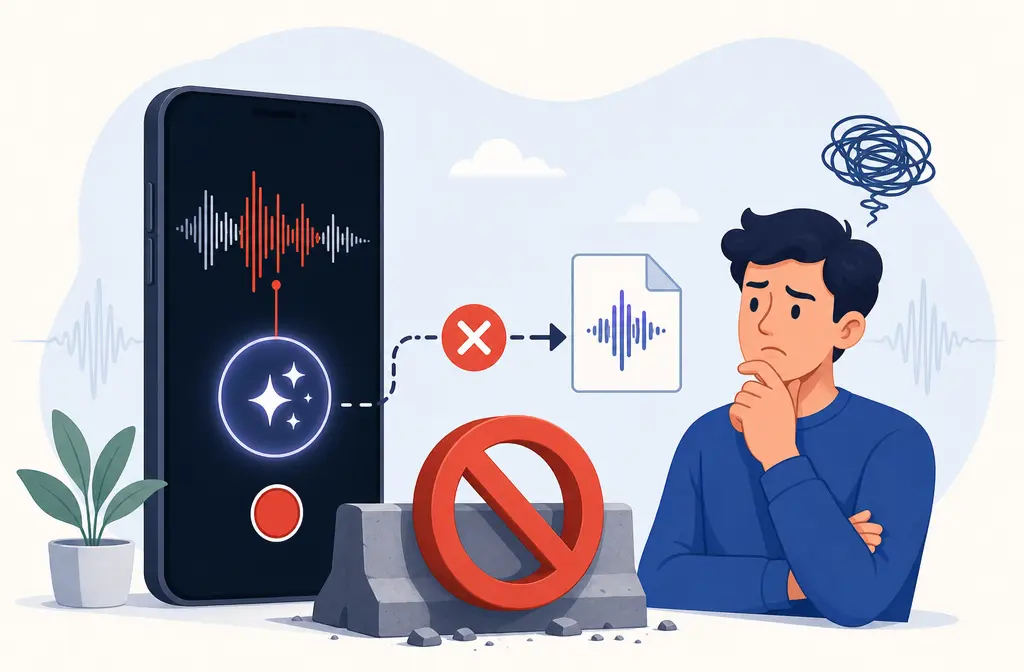
If your Voice Memo sounds cleaner on your iPhone but the exported file still has the original noise, the most likely reason is simple: Enhance Recording is a playback setting, not a permanent change to the recording itself for Mono and Stereo recordings. Apple’s Voice Memos playback guide says playback settings such as Enhance Recording, Skip Silence, and playback speed do not affect the recording itself. Apple Support. That means the memo can sound improved inside the app while the normal file you share does not carry that same cleanup.
Apple also documents an Editable export option that can retain layers and effects, while the default export goes out as an .m4a. Apple Support. So if you need a normal cleaned audio file for Files, Drive, Premiere, CapCut, or iMovie, Voice Memos may not be enough on its own.
Why Voice Memos can sound better in-app than after export
The confusion usually comes from three different audio-improvement paths that behave differently.
| Feature | When it happens | What Apple says | Best for |
|---|---|---|---|
| Voice Isolation | During recording, on supported devices and modes | Record-time mode for focusing on the voice | Trying to capture cleaner speech at the source |
| Enhance Recording | During playback of Mono or Stereo recordings | Playback option; playback settings do not affect the recording itself | Making a memo easier to hear inside Voice Memos |
| Studio Voice | During playback of Spatial Audio recordings | Playback cleanup path for Spatial Audio recordings | Listening back to Spatial Audio recordings more clearly |
| Default export | When sharing or saving normally | Exports as .m4a | Normal file sharing and editing |
| Editable export | When available in export choices | Can retain layers and effects | Keeping adjustable Voice Memos work intact |
In plain English: Voice Memos may be improving playback in the app, not rendering a permanently cleaned file.

The 3 cleanup paths users mix up
1) Record-time Voice Isolation
Voice Isolation is about how audio is captured during recording, not a playback toggle you add later. Apple’s Voice Memos recording guide separates this from playback cleanup and ties some behavior to supported devices and recording modes. Apple Support.
Best for: a new recording where you want the iPhone to focus more on speech from the start.
2) Playback-time Enhance Recording
This is the classic source of the problem. Apple says you can turn on Enhance Recording while playing back a Mono or Stereo recording, but also says playback settings do not affect the recording itself. Apple Support.
Best for: listening back inside Voice Memos when the original recording is only mildly noisy.
3) Spatial Audio playback cleanup via Studio Voice
Spatial Audio recordings can use Studio Voice during playback. Apple documents this separately from Enhance Recording, which is why users can see different options depending on how the memo was recorded. Apple Support.
Best for: supported Spatial Audio recordings where you want a cleaner listening experience in the app.
What Apple says happens on export
Apple’s export guide makes two points that matter here:
- Default export: Voice Memos exports a recording as an .m4a file.
- Editable export: when available, this export path can retain layers and effects.
Source: Export a Voice Memos recording to Files on iPhone.
That explains why two users can both say, “I exported my memo,” but get different results. One may have saved a standard .m4a. Another may have used Editable export specifically to preserve Voice Memos adjustments.
Symptoms by scenario
Enhanced in app but not in Files
Most likely cause: you turned on Enhance Recording during playback, then exported a normal .m4a file. Apple says those playback settings do not change the recording itself. Apple Support.
Enhance Recording is missing
Apple documents Enhance Recording for Mono and Stereo recordings. If you recorded in another mode, you may be looking for the wrong playback option. Apple Support.
No audible change after turning on Enhance Recording
The effect may be subtle, or your noise problem may be the wrong kind for this feature. Heavy wind, loud traffic, strong room echo, and overlapping voices often need more than a light playback enhancement.
Export option confusion
If you only used the usual share flow and saved an .m4a, you likely used the standard export path, not Editable export. Apple Support.
Recipient cannot hear the same result
This usually means you heard a playback-only improvement on your device, but the recipient received the underlying recording as a normal shared file.

Diagnosis checklist
Before you redo anything, check these items:
- Recording mode: Was the memo recorded in Mono, Stereo, or Spatial Audio? Apple Support.
- Playback vs export: Does it sound better only inside Voice Memos, or also after saving to Files?
- Export type: Did you export a default .m4a, or choose Editable export when available? Apple Support.
- iOS and device support: Some Voice Memos recording features are model-dependent in Apple’s documentation. Apple Support.
- Noise type: Is this mild background noise, or something harder like wind, rumble, echo, or multiple voices?
- Mic health: Are the iPhone microphones working normally? Apple Support.
How to fix Voice Memos enhanced audio not exporting
- Confirm what kind of improvement you used.
If you enabled Enhance Recording or Studio Voice during playback, start by assuming you may be hearing a listening-only improvement rather than a permanently processed file. - Reopen the memo and check playback options.
In Voice Memos, play the recording and verify whether Enhance Recording, Studio Voice, playback speed, or Skip Silence is on. Apple notes you can also reset playback options. Apple Support. - Export a test copy to Files.
Save the memo and listen to the exported version outside Voice Memos. This shows whether the change exists in the file itself or only in the app. - Look for Editable export when available.
Apple documents Editable export as the path that can retain layers and effects. If preserving Voice Memos-specific adjustments matters, test that option instead of assuming the default .m4a will include them. Apple Support. - Make a short fresh recording.
Record 10 to 20 seconds of voice in the same room and test again. This helps reveal whether the problem is specific to one memo or part of the whole workflow. - Switch recording mode if needed.
If you expected Enhance Recording but used a different recording mode, or if you meant to capture cleaner voice from the start, test a new memo with the most suitable supported mode for your device. Apple Support. - Check microphone health.
If every recording sounds muffled, scratchy, or unbalanced, follow Apple’s microphone troubleshooting steps. Apple Support. - Use a separate cleanup workflow when you need a normal deliverable.
If the goal is a cleaned file you can send, upload, or edit anywhere, export the memo first and then process the file separately.
When Voice Memos is the wrong tool
Voice Memos is convenient, but it is not always the right place to solve a tough noise problem. You will usually save time by exporting and cleaning the file elsewhere when you have:
- heavy wind
- street or traffic noise under speech
- HVAC rumble
- strong room echo
- overlapping voices
- a memo that must become a standard cleaned file for editing or cloud sharing
If you reach that point, another tool from our team, SimpleClean, can be used after export so the file itself is cleaned rather than only sounding better inside Voice Memos.
FAQ
Does Enhance Recording in Voice Memos affect the exported file?
Usually not in the way users expect. Apple says playback settings do not affect the recording itself, so a standard exported file may not include the cleaner sound you hear in-app. Apple Support.
Why is Enhance Recording missing in Voice Memos?
Apple documents Enhance Recording for Mono and Stereo recordings. If your recording mode differs, the option may not appear as expected. Apple Support.
What is the difference between Voice Isolation and Enhance Recording on iPhone?
Voice Isolation is tied to recording, while Enhance Recording is a playback option used after recording. See Apple’s recording and playback guides: recording and playback.
How do I export a Voice Memo with effects kept?
Apple says the default export creates an .m4a file, while Editable export can retain layers and effects when available. Apple Support.
Why does my Voice Memo sound different after I save it to Files?
Because Voice Memos may be applying playback-only processing inside the app that is not baked into the standard exported file. Apple Support.
Can Voice Memos remove background noise permanently?
Not always. Apple says ordinary playback settings do not affect the recording itself, so permanent cleanup may require exporting the memo and processing the file separately. Apple Support.
Bottom line
The fix is usually not finding a hidden export bug. It is understanding that Voice Memos mixes record-time cleanup, playback-only cleanup, and export choices that do not all behave the same way. If the memo sounds cleaner only inside the app, that is often expected behavior based on Apple’s documentation. Playback guide. If you need to preserve Voice Memos-specific adjustments, test Editable export. Export guide.