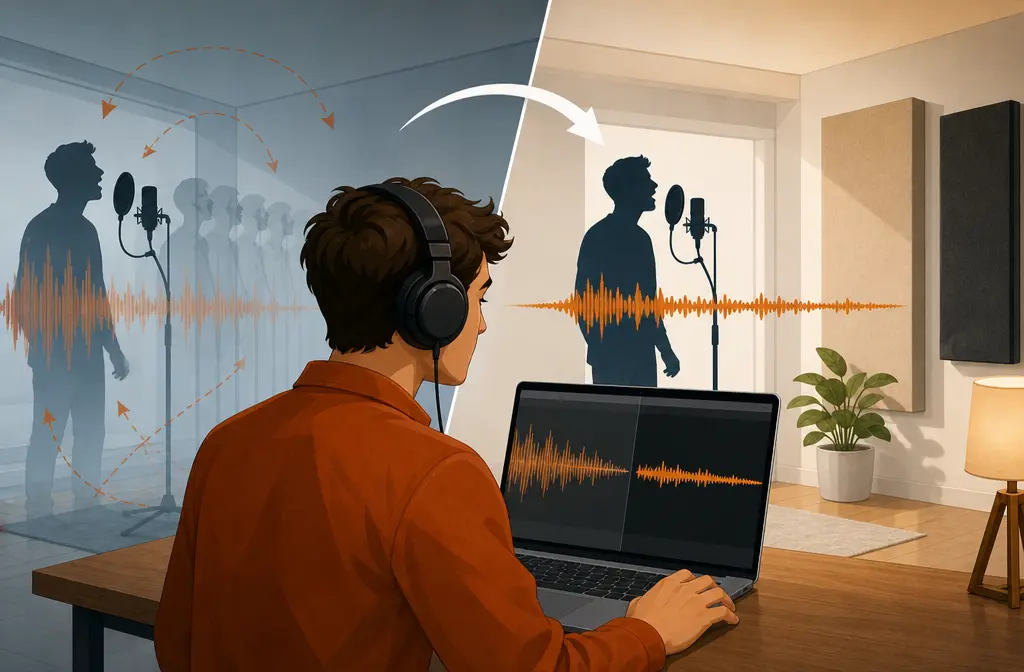
Quick Answer
Yes, you can remove software-added echo or reverb in GarageBand. If GarageBand itself is adding the sound, the fix is usually simple: lower or disable Echo, Reverb, Master Effects, or any inserted Delay or Reverb plug-ins.
But if the voice already sounds cave-like because of the room, GarageBand does not include a true dereverb repair tool for heavy room echo. In that case, you can tidy up the track a little, but the best move is often to export the file and use dedicated cleanup instead of overprocessing the voice.
The fastest way to diagnose it is this:
- It changed after import or editing: likely a GarageBand effect setting.
- It sounded echoey the moment you recorded it: likely room sound or system-level mic processing.
- It only sounds doubled while recording: likely monitoring or live playback, not actual echo printed into the file.
What people usually mean by “echo” in GarageBand
One reason this topic gets confusing is that users call several different problems “echo.” In GarageBand, those are not the same thing.
| Problem type | What it usually means | Can GarageBand fix it? | Best first step | When to export |
|---|---|---|---|---|
| Echo effect | An intentional repeat or delay | Yes, usually | Lower Echo Level or disable Delay | If the file still sounds roomy after effects are off |
| Reverb / ambience | Artificial room reflections added by the app | Yes, usually | Lower Reverb Level, Ambience, or Master Effects | If the voice still sounds distant with effects off |
| Room echo | Real reflections recorded from your space | Only very limited help | Confirm effects are off first | When echo sits under every word |
| Doubled monitoring | Live playback or monitoring makes your voice sound doubled | Yes, if it is monitoring-related | Check monitoring settings and test playback | Only if the recorded file itself is damaged |
| Mic Mode processing | System-level voice processing changes the sound path | Sometimes, by changing system settings | Check Mic Mode on Mac | If you need deeper repair after re-recording fails |
Apple’s own GarageBand guides distinguish Delay from Reverb. Delay produces an echo-like repeat, while Reverb simulates reflections in a space. That matters because the right fix depends on which one you are hearing.

Mac: how to remove echo in GarageBand
On Mac, most “GarageBand added echo” problems come from track controls, patch settings, sends, or loaded plug-ins. Apple’s documentation on Smart Controls in GarageBand on Mac shows that patches can include controls such as delay, ambience, and reverb. So even if you did not manually add an effect, the selected patch may already be shaping the voice.
Step 1: Check the track’s Smart Controls
- Select the voice track.
- Open Smart Controls.
- Look for controls labeled Echo, Reverb, Ambience, or similar patch-based effect controls.
- Turn them down and compare before and after.
If your voice suddenly becomes clearer, the “echo” was likely software-added ambience rather than room echo.
Step 2: Inspect the plug-ins on that track
If lowering the visible controls does not solve it, inspect the track’s loaded effects. GarageBand can use effect plug-ins such as delay and reverb. If a Delay or Reverb-type effect is active, bypass it and listen again.
This is especially important when only one track sounds echoey. A single track problem usually points to a track-specific patch or plug-in rather than a project-wide issue.
Step 3: Check project or master-style effects
Some echo or reverb can come from broader project settings rather than the track alone. If every spoken track sounds washed out, compare one dry test track against the rest and look for any shared effects routing or master-style ambience choices in the project.
Step 4: Rule out monitoring or doubled live playback
If the voice sounds doubled only while you are recording, but playback of the finished region sounds normal, the issue may not be recorded echo at all. It may be monitoring or live playback making you hear both direct and delayed sound at once.
A quick test:
- Record a short line.
- Stop recording.
- Play back the actual region.
- If playback is clean, the problem was likely monitoring, not the file.
Step 5: Check Mic Mode on Mac
Apple also notes that supported Macs and external mics can use Mic Mode while recording in GarageBand or Logic Pro. According to Apple’s support page on Mic Mode on Mac, you can review whether a mode such as Voice Isolation is active. If the voice sounds unnaturally processed, thin, or oddly roomy, check that setting before chasing plug-ins.
This will not “remove room echo” from an already bad recording, but it can explain why the capture path sounds different from what you expected.
iPhone and iPad: how to remove echo in GarageBand
On iPhone and iPad, Apple gives you direct track controls for spoken audio. The official GarageBand guides for iPhone and iPad both show controls for Echo Level, Reverb Level, and Master Effects.
Use this order on iPhone or iPad
- Open the track controls for the vocal track.
- Lower Echo Level to zero or near zero.
- Lower Reverb Level to zero or near zero.
- Open Master Effects and reduce or disable them if needed.
- Check inserted effect plug-ins on that track.
Apple’s GarageBand plug-in guide for iPhone explains that Delay creates an echo effect and Reverb simulates reflections in a room or other acoustic space. If you hear repeats, suspect Delay first. If you hear a roomy tail or washed-out ambience, suspect Reverb first.
If the imported file sounded normal before editing, and then became echoey inside the project, this section is where the fix usually lives.

Decision tree: is it GarageBand, the room, or monitoring?
If it only changed after import or editing
That strongly suggests a GarageBand setting. Look for:
- Echo Level
- Reverb Level
- Master Effects
- Delay plug-ins
- Reverb plug-ins
- Patch-based ambience controls
If it sounded echoey at capture
That usually points to the room itself or to recording-path processing. GarageBand can turn off added effects, but it cannot truly reconstruct a dry close-mic sound from a heavily reflective room recording.
If it sounds doubled while recording but not on playback
Think monitoring first. Test the recorded file before assuming you need repair.
If one track sounds bad and the others do not
That often means the problem is local to that track:
- a different patch
- a loaded Delay or Reverb plug-in
- different Echo or Reverb settings
- a recording made in a worse room position
Noise Gate is not echo removal
This is one of the biggest mistakes people make in GarageBand. Apple’s support note on Preventing noise from effects in GarageBand explains that the Noise Gate helps reduce noise by cutting low-level sound below a threshold. That can be useful for reducing room tone or hiss between phrases.
But a Noise Gate does not remove echo that exists underneath the spoken words themselves.
Use a gate when:
- the room noise is mostly audible in pauses
- you need cleaner gaps between phrases
Do not expect a gate to fix:
- room reflections during words
- reverb tails attached to the voice
- a cave-like vocal tone
If you push the gate too hard, words can get clipped, soft endings disappear, and the result can sound choppy rather than clean.
When GarageBand is enough vs. when to export
GarageBand is enough when
- the problem is clearly Echo Level, Reverb Level, or Master Effects
- a track has an inserted Delay or Reverb plug-in you can disable
- the “echo” is just doubled monitoring during recording
- the room sound is very mild and mostly noticeable in pauses
Export the file when
- echo sits under nearly every spoken word
- turning off Echo and Reverb does not solve it
- the voice still sounds cave-like after effects are off
- you are about to start stacking aggressive gate, EQ, and other fixes just to make it usable
That is the cutoff point where external cleanup is usually smarter than forcing GarageBand to do a job it was not built for. If you need a next step after export, SimpleClean is another tool from our team for cleaning spoken-word audio.
Mistakes to avoid
- Confusing reverb with echo: repeats and roomy wash are related, but not the same control.
- Using Noise Gate as dereverb: it can clean pauses, not remove reflections under speech.
- Over-EQing dialogue: EQ may change tone, but it will not truly remove recorded room echo.
- Blaming the whole project when only one track is bad: check that track’s patch and plug-ins first.
- Ignoring Mic Mode on Mac: system-level processing can make the recording path behave differently.
- Assuming live doubled monitoring is printed into the file: always test playback of the recorded region.
Best-for recommendations
- Best if your voice became echoey after editing: stay in GarageBand and disable Echo, Reverb, Master Effects, Delay, or Reverb plug-ins.
- Best if only one track sounds off: inspect that specific track’s Smart Controls and effects chain.
- Best if playback sounds fine but recording feels doubled: troubleshoot monitoring.
- Best if your room sound is baked in: export and use dedicated cleanup instead of overprocessing inside GarageBand.
Final takeaway
If you are trying to remove echo in GarageBand, the most important step is diagnosing which kind of echo you have. GarageBand can usually fix its own added effects. It cannot fully undo a bad-sounding room the way a true dereverb tool can. So turn off Echo, Reverb, Master Effects, and any Delay or Reverb plug-ins first. If the voice still sounds roomy after that, stop fighting the project and export for cleanup.
For related workflows, you may also find our guides on removing echo from a Zoom recording and removing echo in Adobe Audition helpful.