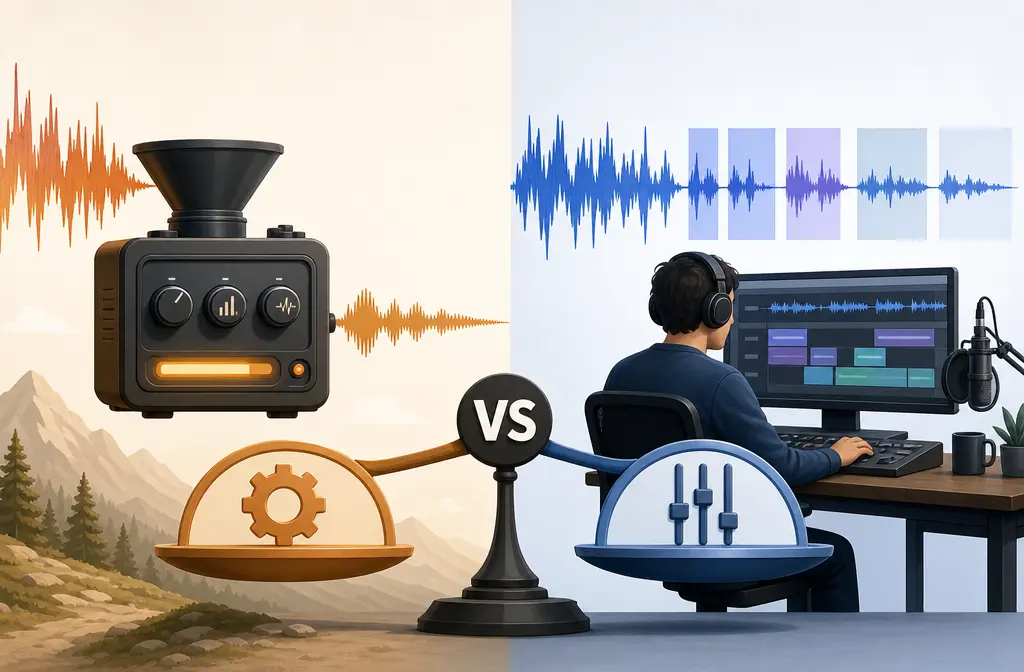
If you are comparing Auphonic and Descript Studio Sound, the shortest honest answer is this: they overlap, but they are not the same kind of tool.
Descript is mainly an editor. Auphonic is mainly an automated finishing and loudness tool. If your biggest job is cutting words, removing filler, tightening pauses, and editing by transcript, Descript generally makes more sense based on its editor-focused workflow and help materials. If your biggest job is getting consistent speech levels, delivery loudness, and repeatable post-production with less manual work, Auphonic is usually the stronger fit based on its feature set and single-track processing documentation.
If you already have a finished MP3, WAV, or MP4 and just want quick cleanup, a lighter workflow can be faster than opening a full editor or post-production stack. In that narrower case, SimpleClean, another tool from our team, may be the simpler option for cleaning an exported spoken-word file.
Quick verdict
| Need | Better pick | Why |
|---|---|---|
| Transcript editing | Descript | Descript is built around edit-by-text workflows and spoken-word editing tools. |
| Final loudness and leveling | Auphonic | Auphonic is centered on adaptive leveling and loudness targets for delivery. |
| Multitrack speech shows | Descript for editing, Auphonic for finishing | Descript helps assemble and cut; Auphonic is well suited to speech-focused post-production. |
| Simple exported-file cleanup | Lightweight file-cleanup workflow | A full editor or mastering-oriented tool can be overkill for a single cleanup pass. |
| More aggressive noise removal | Often Descript Studio Sound | In the RJI benchmark, Descript often removed more noise, though with more audible artifacts. |
| More natural voice tone | Often Auphonic | In the same benchmark, Auphonic often preserved naturalness better, though it sometimes removed less noise. |
What each tool actually is
This comparison gets confusing because buyers often search for “audio cleanup,” but these products solve different stages of spoken-word production.
Descript Studio Sound
Descript is an editing platform built around transcript-based workflows. Its product and help materials focus on editing media like a document, along with spoken-word tools such as filler-word removal and AI effects including Studio Sound. In other words, Studio Sound is one feature inside a broader editor, not the whole product. That is also why cost is not just about cleanup alone: Descript pricing combines the editor plan with usage rules such as media hours and AI-credit consumption for some features, including Studio Sound, as described on Descript’s pricing page and its AI credits documentation.
Auphonic
Auphonic is post-production first. Its documentation emphasizes adaptive leveling, loudness normalization, noise and reverb reduction, filtering, multitrack speech workflows, and publishing automation. In plain English, Auphonic is less about rewriting or rearranging your spoken content and more about finishing it consistently for release.
If Descript feels like “edit the show,” Auphonic feels like “prepare the show for release.”

Auphonic vs Descript Studio Sound: side-by-side
| Category | Descript Studio Sound | Auphonic | Best for |
|---|---|---|---|
| Main role | Editor with AI enhancement | Automated post-production/mastering | Depends on workflow stage |
| Transcript editing | Core strength | Not the main purpose | Descript |
| Filler and pause cleanup | Strong editing workflow | Offers automated cuts in production workflow | Descript for interactive editing |
| Noise removal | Often more aggressive | Usually more conservative | Descript if cleanup is the top priority |
| Voice naturalness | Can sound polished, but sometimes processed | Often more natural on speech | Auphonic if naturalness matters most |
| Echo/reverb reduction | Included via Studio Sound | Included in speech-focused processing | Case by case |
| Loudness normalization | Not the main reason to buy it | Major strength | Auphonic |
| Repeatable presets/automation | Editing oriented | Strong preset and publishing workflow | Auphonic |
| Cost model | Seat plus media-hour and AI-credit considerations | Processed-usage model with recurring and one-time options | Depends on usage pattern |
Noise cleanup quality by problem type
The most useful independent benchmark in the supplied sources is the Reynolds Journalism Institute test. In that test, Descript often removed more unwanted sound in noisy examples, while Auphonic often kept the voice sounding more natural. That tradeoff is more useful than trying to declare one universal winner.
Steady hum and room tone
- Descript Studio Sound: often the better first test if you want a stronger cleaned-up effect quickly.
- Auphonic: often the better first test if you want to reduce distractions without changing the voice too dramatically.
Echo and reverb
- Both tools describe reverb-related cleanup in their product materials.
- Descript may sound more dramatically improved on rough room recordings.
- Auphonic may leave more of the room intact, but can sound less synthetic on voice.
Keyboard noise and small interruptions
- Descript’s editor-first workflow can help because you can also cut around the issue while editing the transcript.
- Auphonic can help at the finishing stage, but it is not an interactive transcript editor.
Wind and background voices
- The RJI test included wind, chatter, street noise, and interruptions.
- The safest conclusion from that test is that these are hard cases for both tools.
- Descript may remove more of the problem sound, but the voice can become more processed.
- Auphonic may preserve more natural speech, but leave more background sound behind.
If wind or nearby voices are your main issue, do not expect miracles from either product. Those are among the toughest cleanup cases in the supplied benchmark.
Voice naturalness: polished vs artificial
This is where buyer regret often happens.
Studio Sound can be impressive when the source is intelligible but rough: mild room tone, some distance from the mic, modest echo, or general dullness. In those cases, the result can feel polished quickly. But on already-usable speech, or on recordings with severe damage, it can sound overprocessed.
Auphonic’s speech-first processing is often a better fit when your recording is understandable and you mainly want it more even, cleaner, and release-ready without radically changing the voice. The tradeoff is that it may not erase as much obvious noise.
Simple rule: if you dislike AI artifacts more than residual room noise, lean Auphonic. If you care more about maximum cleanup than perfect naturalness, lean Descript Studio Sound.
Loudness normalization and leveling: why Auphonic usually wins
Auphonic’s documented feature set is directly built around adaptive leveling and target loudness for delivery, which is why it is easier to recommend when your issue is not just “this clip is noisy,” but “my whole show needs consistent levels episode after episode.” See Auphonic’s features page and its single-track algorithm overview.
That matters most for:
- podcasts with multiple speakers
- remote interviews with uneven mic technique
- shows that move between quiet and loud segments
- teams that want the same finishing profile every time
Descript can still be part of a polished workflow, but in the supplied sources, loudness mastering consistency is a clearer Auphonic strength than a core Descript differentiator.

Editing workflow differences
Why Descript is easier for content editing
Descript’s big advantage is speed when the task is editorial, not technical. If you want to cut mistakes by deleting text, remove filler words, tighten pauses, rearrange spoken sections quickly, or work in a sequence that combines audio and video, Descript is built for that style of work. Its support materials also cover syncing multiple audio and video files for sequence-based workflows, which is relevant to multi-source productions and mic-bleed situations. See Descript’s syncing guide.
Why Auphonic is easier for repeatable finishing
Auphonic becomes easier when the edit is basically done and you want consistent results with less hand-tuning. Its product materials emphasize presets, automatic filtering and enhancement, loudness targets, speech-focused multitrack processing, exports, and publishing automation. So if Descript answers “how do I edit this interview faster?”, Auphonic answers “how do I process and publish this cleanly every week?”
Automation and publishing workflow
This is an underrated buying factor.
Auphonic is often the better choice for people who want a repeatable back-end process after recording. The supplied product pages highlight presets, exports, and publishing steps, which makes it attractive for weekly podcasters, agencies, and anyone standardizing delivery. Descript can absolutely sit in a regular workflow too, but its value in this comparison is more concentrated in the front half of production: edit, trim, shape, then export.
Pricing model comparison
The main buyer difference is not just headline price. It is how usage is metered.
- Descript: you are paying for access to the editor, with plan limits such as media usage, plus AI-credit usage for some features including Studio Sound, according to Descript pricing and the AI credits help page.
- Auphonic: you are paying more directly for processed usage, with recurring and one-time options shown on the Auphonic pricing page, plus a free tier.
This changes the value calculation:
- If you edit every episode heavily, Descript may justify its broader seat cost because it replaces part of your editor workflow.
- If you already edit elsewhere and mainly want automated finishing, Auphonic may be the more direct spend.
- If you only need to clean one exported file now and then, both can be more tool than you need.
That last group is where a lightweight cleanup workflow can be more practical. If you already have an exported spoken-word file, clean an exported podcast file with SimpleClean, another tool from our team, instead of adopting a larger editing stack just for one cleanup pass.
Best workflows by user type
Solo podcaster
- Best pick: Descript if you edit by transcript; Auphonic if your edit is simple and your pain point is final consistency.
- Best combo: Edit in Descript, finalize in Auphonic.
Remote interview editor
- Best pick: Both, if budget allows.
- Descript helps cut and organize conversations.
- Auphonic helps even out speakers and target final loudness.
YouTuber
- Best pick: Descript when spoken edits and transcript speed matter.
- Alternative: If your video is done and the exported file just needs cleanup, a simpler file-level workflow may be faster.
Course creator
- Best pick: Descript for script-like revisions and trimming lessons.
- Use Auphonic too if consistent lesson loudness matters across a full course.
Agency or production team
- Best pick: Auphonic for repeatable finishing workflows and delivery consistency.
- Add Descript if your team also wants transcript-based editing.
When to use both together
For many buyers, “Auphonic vs Descript” is the wrong final question. The better question is whether each tool handles a different stage well enough to justify using both.
- Edit the spoken content in Descript.
- Remove filler words and tighten pauses there.
- Apply Studio Sound only if the raw audio really needs stronger cleanup.
- Export the edited audio.
- Run the finished edit through Auphonic for adaptive leveling and final loudness normalization.
This is the clearest hybrid workflow supported by the supplied sources: Descript for content editing, Auphonic for final finishing.
When neither is ideal
Sometimes the right answer is neither.
If you are not building a full recurring production workflow and you just have a saved MP3, a WAV from a voice memo or screen recording, or an MP4 from a course lesson, then opening a full transcript editor or setting up a mastering-oriented post tool can be unnecessary friction. In that case, a direct cleanup workflow is often faster. You can remove noise from a finished audio or video export with SimpleClean, another tool from our team, when you only need the file improved rather than fully re-edited.
How to choose in 5 steps
- Decide whether your main problem is editing or finishing.
If you need to cut content, move sections, and edit by text, start with Descript. If your content is already edited and needs consistent output, start with Auphonic. - Match the tool to the noise problem.
If you want more aggressive noise reduction, Studio Sound may be the better first test. If you want to preserve natural voice character, Auphonic may be safer. - Check how often you will use it.
Weekly production and repeatable delivery workflows make Auphonic easier to justify. Ongoing transcript-heavy editing makes Descript easier to justify. - Think about total cost, not just the headline plan.
Descript usage includes plan structure and AI-credit considerations for Studio Sound. Auphonic usage is tied more directly to processed production time. - Do not buy a full stack for a one-off file.
If you just need a finished export cleaned up, start with the simplest workflow that solves that exact problem.
Final verdict
Descript Studio Sound is the better fit for fast spoken-word editing workflows. It makes the most sense when transcript editing, filler cleanup, and content shaping are the real job, with Studio Sound as an enhancement layer.
Auphonic is the better fit for loudness, leveling, and automated podcast finishing. It makes the most sense when your edit is mostly done and you want consistent, speech-friendly output with less manual work.
Use both if you want the strongest end-to-end workflow. Descript first, Auphonic second is the clearest combo based on the supplied sources.
Use neither if all you need is a quick cleanup on an exported file. For that narrower workflow, SimpleClean, another tool from our team, is often the simpler path.
FAQs
Is Auphonic better than Descript Studio Sound?
Not across the board. Auphonic is stronger for adaptive leveling, loudness normalization, and automated finishing. Descript Studio Sound is stronger when transcript-based editing is a major part of the job.
Should I use Auphonic after Descript?
Often, yes. A practical workflow is to edit content in Descript first, then use Auphonic for final leveling and loudness consistency before publishing.
Does Descript Studio Sound normalize loudness?
Based on the supplied sources, loudness normalization and delivery consistency are more clearly Auphonic strengths. Studio Sound is better understood as an AI enhancement feature inside Descript than as a dedicated loudness-mastering system.
Is Auphonic only for podcasts?
No. Its speech-focused post-production features are useful anywhere spoken-word audio needs leveling, cleanup, and consistent delivery, though podcasting is a natural fit.
Which sounds more natural: Auphonic or Studio Sound?
In the RJI benchmark, Auphonic often preserved a more natural voice, while Descript often removed more noise but could introduce more audible processing artifacts.
Can either tool remove wind noise or background voices reliably?
Those are difficult cases for both. The supplied benchmark shows they can help, but neither should be treated as a guaranteed fix for severe wind or nearby competing voices.
What is cheaper for weekly podcast editing?
It depends on whether you need an editor or just finishing. Descript may be worth the broader plan cost if it replaces major editing work, while Auphonic may be more direct if you already edit elsewhere and mainly need post-production.
Do I need a full editor if I just want to clean one audio file?
Usually not. If the file is already exported and only needs cleanup, a simpler file-level workflow is often faster than using a full editor or mastering-oriented platform.