Quick Answer
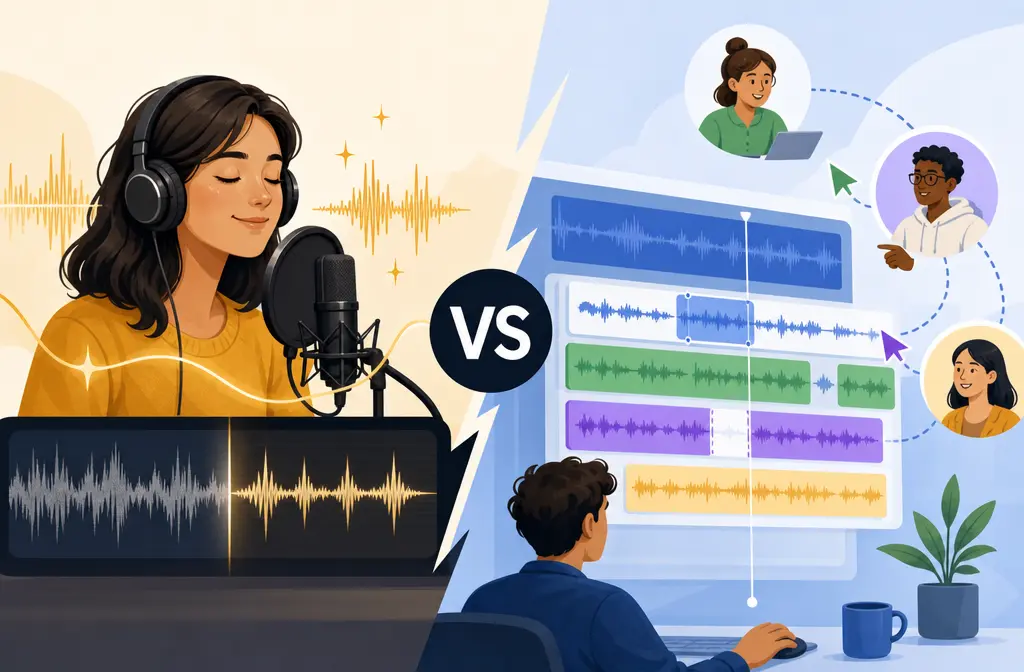
If your main problem is rescuing rough single-speaker audio fast, choose Adobe Podcast Enhance Speech. If your main problem is cleaning audio inside a transcript-based editing workflow, choose Descript with Studio Sound.
That is the simplest way to decide. Adobe is the better first stop when you have a noisy laptop-mic take, traffic in the background, or a quick voice recording that just needs help now. Descript is the better choice when cleanup is only one part of the job and you also need transcript edits, filler-word removal, captions, video edits, and publish-ready exports in one project.
There is not one universal winner. The better tool depends on which of these three jobs you are actually trying to solve:
- Remove background noise
- Edit the structure of the talk or interview
- Finish a publish-ready episode or video
Most comparison posts blur those together. That is why people pick the wrong tool and feel disappointed later.
| Need | Pick | Why |
|---|---|---|
| Save bad single-speaker audio quickly | Adobe Podcast | Best fit for fast rescue, with official Enhance Speech limits and a simple upload-first workflow. |
| Edit by transcript while cleaning audio | Descript | Studio Sound lives inside Descript’s broader transcript, captions, and video workflow. |
| Strongest noise reduction matters more than editing | Adobe Podcast | Real-world comparisons commonly frame Adobe as the more aggressive cleaner on rough speech recordings. |
| More natural voice matters more than maximum cleanup | Descript | Scenario testing suggests Descript can preserve a more natural voice in some cases. |
| Remote interview with multiple speakers on one noisy mixed track | Neither is ideal | Single-track speaker bleed and overlap remain hard limits for AI speech enhancement. |
Bottom line: Adobe wins the rescue decision. Descript wins the editing workflow decision.

Adobe Podcast vs Descript at a Glance
| Category | Adobe Podcast Enhance Speech | Descript Studio Sound |
|---|---|---|
| Best for | Cleaning rough speech fast | Cleaning speech inside a full editing workflow |
| Core strength | Noise removal strength on poor voice recordings | Transcript-based production workflow |
| Voice character | Can sound more processed when pushed hard | Can sound more natural in some test cases |
| Transcript editing | Not the main value proposition | Major reason to choose it |
| Video support | Premium adds video support | Built into the broader Descript workflow |
| Bulk processing | Premium adds bulk upload | Not framed the same way in the provided sources |
| Free-plan clarity | Very explicit official caps | Free tier is tighter, but the official page is less Adobe-style in its cap framing |
| Best workflow pattern | Clean first, then edit elsewhere if needed | Edit and clean in one project |
Best for Rescue vs Best for Editing Workflow
Choose Adobe Podcast if your recording problem is the bottleneck
Adobe Podcast is the better fit when the recording itself is the main issue. The official Adobe positioning for Enhance Speech is straightforward: upload speech, reduce noise, and make spoken audio sound clearer and more polished. Based on the research brief and real-world comparison coverage, Adobe is especially compelling when:
- You recorded with a laptop mic or phone mic
- You have traffic, fan noise, light room noise, or general environmental mess
- You need a quick turnaround
- You are mostly working with single-speaker audio
- You do not need transcript-based editing in the same step
This is the classic “I have a rough recording and need it usable” workflow.
Choose Descript if the project workflow is the bottleneck
Descript is the better fit when cleanup has to happen inside a broader edit. Studio Sound is only one part of Descript’s value. The bigger advantage is that you can clean speech while also editing by transcript, trimming filler words, creating captions, fixing spoken mistakes with voice tools, and handling video edits in the same environment.
- You want to edit by text, not by waveforms first
- You are making podcasts and video podcasts
- You need captions or transcript-driven clips
- You want one tool to handle more of the production chain
- You care about keeping the voice feeling natural where possible
If your question is really “Which tool helps me finish the whole project faster?” Descript often becomes the stronger answer.
Audio Quality Differences: Noise Removal Strength vs Voice Naturalness
This is the quality tradeoff buyers care about most.
Based on the research brief and scenario testing referenced from BAMBY MEDIA, the practical pattern is:
- Adobe Podcast often removes more noise
- Descript can sound more natural in some cases
That does not mean Adobe always sounds worse or Descript always sounds cleaner. It means the tools tend to optimize for slightly different outcomes.
Where Adobe Podcast tends to shine
- Rough single-speaker recordings
- Noisy rooms
- Far-from-mic or poor-mic captures
- Fast salvage when the original is clearly flawed
If the recording is bad enough that “usable” matters more than “pristine,” Adobe is usually the safer pick.
Where Descript Studio Sound may feel better
- Moderately noisy recordings that still have decent voice detail
- Projects where over-processing would be distracting
- Edits where the voice should stay closer to its original character
Official A.I. Ranking also reinforces an important caution: aggressive AI enhancement can become robotic. That warning applies to both tools. If you push speech enhancement beyond what the source audio can support, artifacts become more likely.
Simple rule
If your source is rough, lean Adobe first. If your source is already workable and you mainly want cleanup embedded in editing, lean Descript.
Single-Speaker vs Multi-Speaker Limits
Both tools are better on isolated speech than on messy mixed speech.
Best-case input
- One person speaking
- Close mic placement
- Limited overlapping sound
- Steady background noise rather than sudden bursts
Harder cases for both tools
- Two people talking over each other on one track
- Single-track remote interviews with bleed
- Heavy room echo
- Wind blasts
- Severe clipping or distortion
- Music-heavy voice tracks
That limitation matters more than many buyers realize. Official A.I. Ranking specifically notes that single-track multi-speaker bleed remains a persistent weakness. If two voices are baked together, neither Adobe Podcast nor Descript can reliably “separate” them just because the audio enhancer is good.
So if your project is a remote interview, the real decision is often not just tool choice. It is whether you have separate speaker tracks. With separate tracks, either tool has a better chance. With one mixed track, expectations should be lower.

Free Plan and Paid Limits
This is where Adobe’s official documentation gives unusually clear comparison value.
Adobe Podcast Enhance Speech limits
According to Adobe’s official features page:
- Free: audio only
- Free: one file at a time
- Free: up to 30 minutes per file
- Free: up to 500 MB per file
- Free: up to 1 hour per day
- Premium: adds video support
- Premium: adds bulk upload
- Premium: adds strength adjustment
- Premium: up to 2 hours per file
- Premium: up to 1 GB per file
- Premium: up to 4 hours per day
Descript plan framing from the provided sources
From the supplied research brief and Descript’s official pricing page, the safe supported takeaways are:
- Studio Sound is included on paid Descript plans
- Free users have tighter Studio Sound limits
- Free users also face tighter export and transcription limits overall
- Descript’s limitations are not presented in the same Adobe-style daily-cap wording in the provided brief
Because the research brief does not include current Descript dollar figures or exact quota numbers, the most accurate move is to verify the latest details on the official Descript pricing page before you buy.
Which free plan is better?
If you want the clearest answer for pure speech cleanup testing, Adobe’s free offering is easier to understand because the official caps are explicit.
If you are testing a full editing workflow, Descript may still be the better trial environment even though its free usage is tighter overall, because it lets you evaluate the transcript-first production model.
Editing Workflow Differences
This is where the products separate most clearly.
Adobe Podcast workflow
Think of Adobe Podcast Enhance Speech as a cleanup-first tool. You upload the recording, enhance the speech, and then decide what to do next.
Best when you need to:
- Fix a rough recording first
- Export a cleaner file
- Move that file into another editor afterward
Adobe can be the right answer even if it is not your main editor.
Descript workflow
Think of Descript as a project workspace where Studio Sound is one feature among many. Based on the research brief, Descript is the stronger fit for an integrated editing workflow when your process also involves:
- Transcript editing
- Filler-word removal
- Voice fixes or Overdub-style correction workflow
- Captions
- Video edits tied to the transcript
If you are making a podcast episode, YouTube interview, course lesson, or social clip and want cleanup to happen inside the rest of the edit, Descript is usually easier to live in all day.
Recommended Workflows
1. Adobe-first, then edit elsewhere
Use this when the raw recording is the biggest problem.
- Upload the rough speech file to Adobe Podcast Enhance Speech.
- Listen for whether the noise reduction is worth the tradeoff in voice character.
- Export the cleaned file.
- Edit structure, pacing, captions, and final mix in your preferred editor.
This is often the best workflow for bad single-speaker source audio.
2. Descript-only workflow
Use this when editing efficiency matters more than max cleanup strength.
- Import the recording into Descript.
- Transcribe and edit by transcript.
- Apply Studio Sound.
- Remove filler words, build captions, and make video or podcast edits in the same project.
- Export the finished deliverable.
This is usually the best workflow for creators who want one environment for cleanup and production.
3. Export and clean separately
Use this when your main editor’s cleanup is not giving you what you need, or when you already have a finished rough cut and only need a cleanup pass on the exported file.
If you already have an MP3, WAV, MP4, or MOV and want a simpler file-based cleanup option, clean exported voice recordings with SimpleClean, another tool from our team, before re-exporting or publishing.
Should You Clean Audio Before or After Editing in Descript?
The best answer depends on the severity of the recording problem.
- Clean first if the source is so noisy that it makes transcription, dialogue review, or editing harder.
- Edit first inside Descript if the recording is already understandable and you want to avoid extra tool-hopping.
A good rule is simple: if the noise blocks the workflow, solve the noise first. If the noise is annoying but manageable, staying inside Descript may be faster overall.
When Neither Tool Is Enough
This is the section many comparison posts skip, but it matters.
Adobe Podcast and Descript Studio Sound are speech enhancers, not magic repair systems. They are not the best answer when the source has problems like:
- Overlapping speakers on one track
- Severe clipping or digital distortion
- Heavy wind
- Strong room echo
- Music-heavy tracks where voice and background are deeply mixed
In these cases, the result may still sound muffled, watery, robotic, or just oddly artificial. That is not necessarily a failure of one brand versus the other. It is often a limit of the input.
Who Should Choose Which Tool?
Choose Adobe Podcast if you are:
- A podcaster rescuing bad solo takes
- A creator working from laptop-mic or phone recordings
- An editor receiving rough voice files from clients or guests
- Someone who wants a cleaner file before doing any deeper editing
Choose Descript if you are:
- A podcaster editing by transcript
- A video creator producing captions and clips
- A course creator polishing speech and structure in one place
- A remote-interview editor who values workflow more than maximum cleanup strength
Choose a two-tool stack if you are:
- Using Adobe to rescue rough speech first
- Then using Descript or another editor for transcript edits and final production
That two-step workflow is often the best of both worlds when the source audio is ugly but the project still needs a polished edit.
Final Verdict
Pick Adobe Podcast if your real problem is bad raw audio.
Pick Descript if your real problem is producing the whole episode or video efficiently.
For noisy voice recordings, Adobe is usually the better rescuer. Descript is usually the better workspace. If you frame the choice that way, the decision gets much easier.
If you want a simpler file-based cleanup option for exported audio or video, SimpleClean can help as a direct fallback step.
FAQ
Is Adobe Podcast better than Descript for background noise?
Usually yes when the goal is rescuing rough single-speaker audio fast. The research brief and scenario testing support Adobe as the stronger choice for aggressive speech cleanup, while Descript is often chosen for workflow reasons.
Does Descript Studio Sound sound more natural than Adobe Podcast?
It can in some cases. Third-party scenario testing in the supplied sources suggests Descript may preserve a more natural voice on certain recordings, while Adobe may remove more noise but sound more processed when pushed hard.
Can Adobe Podcast edit transcripts like Descript?
Not as the core value proposition described in the supplied sources. Descript is the clearer choice when transcript-based editing is central to your workflow.
Which free plan is better: Adobe Podcast or Descript?
For simple speech-cleanup testing, Adobe’s free plan is easier to evaluate because the official limits are explicit: audio only, one file at a time, up to 30 minutes, 500 MB, and 1 hour per day. Descript’s free tier is tighter overall for Studio Sound, export, and transcription usage according to the supplied brief.
Can either tool fix overlapping speakers on one track?
Not reliably. The provided sources specifically note that single-track multi-speaker bleed remains a persistent limitation for AI speech enhancement tools.
Should I clean audio before or after editing in Descript?
Clean first if the noise is severe enough to interfere with transcription or editing. If the audio is already understandable, doing the edit inside Descript first is often faster.
Is Adobe Podcast only for podcasts?
No. Based on the supplied Adobe materials, Enhance Speech is a speech-cleanup tool. It can be useful for podcast dialogue, voiceovers, interviews, course recordings, and other spoken audio.
Does Descript support video editing better than Adobe Podcast?
For an integrated transcript-and-video workflow, yes. The supplied research positions Descript as the better fit when you also need captions, transcript editing, and broader video production tasks in the same project.