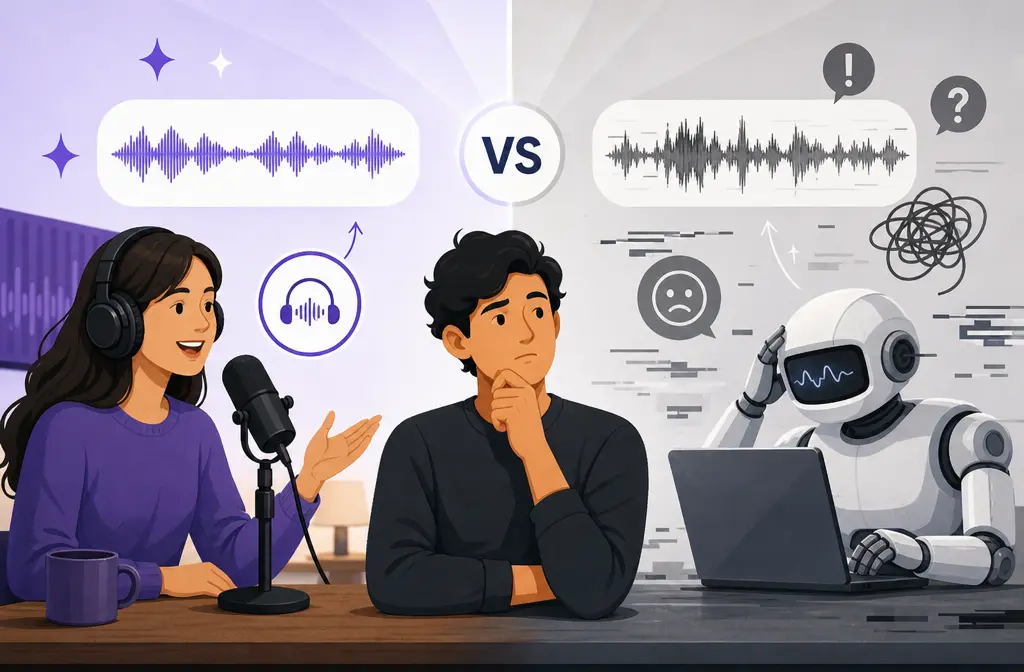
If you are choosing between Adobe Podcast and Audo AI for noisy voice recordings, the short answer is simple: Adobe Podcast is usually the better free starting point for short spoken-word rescue, while Audo AI is usually the better fit if you need longer files, direct video handling, API access, or more control over how aggressively the audio gets cleaned.
That does not mean one tool is universally better. It depends on what kind of bad audio you have, how long your files are, and whether you want one-click repair or a more flexible cleanup workflow.
Quick answer
Choose Adobe Podcast if:
- You want the strongest free starting point for ugly voice recordings.
- You are mainly cleaning spoken-word audio like podcasts, interviews, talking-head videos, or screen recordings.
- Your files fit Adobe’s limits: on the free plan, up to 30 minutes per file, 500 MB, and 1 hour per day; Premium raises usage up to 4 hours per day and adds more features.
- You want simple upload-and-go cleanup with Adobe’s speech-focused enhancement workflow.
Choose Audo AI if:
- You need to process long recordings.
- You want to upload video files directly.
- You want a pay-as-you-go model instead of a subscription.
- You need API access or automation.
- You want to choose between lighter non-generative noise removal and more aggressive voice enhancement, with adjustable 10–100 controls.
Best plain-English verdict: for short, messy speech that needs fast rescue, Adobe Podcast is usually the safest first test. For longer files, flexible pipelines, or teams that want control and automation, Audo AI is usually the better buying decision.
| Scenario | Better pick | Why |
|---|---|---|
| Free cleanup for a short podcast or interview | Adobe Podcast | Stronger free starting point with clear speech-focused positioning and daily allowance. |
| Long recording cleanup | Audo AI | Public docs support up to 10 GB and 10 hours per file. |
| Direct video file cleanup | Audo AI | Audo docs say it accepts video directly; Adobe lists video support as a Premium capability. |
| Need API or automation | Audo AI | Official API docs are available. |
| One-click rescue for ugly spoken voice | Adobe Podcast | Designed around Enhance Speech for post-recording voice cleanup. |
| Want lighter cleanup that preserves the recorded voice | Audo AI | remove_noise is positioned as non-generative cleanup that keeps the recorded voice. |
What each tool is actually for
This is the part many comparison pages miss.
Adobe Podcast is built around speech enhancement after recording. Adobe positions Enhance Speech as a cleanup tool for voice recordings, and its plans page highlights features like speech enhancement, bulk upload, video support in Premium, and controls for speech, music, and ambience on paid plans.
Audo AI is more of a flexible cleanup stack. Its docs separate two modes:
- remove_noise: non-generative background-noise reduction that keeps the recorded voice
- enhance_voice: regenerative cleanup that can also help with echo, muffled or distant microphones, and distortion
That difference matters. If your main problem is simple background noise and you do not want the voice rebuilt too heavily, Audo’s lighter path is useful. If the recording itself is rough and needs more rescue, Adobe’s speech-first approach or Audo’s stronger enhance_voice mode may be more appropriate.

Adobe Podcast vs Audo AI by audio problem
Here is the practical decision framework.
1. Hiss, fan noise, air-conditioning, light room noise
Usually better starting point: either can work, but Audo has a clearer advantage if you want lighter cleanup.
- Adobe Podcast may clean these noises aggressively as part of its speech enhancement approach.
- Audo’s
remove_noiseis specifically positioned as non-generative noise reduction that keeps the original recorded voice.
If the voice already sounds decent and you mainly want the background reduced, Audo is often the more logical first choice.
2. Hum and steady background noise
Usually better pick: Audo first, Adobe second.
Why? Hum and steady noise do not always require heavy voice reconstruction. A lighter cleanup path is often safer when your voice is already usable.
3. Room echo
Usually better pick: Adobe Podcast for a quick rescue test; Audo enhance_voice if you want adjustable processing.
Audo’s docs explicitly say enhance_voice can tackle echo. Adobe is also often considered a strong speech rescue option, but the safer claim here is workflow-based: test Adobe first if you want one click, then test Audo if you need more control over the processing amount.
4. Muffled microphone
Usually better pick: Audo enhance_voice or Adobe Podcast, depending on how broken the source is.
Audo’s docs explicitly mention muffled mics. Adobe is still a good spoken-word rescue option, but Audo is easier to recommend when the exact issue is “my microphone sounds dull or covered.”
5. Distant microphone
Usually better pick: Audo enhance_voice.
Audo specifically names distant microphones in its documentation. That does not guarantee miracles, but it is a stronger source-backed recommendation for this exact problem.
6. Speech over background sound
Usually better pick: Adobe for fast spoken-word rescue, Audo for control.
If you need the fastest free yes-or-no answer, try Adobe first. If Adobe sounds overprocessed or too rebuilt, Audo gives you a more adjustable path.
7. Music-heavy clips or speech with music beds
Best answer: neither is an ideal first choice.
Both tools are speech-first products. If your clip has heavy music, overlapping speakers, or complex mixed audio, broader audio-post tools may be safer.
Free plan and pricing reality
This is one of the biggest real-world differences.
| Pricing factor | Adobe Podcast | Audo AI |
|---|---|---|
| Free access | Yes, with usage caps | First-minute-free trials |
| Free limits | 30 minutes per file, 500 MB, 1 hour per day | Trial-based, then paid per minute |
| Paid model | Premium subscription | Pay as you go |
| Published paid cost | See Adobe plan page for current details | $0.05 per minute, about $3 per hour |
| Best for | People who want a strong free test and may later need Premium features | People who want usage-based billing for long or occasional cleanup jobs |
Bottom line on cost:
- If you are cleaning short voice clips and want to spend nothing first, Adobe Podcast is the better place to start.
- If you are processing long recordings and do not want another monthly subscription, Audo’s pay-as-you-go model is easier to justify.
File limits and format support
Adobe Podcast free plan: up to 30 minutes per file, 500 MB, and 1 hour per day, according to Adobe’s FAQ.
Adobe Premium: Adobe says Premium includes up to 4 hours per day, plus features like video support, bulk upload, and controls for speech, music, and ambience on the plans page.
Audo AI: public docs say it supports direct video files and files up to 10 GB or 10 hours.
If your source files are long interviews, webinars, lectures, or course recordings, Audo is much easier to recommend from a limits standpoint.
Control and processing style
This is where the two tools feel very different in real workflows.
Adobe Podcast is more opinionated. Its value is speed and simplicity. Upload the file, let the speech-focused enhancement work, and decide if the result is acceptable. On paid plans, Adobe also lists speech, music, and ambience mix controls, which helps when you need to keep more of the original environment.
Audo AI gives you a more explicit choice between cleanup styles:
remove_noisefor lighter non-generative cleanupenhance_voicefor more aggressive regenerative repair- 10–100 control over blend or noise reduction amount
- LUFS normalization to -16 LUFS
That makes Audo easier to fit into a controlled post-production workflow, especially when you care about avoiding overprocessing.
Naturalness vs aggressive cleanup
This is the most important quality question, and it is where you should avoid absolute claims.
Neither tool is always more natural. The better way to think about it is this:
- Adobe Podcast is often the stronger option when the original speech is ugly enough that aggressive rescue is worth the tradeoff.
- Audo
remove_noiseis the safer option when the voice already sounds mostly okay and you mainly want the background reduced without rebuilding the speaker too much. - Audo
enhance_voiceis for cases where lighter cleanup is not enough and you need repair for echo, muffling, distance, or distortion.
If preserving the original character of the voice matters more than maximum cleanup, Audo’s split modes and amount controls give it an edge.
If the recording is borderline unusable and you just need a fast rescue attempt, Adobe Podcast usually makes more sense as the first test.

Best workflows by buyer type
Podcasters
Pick Adobe Podcast if you record spoken-word episodes, guest interviews, or short problem clips and want the fastest free rescue option.
Pick Audo AI if you regularly process long episodes, want pay-as-you-go pricing, or need gentler cleanup before final mastering.
Talking-head video creators
Pick Adobe Podcast if your main need is fixing short speech clips and you do not mind Adobe’s workflow limits.
Pick Audo AI if you want direct video pass-through or you publish a lot of longer videos and need a simpler batch-friendly workflow.
Course makers and screen-recording creators
Pick Adobe Podcast if your lessons are short and mostly need spoken-word rescue.
Pick Audo AI if your recordings are long, repetitive, or exported as video files and you want predictable pay-as-you-go cleanup.
Developer or API teams
Pick Audo AI. This is the easiest recommendation because official API docs are available, with direct control over processing mode and amount.
How to choose between Adobe Podcast and Audo AI
- Identify the real problem. Is it mostly background noise, or is the voice also echoey, muffled, distant, or distorted?
- Check file length first. If the recording is long, Audo is often the easier answer immediately.
- Decide how much control you want. If you want one click, start with Adobe. If you want to tune the amount, start with Audo.
- Match the tool to the source quality. For ugly speech rescue, test Adobe first. For decent speech with background noise, test Audo
remove_noisefirst. - Listen for overprocessing. If the cleaned voice sounds too rebuilt, back off and use a lighter path.
- Use a short sample before committing. Especially on important content, compare a 30 to 60 second section first.
If you want to compare against SimpleClean, another tool from our team, use a short noisy speech sample and judge the result on your actual source rather than on feature lists alone.
FAQ
Is Audo AI better than Adobe Podcast?
Usually only for specific workflows. Audo AI is better when you need long-file support, direct video input, API access, pay-as-you-go pricing, or adjustable cleanup modes. Adobe Podcast is usually the better free first test for short spoken-word rescue.
Adobe Podcast or Audo for YouTube videos?
For short talking-head clips, Adobe Podcast is a strong first test. For longer videos or direct video-file cleanup, Audo is easier to recommend because its docs explicitly support video input and long files.
Can Adobe Podcast clean video files directly?
Adobe lists video support as a Premium feature on its plans page. Audo’s docs say it supports direct video files in its cleanup workflow. So if direct video input is a must-have and you do not want to rely on Adobe Premium, Audo has the clearer documented advantage.
Which is cheaper for long audio cleanup: Adobe Podcast or Audo?
Usually Audo AI, if your main comparison is against paying for a subscription just to process occasional long files. Audo publishes usage-based pricing at $0.05 per minute, or about $3 per hour. Adobe’s big advantage is the free tier for short spoken-word work.
Does Audo AI preserve the original voice better?
It can, especially when you use its non-generative remove_noise mode. That mode is positioned as background-noise reduction that keeps the recorded voice, while stronger enhancement modes can sound more rebuilt.
Which tool is better for room echo and muffled microphones?
Audo has the clearer documentation for those exact issues because its enhance_voice mode explicitly mentions echo, muffled microphones, and distant microphones. Adobe Podcast is still a strong rescue option for spoken-word audio, especially as a quick first test.
Can I use Audo or Adobe Podcast for podcasts with music beds?
You can try, but both are speech-first tools. For music-heavy clips or mixed productions, more traditional post-production tools may be safer than one-click voice cleanup.
What is the best Adobe Podcast alternative for long recordings?
Based on the supplied sources, Audo AI is one of the most practical Adobe Podcast alternatives for long recordings because it supports up to 10 GB or 10 hours, accepts direct video files, and uses pay-as-you-go pricing.
Alternatives if neither fits
- Descript: better when transcript-based editing is the main job and cleanup is only one part of the workflow.
- Auphonic: better when you care about loudness management, leveling, and podcast post-production consistency.
- Krisp: better when your main priority is live or call-oriented noise removal rather than post-production cleanup.
- iZotope RX: better when you need detailed manual repair instead of one-click AI cleanup.
Final verdict
Adobe Podcast wins as the better free first test for short spoken-word rescue. If you recorded a podcast, interview, voiceover, or talking-head video with ugly background noise and just want the fastest possible improvement, start there.
Audo AI wins for flexibility. It is the better choice when you need long-file support, direct video handling, adjustable cleanup intensity, a lighter non-generative mode, or API access.
So if you are asking which is better overall, the honest answer is this: Adobe is better as a free speech-rescue starting point, and Audo is better as a flexible paid cleanup pipeline.