Quick Answer
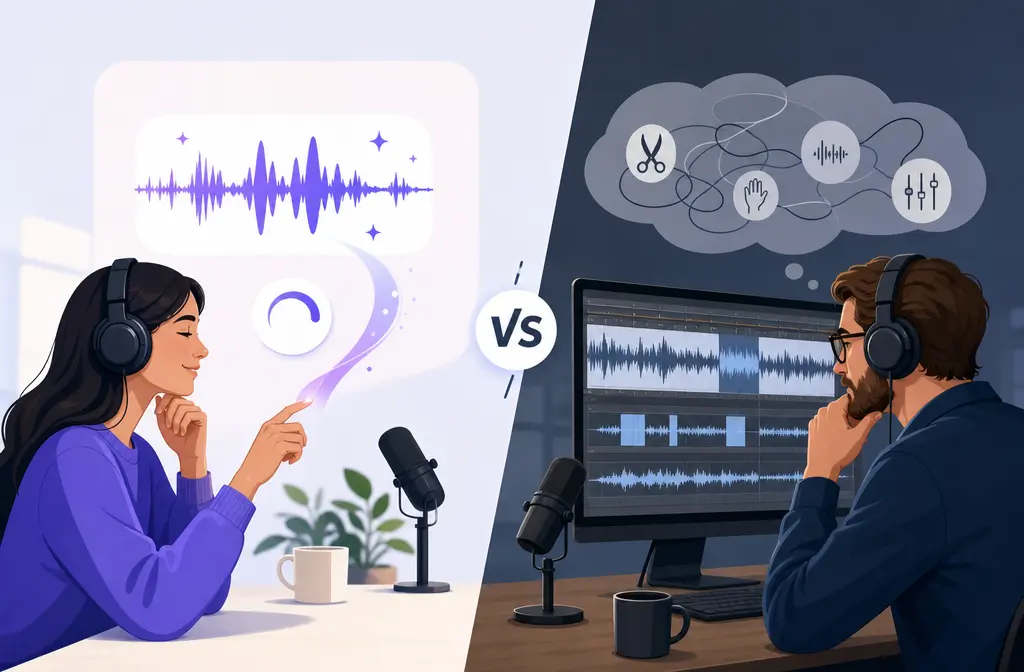
If your main goal is to clean up a spoken voice recording fast, Adobe Podcast is usually the quicker choice. Its Enhance Speech workflow is browser-based and positioned for spoken-word polish, so it makes sense when you have rough laptop-mic audio and want an immediate improvement with minimal effort.
If you want free manual control, Audacity is the better fit. It gives you waveform editing, built-in repair tools, and profile-based noise reduction that can work well on steady sounds like hiss, fan noise, or hum. The tradeoff is time: you have to capture a noise profile, preview settings, and avoid pushing the effect so far that the voice starts sounding metallic or bubbly.
If Adobe Podcast sounds too synthetic on your recording and Audacity feels too technical, SimpleClean is another tool from our team that offers a dedicated spoken-word cleanup workflow.
- Choose Adobe Podcast for the fastest speech enhancement.
- Choose Audacity for free manual cleanup and more hands-on control.
- Choose SimpleClean when you want dedicated voice cleanup without learning a full editor or relying on one all-or-nothing enhancer.
Adobe Podcast vs Audacity at a Glance
| Category | Adobe Podcast | Audacity | SimpleClean angle |
|---|---|---|---|
| Best for | Fast spoken-word enhancement | Free manual noise reduction and editing | Quick dedicated voice cleanup without DAW complexity |
| Workflow | Browser-based AI enhancement | Desktop waveform editing with manual effects | Cleanup-first workflow for spoken recordings |
| Learning curve | Low | Higher | Lower than Audacity |
| Strongest use case | Bad laptop-mic speech that needs instant polish | Steady background noise like hiss, fan, or hum | When Adobe sounds over-processed and Audacity feels too technical |
| Main risk | Voice can sound processed or over-smoothed | Artifacts if noise reduction is pushed too far | Use raw exports and avoid stacking heavy cleanup passes |
| Price model | Free plan plus paid Firefly Pro plan | Free and open-source | Dedicated alternative workflow |
Who Each Tool Is For
- Beginner creator: Adobe Podcast is easier to start with because it is designed around quick speech enhancement rather than manual editing.
- Budget editor: Audacity wins because it is free and open-source.
- Speech-only cleanup user: Adobe Podcast fits best if the job is simply “make this voice recording sound better fast.”
- Multistep editor who wants manual repair tools: Audacity is better because it includes editing and repair effects in one app.
- User who thinks Audacity is too technical but Adobe is too aggressive: A dedicated cleanup workflow can make more sense.

Current Pricing and Limits
Based on Adobe’s official plans page, the current split matters a lot if you are comparing cleanup workflows rather than brand names.
Adobe Podcast
- Free plan: audio-only Enhance Speech, no bulk processing, no strength adjustment, up to 30-minute files, and 1 hour per day.
- Firefly Pro plan: adds video support, bulk upload, strength control, larger files, and higher daily limits.
That means Adobe Podcast can be very convenient, but the free tier is not unlimited and the more flexible cleanup controls sit on the paid side.
Audacity
Audacity is free and open-source. Its value is not convenience; it is control. You are not paying for access to the toolset, but you are paying in time and effort. Audacity’s features overview and FAQ position it as a desktop audio recorder and editor for Windows, macOS, and Linux.
Workflow Differences: One-Click Enhancement vs Manual Repair
Adobe Podcast workflow
Adobe describes Enhance Speech as a quick post-production cleanup tool for spoken-word audio. In practice, the appeal is simple: upload the recording, let the enhancement run, and evaluate the result.
Its main strength is speed. If your recording is understandable but unimpressive, it can get you to a cleaner, more polished result much faster than manual editing.
Audacity workflow
Audacity works in the opposite way. According to the Audacity Noise Reduction manual, the effect is based on capturing a noise profile from a section that contains the unwanted steady noise by itself. Then you apply reduction settings to the broader clip.
That matters because Audacity is best when the noise is relatively stable. It is not magic cleanup; it is targeted processing that can work well, but only when the source problem fits the tool.
Which Handles Your Noise Problem Better?
The better choice depends less on the brand and more on the type of damage in the recording.
| Recording problem | Better choice | Why |
|---|---|---|
| Steady hiss, fan noise, or hum | Audacity | Its profile-based noise reduction is specifically suited to steady background noise if you can capture a clean noise sample. |
| Mild room noise on speech | Adobe Podcast | It is faster for spoken-word polish when the voice is usable but needs cleanup. |
| Bad laptop-mic speech that needs instant polish | Adobe Podcast | Enhance Speech is designed for quick spoken-word improvement. |
| Echo or reverb | Neither is ideal | These are harder problems; aggressive cleanup can damage voice quality. |
| Overlapping background voices | Neither is ideal | Profile-based reduction is poor at removing voices, and one-click enhancement can struggle when speech overlaps speech. |
| Transient noises | Case by case, often manual | Short sudden noises do not behave like steady noise, so they usually need more careful repair. |
| Clipped or badly damaged speech | Neither as a guaranteed fix | Cleanup can help perception, but damage is still damage; export the best raw file first and test lightly. |
Where Audacity is strongest
- Constant HVAC or fan tone
- Broad steady hiss
- Consistent electrical hum
- Users willing to preview, adjust, and re-run settings
Where Adobe Podcast is strongest
- Fast cleanup for spoken-word recordings
- Rough home-office or laptop recordings that need immediate polish
- Creators who do not want to learn waveform editing first
Where both can disappoint
- Heavy room echo or reverb
- Competing voices in the background
- Recordings already damaged by aggressive prior processing
For those cases, the best fallback is usually to export the raw or highest-quality version first, avoid stacking multiple heavy cleanup passes, and switch workflows if the first result sounds robotic.
Audio Quality Tradeoffs and Artifact Risk
Adobe Podcast and Audacity can both improve speech, but they fail in different ways.
Adobe Podcast tradeoff
The benefit is speed, but the cost can be over-processing. Some recordings come back sounding smoother and cleaner; others can sound synthetic, flattened, or too aggressively fixed, especially when the source is poor.
Audacity tradeoff
The Audacity documentation is very clear that pushing noise reduction too hard can create artifacts. Its official guidance warns about bubbling or metallic results with aggressive settings in Noise Removal & Repair. So while Audacity gives you more control than Adobe Podcast, it also gives you more ways to damage the voice if you overdo it.
Audacity’s own guidance also suggests noise reduction is intended for constant background noise, and that settings should be adjusted carefully with previewing rather than maxed out blindly.
Speed Comparison
- Adobe Podcast: faster end to end for most speech cleanup jobs.
- Audacity: slower because you need to identify clean noise-only sections, get the profile, preview settings, and often iterate.
- SimpleClean: useful when you want a cleanup-first workflow without spending time inside a full audio editor.
If your real question is “which one gets cleaner spoken audio faster,” Adobe Podcast usually wins on time. If your question is “which one gives me a free way to tame steady noise,” Audacity wins.

Decision Table: Which Should You Choose?
Choose Adobe Podcast if…
- You need the fastest route to cleaner speech.
- You have a spoken recording that is rough but understandable.
- You do not want to learn a DAW just to clean one file.
- You are fine with testing whether the enhancement sounds natural enough for your voice.
Choose Audacity if…
- You want a free tool.
- Your noise is steady and repeatable, like fan noise, hiss, or hum.
- You want manual control over the repair process.
- You are comfortable previewing effects and adjusting settings carefully.
Choose SimpleClean if…
- Adobe Podcast feels too all-or-nothing on difficult recordings.
- Audacity feels too technical for a cleanup-first task.
- You want spoken-word cleanup without learning a full waveform editor.
- You need a practical fallback when native cleanup starts sounding robotic.
Best Fallback Workflow for Noisy Voice Recordings
If your recording is difficult, do not jump straight into stacking every cleanup tool you can find. A safer workflow is:
- Export the raw or highest-quality source first. Keep an untouched version before testing any enhancement.
- Match the tool to the problem. Use Audacity for steady fan, hiss, or hum; use Adobe Podcast for quick speech polish.
- Preview lightly. If the voice starts sounding robotic, metallic, hollow, or over-smoothed, back off.
- Avoid multiple aggressive passes. Heavy cleanup on top of heavy cleanup often makes speech worse, not better.
- Switch workflows when needed. If Adobe sounds synthetic or Audacity becomes tedious, move the exported file into a dedicated cleanup workflow.
How to Decide in 5 Practical Steps
- Identify the noise type. Is it steady hiss or hum, mild room noise, echo, or competing speech?
- Start with the fastest likely winner. For rough spoken-word polish, test Adobe Podcast first. For constant fan or hiss, test Audacity first.
- Use light settings and compare against the raw file. Never judge a cleanup pass in isolation.
- Listen for artifacts. In Audacity, watch for bubbling or metallic texture. In Adobe Podcast, listen for over-smoothed or synthetic voice tone.
- Escalate only if needed. If neither result sounds natural, switch to a dedicated cleanup workflow instead of stacking harsher fixes.
Is Adobe Podcast Better Than Audacity?
Not universally. Adobe Podcast is better when the job is fast spoken-word enhancement. Audacity is better when you need free manual control, especially for steady background noise. The better choice depends on whether your priority is speed, cost, or fine-tuned cleanup.
Frequently Asked Questions
Is Adobe Podcast better than Audacity for podcasts?
For fast voice cleanup, often yes. For free manual editing and steady-noise reduction, Audacity can be better. They solve different parts of the problem.
Can Audacity remove background noise as well as Adobe Podcast?
Sometimes, but mostly on steady noise like hiss, fan sound, or hum. Audacity’s Noise Reduction is profile-based, so it works best when the unwanted noise is consistent. It is less ideal for echo, changing noise, or overlapping voices.
Is Adobe Podcast free?
Adobe’s official plans page lists a free plan with limits: audio-only Enhance Speech, no bulk processing, no strength adjustment, up to 30-minute files, and 1 hour per day. Firefly Pro adds more flexibility.
Does Audacity work without a browser-based workflow?
Audacity is desktop software for Windows, macOS, and Linux, and this comparison focuses on its local editing workflow rather than browser-based enhancement.
Which is better for voiceovers: Adobe Podcast or Audacity?
For quick polish on spoken voiceovers, Adobe Podcast is usually faster. For careful cleanup of steady noise with manual control, Audacity can be better if you are willing to spend more time.
Can Audacity remove echo or just steady noise?
The official Noise Reduction guidance is centered on constant background noise. Echo and reverb are tougher problems and are not where profile-based noise reduction is strongest.
Does Adobe Podcast sound robotic on bad recordings?
It can sound over-processed or synthetic on some difficult recordings. That is the main tradeoff of fast one-click enhancement.
What should I use if Audacity is too technical but Adobe Podcast is too aggressive?
That is where a dedicated cleanup-first workflow helps. If you want something easier than manual repair but more controllable than a single one-click enhancer, our team’s tool SimpleClean for spoken-word cleanup is one option.
Final Verdict
Adobe Podcast is the better choice when speed matters most and you want the fastest path to cleaner spoken audio.
Audacity is the better choice when you want free, hands-on control and your noise problem is steady enough for profile-based reduction.
Neither is perfect for every damaged recording. If echo, overlapping voices, or aggressive artifacts are the real issue, the smartest move is not to keep piling on stronger settings. Export the cleanest raw version you have, test lightly, and switch to a dedicated speech-cleanup workflow when the first pass stops sounding natural.